• KultureGeek
  • Comparateur de prix
       
iPhoneAddict
 iAddictv5Notre Application iPhone/iPad
  • Accueil Apps
  • Actualité Apple
  • Keynote Apple
  • Firmwares & iTunes
  • Contactez-nous
Accueil » Liste des Apps » Apps Universelles » Productivité » I do mail
L'application n'est plus disponible sur l'App Store français
1.2.1 iOS €Gratuit EcoSuite Corporation 0 0 Why is "I do mail" app different from other mail apps. "I do mail" does what other apps do. In addition, it provides a new way to keep your Inbox clean and current. Secondly, mail apps show all the mails in a date order mostly. They way have no way...
I do mail

I do mail

iOS Universel / Productivité

Gratuit
Obtenir sur l'App Store

Why is "I do mail" app different from other mail apps.

"I do mail" does what other apps do. In addition, it provides a new way to keep your Inbox clean and current.

Secondly, mail apps show all the mails in a date order mostly. They way have no way of saying what you need to work on. You have to scroll, search and remember to do your work. Of course, you can add to calendar or tasks, but they do not show up in the same page. With "I do mail" you do.


How is it different?

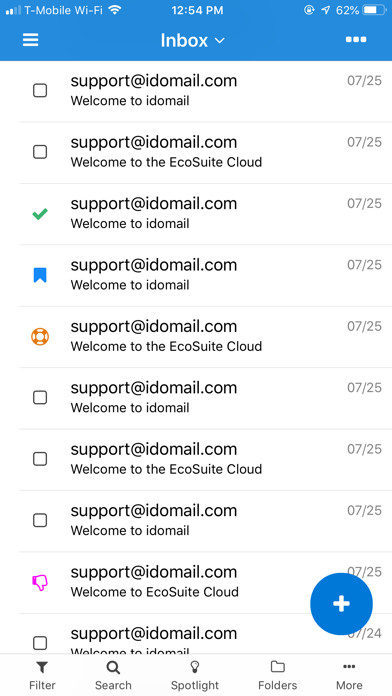
"I do mail" app's innovation is that it introduces scopes for email. You mark scopes while you read mail, no extra clicks or taps.

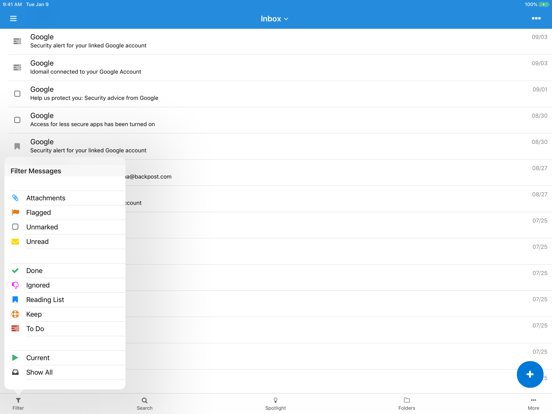
The scopes are "To Do", "Keep", "Read Later", "Ignoreî and "Mark Done". The scopes are combined with other mail properties to get unified filters. The filters are "View All", "Current", "Unread, "Unmarked", "Flagged", "With Attachments" along with the scopes "To Do", "Keep", "Reading List", "Ignoredî and "Mark Done".

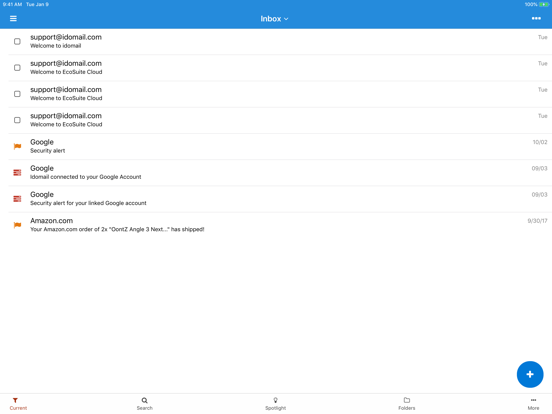
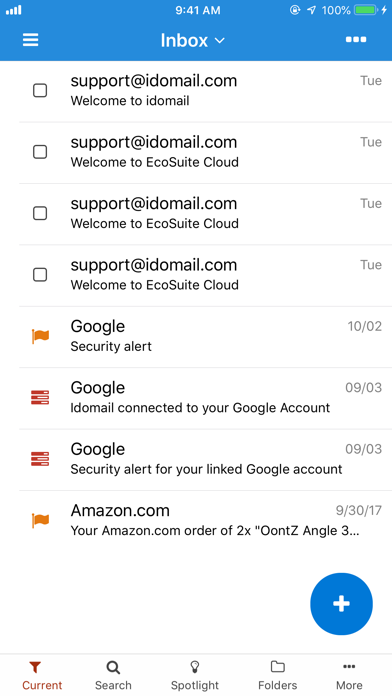
When you select filter called "Current", that's when you will see your Inbox in clean and current mode. When you are on "Current" filter, it will show recent emails in smart way, your mails marked with scope, "To Do", your new mails, flagged mails, etc. You do not need to mark mails as unread see them later. You can ignore emails, save them to read later, mark as "To Do" to work on them, mark as done when done.

You will see your mails that you need to work on one page in the app.

If you want to go back to using like other email clients, select filter "View All". "I do mail" app just builds upon what you are used to.

Finally, there are no advertisements or no notifications and no distractions.

En voir plus...

Quoi de neuf dans la dernière version ?

Fixed some signup bugs
  • Screenshot #1 pour I do mail
  • Screenshot #2 pour I do mail
  • Screenshot #3 pour I do mail
  • Screenshot #4 pour I do mail
  • Screenshot #5 pour I do mail
  • Screenshot #6 pour I do mail

Note

(0 note)

Détails sur l'application

Version
1.2.1
Taille
13 Mo
Version minimum d'iOS
11.0
Dernière mise à jour
05/02/2020
Publié par
EcoSuite Corporation

Newsletter App Store

Recevez chaque jour les meilleures promos

Actualité Apple

Image iPad mini OLED en octobre et nouveaux iPad, iPad Air et iPad Pro en 2027
iPad mini OLED en octobre et nouveaux iPad, iPad Air et iPad Pro en 2027
Image iPhone pliable : Apple aurait lancé la production de son système de refroidissement à chambre à vapeur
iPhone pliable : Apple aurait lancé la production de son système de refroidissement à chambre à vapeur
Image Jeux Windows sur Mac : l’outil Game Porting Toolkit 4 dope les performances sur Apple Silicon
Jeux Windows sur Mac : l’outil Game Porting Toolkit 4 dope les performances sur Apple Silicon
Image Where’s Wanda ? : Apple TV dévoile la saison 2 de sa comédie noire allemande
Where’s Wanda ? : Apple TV dévoile la saison 2 de sa comédie noire allemande
Partenaires : Actualité iPhone - Culture Geek
©2009-2026 i2CMedia | A propos |