IdeaVault - Store Goals, Ideas
iPhone / Productivité
Ever had a brilliant idea only to forget it moments later? Or did you have a goal but completely lose track of your progress and give up? IdeaVault is your new favorite app designed to instantly capture, organize, and turn your ideas and goals into reality. No more lost thoughts, no more scattered notes—IdeaVault makes sure every great idea gets the attention it deserves.
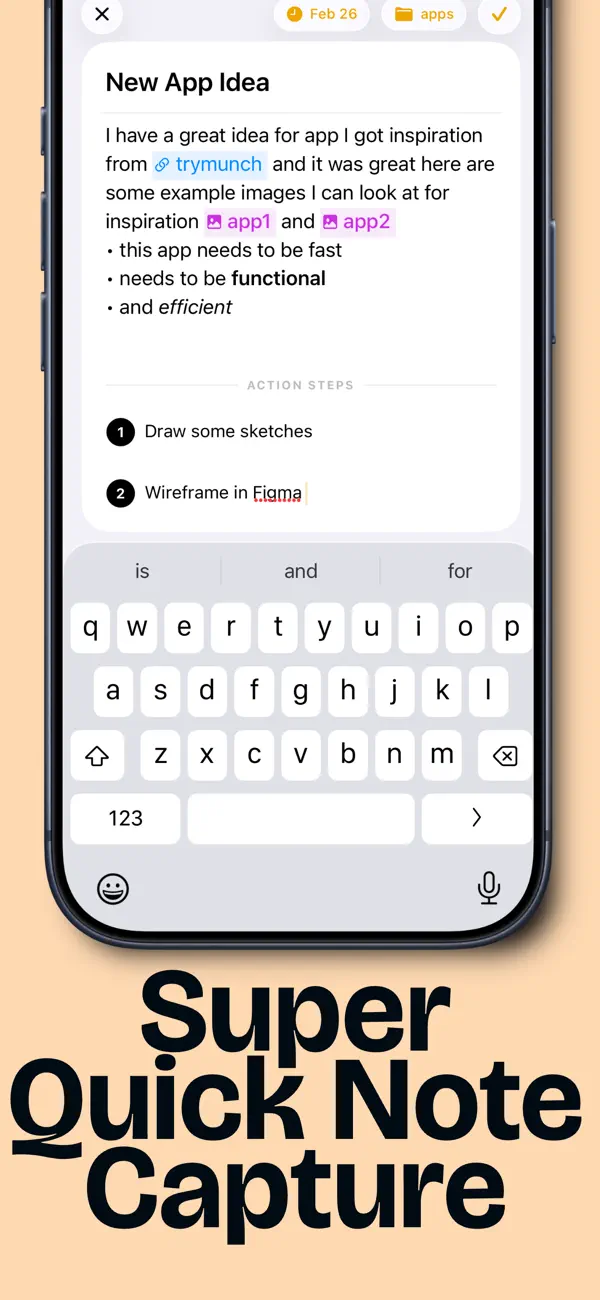
Effortless Idea Capture
IdeaVault is built for speed and simplicity:
- Instantly jot down ideas with a single tap.
- Create a note with just your voice using AI
- Create a note from your Apple Watch instantly!
- Categorize ideas effortlessly in just two taps.
- Add new tags and action steps seamlessly.
- Never lose momentum again—write first, refine later.
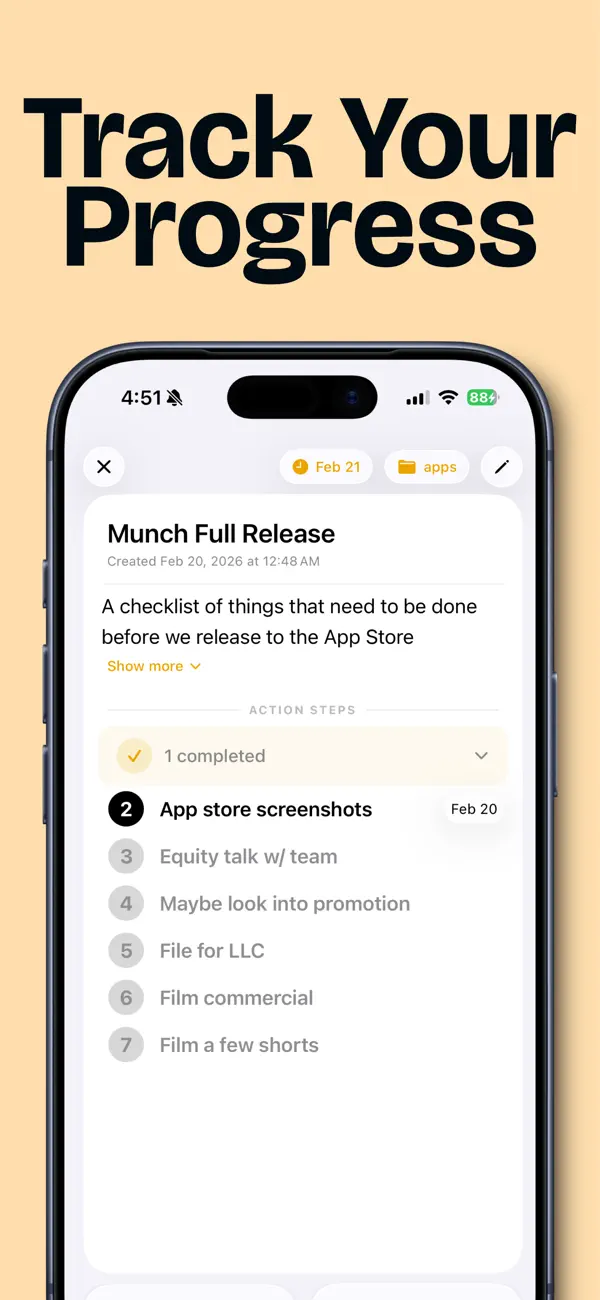
Turn Ideas Into Action
- Don't just collect ideas—achieve them!
- Transform your ideas into actionable steps.
- “Focus” your idea to prioritize it and clearly track your next step.
- Build your Vault Streak by completing daily or weekly tasks, keeping your momentum going strong.
Powerful Organization Made Simple
- Stay in control of your creativity with intuitive organization tools:
- Automatic folder creation for each category.
- Instant global search across all your ideas.
- Securely backed up to iCloud—your ideas are always safe and accessible.
Stay Motivated with Widgets
- See your progress at a glance with widgets like Current Focused Idea, Random Idea, and Streak, and Ideas Due.
- Instantly create notes right from your home screen.
Action Steps or Checklists—Your Choice
- Easily switch between step-by-step tasks and To-Do checklists.
- Reorder steps effortlessly to prioritize as your plan evolves.
Seamless Integration with Notion
- Your ideas, now seamlessly synced with Notion
- Automatically sync your notes every 30 minutes.
- More integrations to come!
Stay on Track with Due Dates & Calendar
Never miss a deadline again:
- Quickly set due dates and times for your notes.
- Keep track of upcoming tasks in the beautifully integrated Calendar tab.
- View tasks at a glance and easily move tasks to new dates.
- Enjoy daily briefings to effortlessly manage your day.
Ready to bring your ideas to life?
Download IdeaVault now and transform your notes into real-world accomplishments. Your best ideas deserve better.
Have feedback? We’d love to hear it! IdeaVault continues to improve with your suggestions—let’s make something amazing together.
Terms of Service: https://www.apple.com/legal/internet-services/itunes/dev/stdeula/
Privacy Policy: https://ads-slide-0j9.craft.me/5VTuFTHUlytI6L
Quoi de neuf dans la dernière version ?
Bug Fixes! Just working to make IdeaVault more stable!