iTouch Remote Free
iPhone / Productivité
Control your computer, laptop or HTPC running Windows, Linux or Mac using your iPhone, iPod touch, or iPad over your Wi-Fi network.
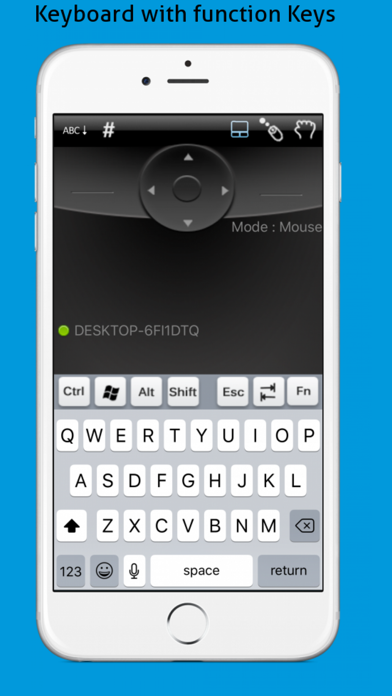
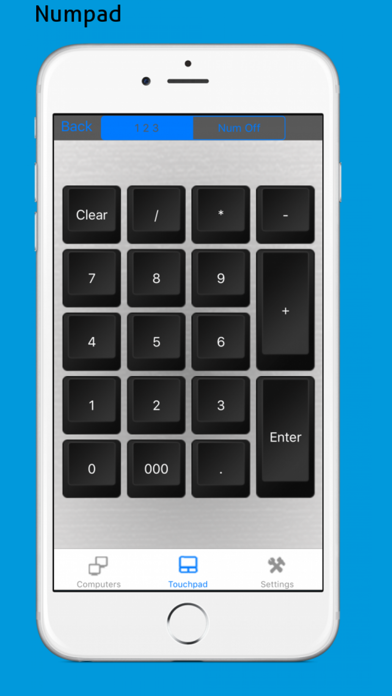
This app can be used as a Touch Pad, Air Mouse, QWERTY keyboard with FKeys and NumPad and serves as a great replacement for your mouse and keyboard.
You can use the iPhone/iPad/iPod Touch volume buttons to control your computer’s volume. You can even change the skin or customize the app background with your favorite image.
The app is designed to allow multiple users to control the PC which is great for group presentations or for families with multiple iOS devices.
For maximum security all data exchange between the device and the computer is encrypted.
PLEASE INSTALL THE HIDPOINT MEDIA SERVER SOFTWARE FROM http://www.hidpoint.com BEFORE RUNNING THIS APP AND ENSURE YOUR COMPUTER & iPhone/iPad/iPod Touch ARE CONNECTED TO THE SAME WI-FI NETWORK.
Full version of the app provides:
- File Browser
- Browser, Media, Picture and Presentation remotes.
Free version Features:
Supported Server Platforms:
•Windows, Macintosh and Linux
Check our web site for the complete list of supported platforms
Connectivity:
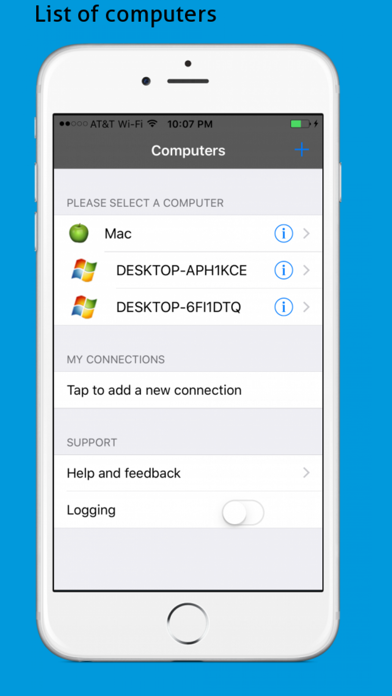
Automatic: Discovers computers running the YouTube Remote server automatically using bonjour service.
Manual: User can connect to computer by providing the IP address and password
Touch Pad
• Left, Right and Middle buttons
• Horizontal and Vertical scrolling
• Pinch gesture for Zoom in and Zoom Out
• Tap to click
• Left-handed Mouse
• Drag Mode for drag drop operations
Air Mode
• Easily Activate/deactivate Air mouse movements.
Keyboard:
• Support Standard keys
• Multimedia/Consumer keys - Zoom, undo redo, Volume controls, Process Monitor, Media Player, Web Browser, Email Client
• Supports international keyboards
Quoi de neuf dans la dernière version ?
This app has been updated by Apple to display the Apple Watch app icon.
Bug fixes