iPhoneAddict Apps
  • Actualités
  • Accueil Apps
  • iPhone
  • iPad
  • Universelles
  • Mac
  • Apple TV
KG KultureGeek
App
iPhone / iPad Télécharger iAddict v5 Mac Télécharger iAddict Mac
  • Actualités
  • Accueil Apps
  • iPhone
  • iPad
  • Universelles
  • Mac
  • Apple TV
  • Archives keynotes
  • Firmwares & iTunes
  • Contactez-nous
  • Comparateur de prix
  • KultureGeek
Accueil » Liste des Apps » Apps Universelles » Productivité » KeyBot - Control your Computer
L'application n'est plus disponible sur l'App Store français
2.0 iOS €Gratuit Magno Urbano 0 0 Every Mac app uses shortcuts, like Cmd-C and Cmd-V to copy and paste text respectively, or like Cmd-N and Cmd-O to create new files or open existent ones. Now imagine that you are using a mac application that requires repetitive use of shortcuts...
KeyBot - Control your Computer

KeyBot - Control your Computer

iOS Universel / Productivité

Gratuit
Obtenir sur l'App Store
Facebook X E-mail

Every Mac app uses shortcuts, like Cmd-C and Cmd-V to copy and paste text respectively, or like Cmd-N and Cmd-O to create new files or open existent ones.

Now imagine that you are using a mac application that requires repetitive use of shortcuts like (Shift-Cmd-Option-Control-F1) or (Shift-Cmd-Option- F12) to perform specific functions.

Imagine having to type these complex combinations of keys over and over again.

Imagine having to remember what keys to type to perform the functions you need to do, specially if you stop using the app for a couple of week.

How awful is that?

Say hello to Keybot!

Keybot comes in two versions that work together: one for macOS and this one for iOS (for iPhone and iPad).

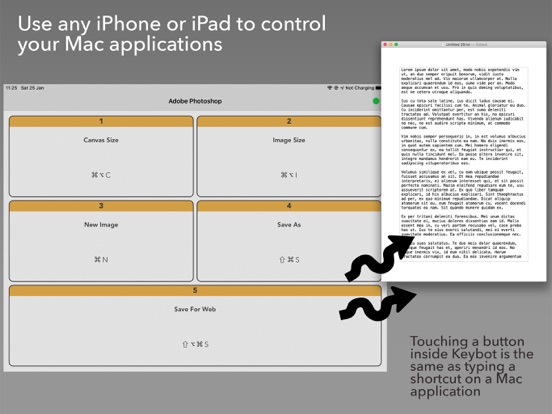
Using Keybot you can define any number of macOS applications you like and define the shortcuts you want to use from them.

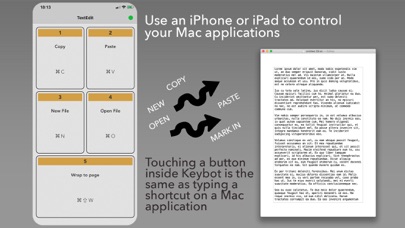
These shortcuts appear as buttons on the iOS device.

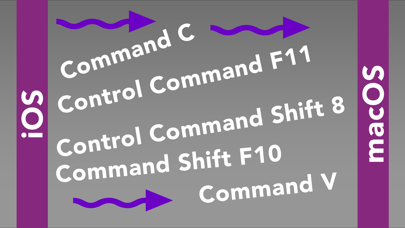
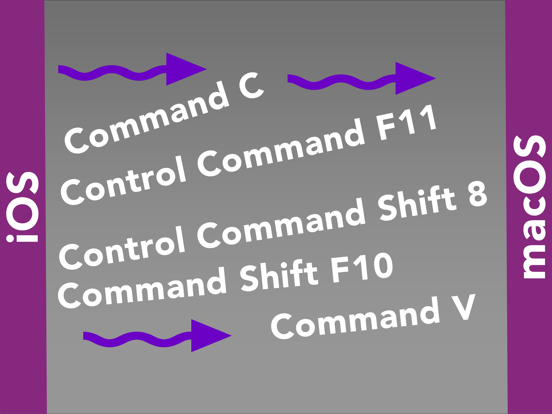
Then, all you have to do is to press the respective buttons on your iPhone or iPad and have the shortcuts transmitted to the active macOS application.

Works like magic.

To use this app, please also download Keybot for macOS using your Mac computer.

Keybot frees you from having to type complex combinations of keys, increases your productivity and prevents you from having to remember what keys to type in what application.

En voir plus...

Quoi de neuf dans la dernière version ?

* updated to new versions of iOS.
  • Screenshot #1 pour KeyBot - Control your Computer
  • Screenshot #2 pour KeyBot - Control your Computer
  • Screenshot #4 pour KeyBot - Control your Computer
  • Screenshot #5 pour KeyBot - Control your Computer

Note

(0 note)

Détails sur l'application

Version
2.0
Taille
1.1 Mo
Version minimum d'iOS
16.4
Dernière mise à jour
18/08/2023
Publié par
Magno Urbano

Newsletter App Store

Recevez chaque jour les meilleures promos

Actualité Apple

Image Apple reporte la sortie de deux fonctions d’iOS 27
Apple reporte la sortie de deux fonctions d’iOS 27
Image Le patron d’Apple justifie le prix élevé de l’iPhone Duo
Le patron d’Apple justifie le prix élevé de l’iPhone Duo
Image iPhone Duo : seulement 4 mégapixels pour le capteur sous l’écran
iPhone Duo : seulement 4 mégapixels pour le capteur sous l’écran
Image IMAX réagit à l’iPhone Duo et le ratio de l’écran
IMAX réagit à l’iPhone Duo et le ratio de l’écran
iPhoneAddict Apps

Le catalogue iPhoneAddict pour suivre les nouveautés, mises à jour et baisses de prix de l’App Store.

Apps

Toutes les apps iOS iPhone iPad Universelles Mac Apple TV

iPhoneAddict

Actualité Apple Archives keynotes Contact À propos KultureGeek

Suivez-nous

©2009-2026 i2CMedia. Tous droits réservés.