Master Class Adobe InDesign Edition
iOS Universel / Productivité
Adobe InDesign is the Industry Standard Publishing Software and it is a must for every serious designer. It works alongside adobe photoshop and is a brilliant piece of design software.
Getting the most out of Adobe Indesign is easy but takes some doing.
This collection of over 500 easy to follow video tutorial lessons will speed you through the learning process and serve as a long term reference for you in the future - so when you forget how to do something you can easily revisit the lesson and refresh your memory.
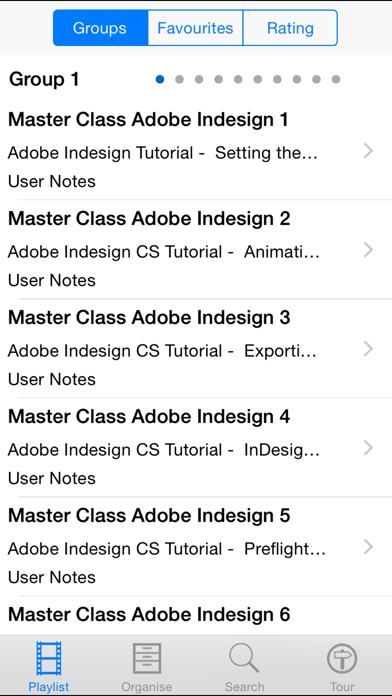
500+ Tutorials include:
Adobe Indesign Tutorial - Setting the Best Preferences
Adobe Indesign CS Tutorial - Animating Content
Adobe Indesign CS Tutorial - Exporting to PDF and Loading PDF Settings
Adobe Indesign CS Tutorial - InDesign Color Settings
Adobe Indesign CS Tutorial - Preflight and Packaging
Adobe Indesign CS Tutorial - Printing
Adobe Indesign CS Tutorial - Adding Object States
Adobe Indesign CS Tutorial - The Links Panel
Adobe Indesign CS Tutorial - Anchored Objects
Adobe Indesign CS Tutorial - The Pathfinder Panel
Adobe Indesign CS Tutorial - The Align Panel
Adobe Indesign CS Tutorial - Creating a Clipping Path
Adobe Indesign CS Tutorial - Dynamic Captions and Adobe Bridge
Adobe Indesign CS Tutorial- Dragging and Dropping from Mini Bridge
Adobe Indesign CS Tutorial - Alternate Layouts
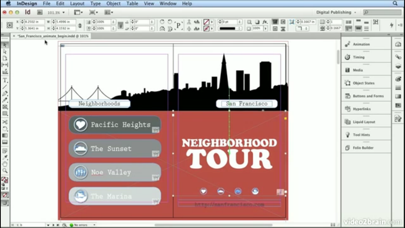
Adobe Indesign CS Tutorial - Building Document Wide Navigation
Adobe Indesign CS Tutorial - Creating Hyperlinks and Building Buttons
Adobe Indesign CS Tutorial - Creating Folding Spreads
Adobe Indesign CS Tutorial - Building a Table of Contents for a Book
Adobe Indesign CS Tutorial - Synchronizing Colors and Styles in a Book
Adobe Indesign CS Tutorial - Building a Book
Adobe Indesign CS Tutorial - The Content Collector and Content Placer Tools
Adobe Indesign CS Tutorial - Working with Multiple Master Pages and Referenced Master Pages
Adobe Indesign CS Tutorial - Building Libraries for Frequently Used Content
Adobe Indesign CS Tutorial - Creating Facing Page
Adobe Indesign CS Tutorial - Creating a Section
Adobe Indesign CS Tutorial - Using Custom Page Numbers
Adobe Indesign CS Tutorial - Custom Bullets and the Glyphs Panel
Adobe Indesign CS Tutorial - Using Find Font to Replace Missing Fonts
Adobe Indesign CS Tutorial - Favorite Typography Keyboard Shortcuts
Adobe Indesign CS Tutorial - Moving Beyond the Basic Tab Settings
Adobe Indesign CS Tutorial - Setting Tabs
Adobe Indesign CS Tutorial - Hyphenation Settings and Widow
Adobe Indesign CS Tutorial - Removing Text Formatting
Adobe Indesign CS Tutorial - Layout Adjustment
Adobe Indesign CS Tutorial - Isolating Moving and Selecting Objects with Layers
Adobe Indesign CS Tutorial - Adding Layers to Your Document
Adobe Indesign CS Tutorial - Unlocking and Resetting Master Page Items
Adobe Indesign CS Tutorial - Adding Spot
Adobe Indesign CS Tutorial - Creating a Color Story with the Kuler Panel
Adobe Indesign CS Tutorial - Creating Colors and Adding Swatches
Adobe Indesign CS Tutorial - Creating the Back of a Postcard
Adobe Indesign CS Tutorial - Creating the Front of a Postcard
Adobe Indesign CS Tutorial - Placing Scaling and Aligning Several Images with Multi Place
Adobe Indesign CS Tutorial - Using Selection Tools
Adobe Indesign CS Tutorial - Adding a Table of Contents and Jump Page Numbers
Adobe Indesign CS Tutorial - Building a Newsletter
Adobe Indesign CS Tutorial - Creating Letterhead
Adobe Indesign CS Tutorial - Placing Images and Wrapping Text
Adobe Indesign CS Tutorial - Creating or Adding Columns
Adobe Indesign CS Tutorial - Master Pages and Page Numbers
Adobe Indesign CS Tutorial - Editing Styles for Global Updates
Adobe Indesign CS Tutorial - More Paragraph Styles
Adobe Indesign CS Tutorial - Intro to Paragraph Styles
Adobe Indesign CS Tutorial - Creating Special Effects
Adobe Indesign CS Tutorial - Creating Gradients
Adobe Indesign CS Tutorial - Drawing with Shapes and Lines
and many more
Quoi de neuf dans la dernière version ?
This app has been updated by Apple to display the Apple Watch app icon.