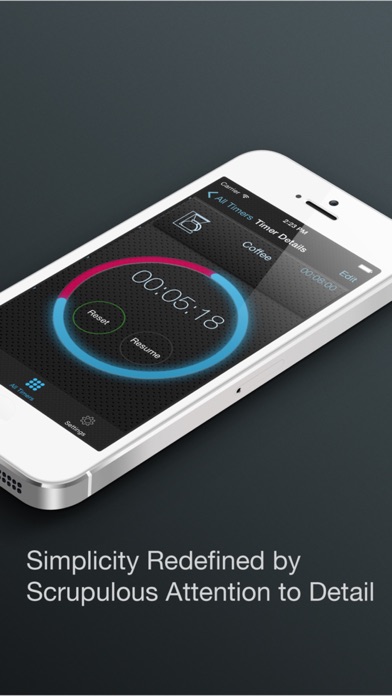
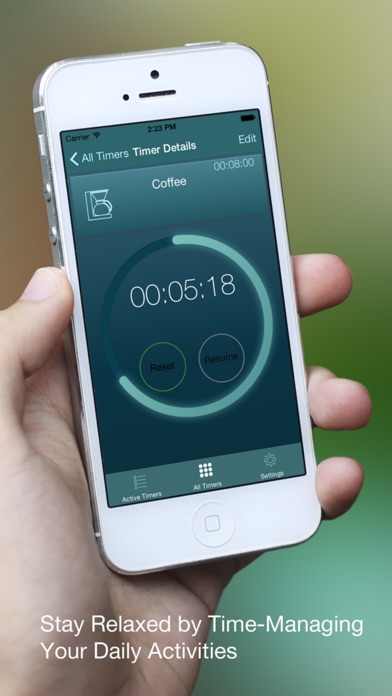
Multi Timer HD Free - Visually manage tasks, chores, activities in everyday life
iOS Universel / Productivité
New arrival of a definitive timer app that makes your daily life more relaxed for multi tasking, or let you immerse yourself in your most important task while other background tasks are being monitored to be attended on the right timing. All that is done by pleasantly simple steps.
Features:
* The list of Active Timers lets you quickly access to the recently used timers.
* Each timer is easily distinguished by name, icon and sound.
* Alert view will pop up even when the app is in the background mode.
* Timer Edit screen has a preview pane that instantly reflects the change.
* Custom icons allow users to visually distinguish timers.
* Optimized for each screen size: 3.5”, 4.0”, 7.9”, and 9.7”.
How It Works:
1. Tap an icon in the timer list to start a timer.
2. Tap the icon again to pause the timer.
3. Tap the Pause button to pause a running timer.
4. Tap the Reset button to reset a paused timer.
5. Tap the Cancel button to stop and reset a running timer.
6. Tap the outside of the timer icon to bring up the detail screen for more functionalities.
Functionalities
* It provides the Select Mode to reset/modify/delete multiple timers at the same time.
* Settings to customize the behavior of the app:
* Sounds on/off
* Vibration on/off
* Default sound
* Disable/enable Auto-Lock
* App Icon Badge on/off
* Snooze duration [TBD]
* Theme selection
* Tapping the sound name briefly plays the alert sound
* Tapping the timer icon pause/resume the timer.
* “Clear Stopped Timers” button removes all stopped timers from the list of Active Timers.
* The background color of the dial area changes to indicate the timer is running.
Basic Collection (comes with The Lite Version)
* Timer Icons: bicycle, coffee, dial1~3, dryer, washer, sunny side egg, boiled egg, facial mask, cucumber eye pads, barbecue grill, shrimp, fish, steak, half-body bathing, noodle, pasta, pomodoro, range, running, shower 1~3, soup, tea, work session, yoga 1~2, meditation
* Alert Sounds: Alarm Clock, Bell 01 ~ 04, Bulb Horn, Canary, Car Alarm, Chime, Dolphin, Doorbell 02 ~ 07, Harp, Melodica, Music Box, Peacock, Telephone Ring 1 ~ 4, Train Crossing Bell, Tran whistle, Trombone, Wind Chime.
* Themes: Blue Flare, Carbon Blue, Carbon Yellow, Dark Aluminum, Blue Green, Blue Orange, Yellow Purple, Aluminum, Light Carbon, White Grid, Deep Red, Wisteria Violet, Persimmon, Violet Dusk, Bronze Dusk, Sorbet Green, Citrus Yellow, Lime, Aqua, Salmon Pink, Natural Wood, Birch Wood.
Requirements:
* iPhone 4s or better
* iPad 2 or better
* iPad Mini or better
* iOS 7 or higher
Recommended:
* iPhone 5 or better
* iPad with Retina Display (4th Generation) or better
* iPad Mini with Retina Display or better
Availability
* Free Version 1.0 (This version): Available Now.
* Full Version 1.0: In-App Purchase from Free Version 1.0
* Pro Version 1.0: Not Available. Coming Soon.
Quoi de neuf dans la dernière version ?
This app has been updated by Apple to display the Apple Watch app icon.
Minor bug fixes.