PDFOptim
iOS Universel / Productivité
PDFOptim is a simple and intuitive way to compress, optimize and reduce PDF documents on iPhones and iPads. PDFOptim provides easy and effective ways to compress large image and graphics heavy PDF files. Inbuilt side-by-side preview to compare original and compressed PDF.
* * * PDFOptim for Mac is also available on the Mac App Store. * * *
Compressed PDF documents requires less disk space for storage and faster uploads and downloads saves transmission time and cost. PDFOptim rewrites the entire PDF documents using selected compression options as efficiently as possible without compromising the document's integrity.
If your PDF documents are in another app (For Example Mail, DropBox or SkyDrive etc.) that uses the Open In… button, tap the button to open the PDF document in PDFOptim. You can also transfer PDF documents from your desktop computer via iTunes into PDFOptim application on your iPhone or iPad.
KEY FEATURES:
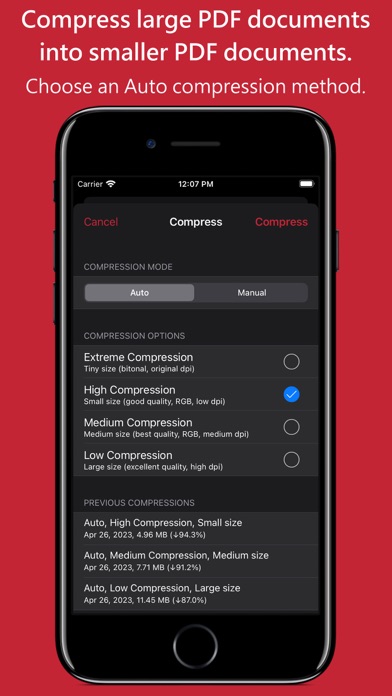
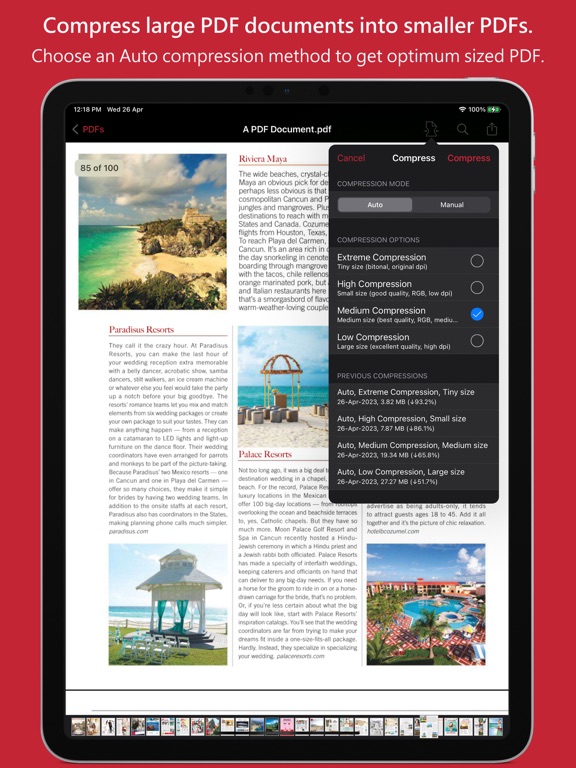
AUTO COMPRESSION MODE
- PDFOptim analyze document’s contents and apply algorithm to generate a smallest possible PDF by maintaining the document’s visual quality. Choose one of the four predefined Auto compression methods and let the app do the hard work for you. No further user interaction required to provide technical compression options.
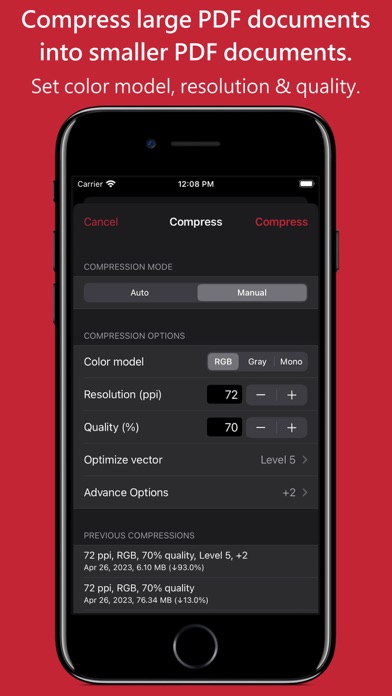
MANUAL COMPRESSION MODE
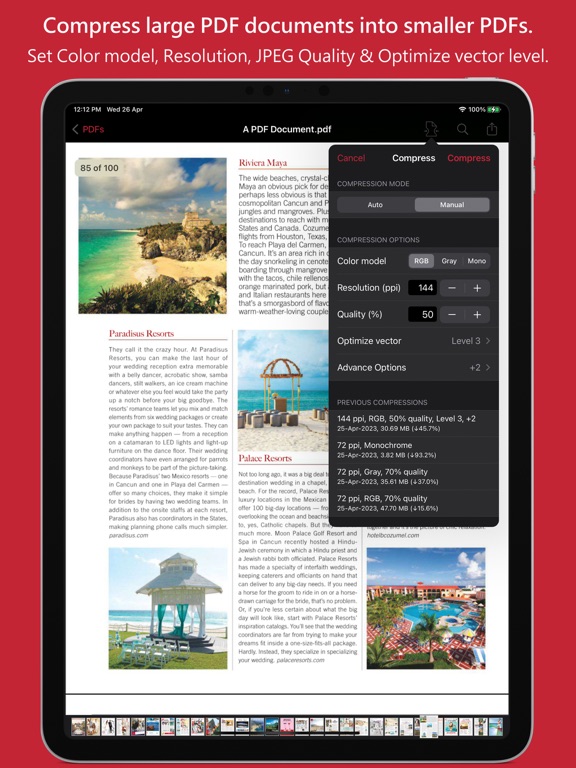
- Change compression options manually to generate optimum sized PDF of your need. You can choose compression options to set from Image Color Model, Image Resolution, JPEG Image Quality, Optimise vector graphics level and Advance option.
- Image color model to choose from RGB, Gray and Mono. Selecting Monochrome color model option converts raster PDF contents into black and white which helps reduces PDF file size to greater extent. It is very helpful when compressing scanned books mainly containing text.
- Image resolution ppi (pixels/inch) control to resize raster image contents. Downsampling at lower resolution decrease the file size dramatically.
- Quality control. Set quality from lossless to least for resampling all raster images into PDF. It allows you to control compressed PDF size and viewing quality.
-Advance options to remove PDF content properties like alternate images, page thumbnails, documents structure hierarchy and output intent.
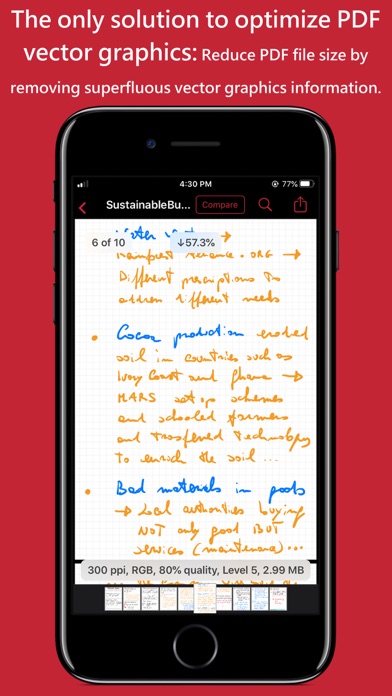
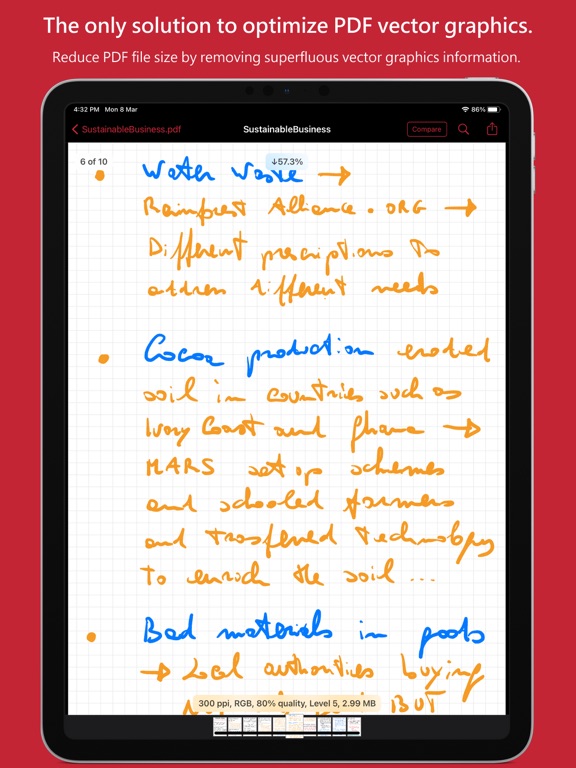
- Optimize vector graphics option removes superfluous information to reduce vector graphics heavy PDF. Increase in optimize vector from 'Level 1' to 'Level 5' reduces output PDF file size less to more respectively.
This option is very useful when PDF content mainly consist of high precision vector graphics, Usually PDF drawing, note-taking and PDF markup apps creates large vector graphics heavy PDF files which can be compressed by this option efficiently.
- Password protected PDF documents supported for compression using correct password.
- Single or multiple compressed PDFs can be shared as single ZIP (*.zip) file.
- Allows Compressed PDFs to Open In… another application, Mail, Message, Print, share PDFs to nearby iOS devices via AirDrop.
- Use Copy to iTunes to save and share compressed PDFs on your desktop computer.
PDF VIEWER:
- Inbuilt PDF viewer with fully selectable and searchable text contents. Select and copy text to clipboard for further use.
- Pinch out and Pinch in to ZoomIn and ZoomOut view and search feature to find a character, word and sentence.
- Scroll through your document by thumbnail view or Go to page feature.
Note: PDFOptim is standalone application running natively to compress PDF documents securely on your iOS device.
You can refer User Manual for any assistance Or Contact Support.
*The free version has limitation to export one compressed PDF per week. Get Premium to remove all restrictions and start exporting an unlimited number of compressed PDFs.
Privacy Policy: http://rootrisetech.com/pdfoptim-privacy-policy
Terms of Use(EULA): https://www.apple.com/legal/internet-services/itunes/dev/stdeula/
Quoi de neuf dans la dernière version ?
- Updated user interface to streamline with latest iOS.
- Other minor bug fixes and improvements.
If PDFOptim useful to you, we would appreciate an App Store review. It will help other people find the app and make them delighted.
Thank you all users for your feedback :)