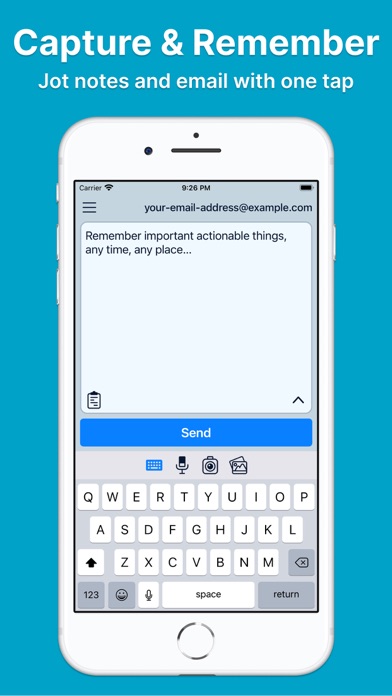
Pensieve: Email Me Notes
iOS Universel / Productivité
If you’ve ever emailed yourself, Pensieve is for you.
Just capture, send, and remember! Pensieve is the perfect Idea Inbox companion, a Magic Warp Zone for your mind.
Ideas, to-dos, and inspiration pop into your head throughout the day, often at the wrong time and in the wrong place.
You want to capture those thoughts somehow, but you’ll forget to check your other notes app, texting yourself won’t work, and writing an email is clunky. You need to get these ideas out of your mind and off of your phone now, so you can get back to what you’re doing and stay in the moment with a clear head. You need a powerful, easy-to-use tool that can teleport your thoughts from here and now to the time and place where they belong. You need an idea warp zone.
You need Pensieve, the notes app you'll actually use.
== Features ==
Powerful capture tools, deep customization, and lightning-fast email delivery:
• Record audio memos and get automatic speech-to-text transcripts.
• Built-in camera that attaches photos as soon as you take them.
• Attachment picker with quick access to your photo library and files.
• Quick paste button for emailing yourself text, links, and images.
• Email yourself from your Watch using the Pensieve watch app.
• Email yourself from within other apps using Pensieve Share.
• Custom rules put you in control over how emails from Pensieve are formatted.
• With the power of Pensieve you can send to multiple inboxes with one tap.
• Works offline. Capture thoughts without the internet and send them later.
== Privacy & Security First ==
Pensieve is committed to your privacy and security.
The app doesn't contain any of the icky practices of big tech or other companies!
- NO data mining.
- NO advertisements.
- NO attention-grabbing tactics.
Only respect for you and your time, attention, and data. Learn more at https://privacy.pensieve.io.
== Get in Touch ==
Tweet to @PensieveTweets with questions, feedback, etc.
== Terms ==
By using Pensieve you agree to the Pensieve Terms of Use:
https://www.apple.com/legal/internet-services/itunes/dev/stdeula/
Quoi de neuf dans la dernière version ?
Pensieve is the easiest way to capture, email, and act on your thoughts.
Drafts now send reliably in the background, so your emails can keep going out even when you leave the app.