PERI Extended Experience
iOS Universel / Productivité
PERI Extended Experience brings PERI products and solutions from your pocket to real life. Using 1:1 size Augmented Reality mode, models can be positioned anywhere in the physical world with a Relity Anchor - showing the specific PERI solution in all its excellence.
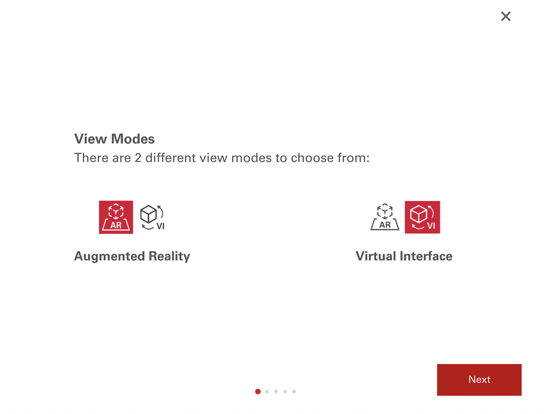
PERI Extended Experience enables the user to view a technical 3D solution in her/his device in 2 different ways.
- VI mode: 3D models in a virtual environment with finger gestures. Enable the first person view and enter into walk and fly mode.
- AR: Your camera will detect the ground and then the 3D model will be placed in front of you, or placing the Reality Anchor and the model will be placed in 1:1 scale linked with this anchor.
Quoi de neuf dans la dernière version ?
New:
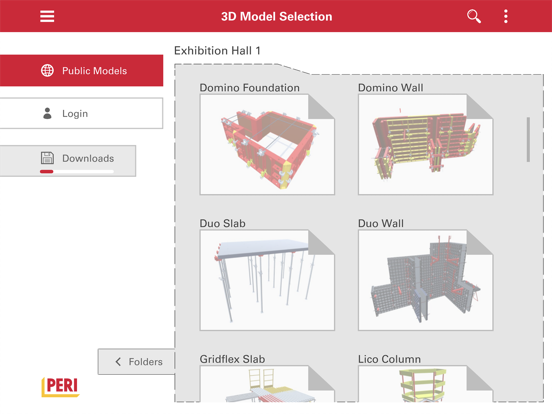
- 3D Model Selector UI updated
- 3D Viewer UI updated
- AR New Animations to place the model on site
- Beta | Owner of the model can create attached (linked) views to the 3D Model
- Request timeout panel when there is a problem with the API
- German and French translations (Spanish and English reviewed)
- Add subelements into layers panel
- App always starts on Downloads panel, instead to login automatically in User folder
- Permissions, roles and modules updated
Fixed:
- [Bug] | SET 3D Models section and bounding box does not fit correctly
- [Bug] | QuickSolve export cycle layers are not working properly
- [Bug] | Block elements selection over buttons and panels
- [Bug] | Reality Anchor now not collide with shadows
- [Bug] | Project version text shown correctly when other card is active
- [Bug] | Hide scroll container when a folder does not contain projects
- Isolated bug when user moves from Basic Dimensions to Opacity or Section
- Versions on 3DS not shown correctly and iOS does not detect the package
- Just one download at once
- Version text to white when dark background
- Error solved when we come back from the login process without finish the login
- Search bar works fine when it is empty or deleted by the user
- All information panels with the views gives a feedback to the user