Plan Ink - Daily Planner
iOS Universel / Productivité
With Plan Ink, you can design unlimited Daily Planners by combining a variety of interactive Widgets; your planners are as individual as you! Fill them out using the Apple Pencil right inside Plan Ink - no need to import a planner into other apps. Everything you write is automatically organized in a calendar; you have access to your daily journaling even years later.
BUILD YOUR OWN DIGITAL PLANNERS
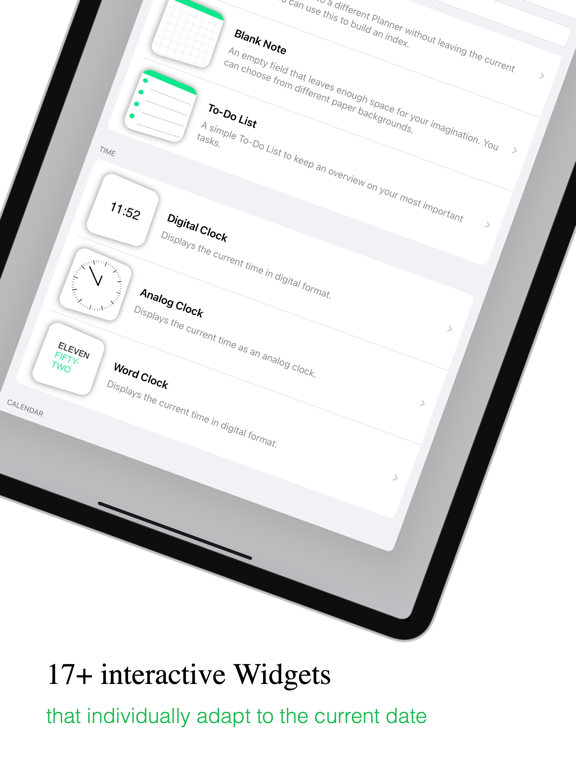
• Plan Ink features 17+ customizable Widgets that can be combined freely to build templates
• Amongst others: To-do lists, clocks, calendars, timelines, mood trackers, habit trackers etc.
• Import ANY widget from PDF planners by taking a screenshot and using the Custom image Widget
• Widgets update independently in different intervals (Never, daily, weekly, monthly, yearly)
• Use the Planner Link to quickly switch between multiple planners with a single tap; you can even build an index or a navigation bar!
• Display any Widget right on your Homescreen to see your day at a glance
MAKE EVERY WIDGET YOURS
• Every Widget is completely customizable and resizable
• Change the title, colors, font, border, shadow, corners and much more
• Arrange widgets in columns and rows. When you decide to rearrange your planner, everything you wrote on it will adjust to the new layout automatically
• Create different design presets and quickly apply them to your Widgets
PRESET STORE
• Get inspired and create new planners by choosing from handmade presets
• New presets will release on a regular basis
• Every preset is completely customizable
DESIGN A COVER
• Give your planners a unique look by designing a custom cover
• Use colors, gradients and backgrounds
• Draw and write anything you can imagine on your cover
EXPORT YOUR PLANNERS
• Export your planner as PDF to print it out or share it with friends
• Export it with our without cover
• Export it blank or filled out - you can select which dates you want to include
UNMATCHED WRITING EXPERIENCE
• Use a normal pen, highlighters or even lead pencils
• Very low input latency of only 6ms
• Customize color, width and opacity to draw any stroke
• Use the familiar tools from the Apple Notes app
SO MUCH MORE THAN A PAPER PLANNER
• Move or copy strokes and text with the lasso-tool
• Erase whole lines or only small parts with two different erasers
• Draw straight lines using a digital ruler
• Work on multiple planners side-by-side using splitscreen-mode (iPad only)
ICLOUD SYNCHRONIZATION
• Your planners are seamlessly synchronized between your devices using iCloud
• Synchronization happens automatically, just activate it in settings
Follow @planinkapp on Instagram to stay updated!
Quoi de neuf dans la dernière version ?
NEW IN VERSION 1.2.1
• Bugfixes: Fixed a bug that caused the Monthly Calendar Widget to crash