Present Anything
iOS Universel / Productivité
Present Anything enables you to easily and spontaneously give presentations – including live camera, laser pointer and zoom tools.
Stop worrying about templates, layouts and font sizes. Just use your files as your slides, and start presenting instantly.
Now YOU can Present Anything!*
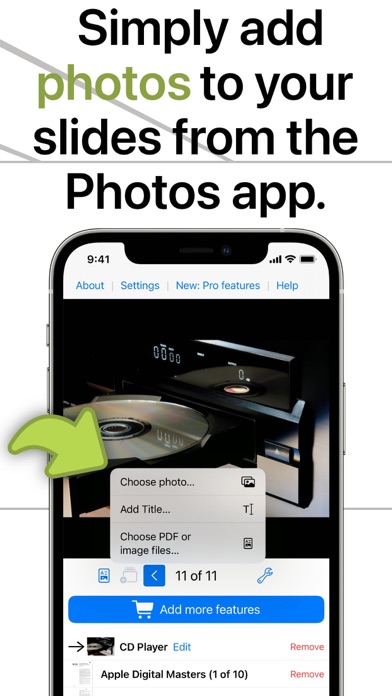
1. Add all files and photos you would like to present, and add Title Slides where you'd like them.
NEW: Giving a live demo? Add a Camera Slide!
2. Connect to a projector or display.
There's no step 3! While presenting, highlight details using the Zoom and Laser Pointer tools.**
You could even:
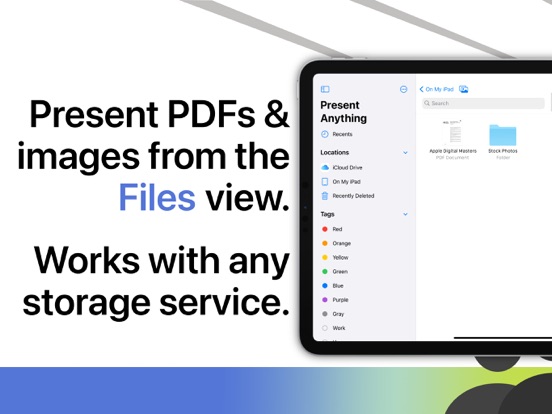
- Open a shared folder and present all files* in a row.
- View photos from an SD card on a larger screen, in full resolution!
- Present images from a connected camera without importing them first.
- Use a TV as an easily updated smart billboard or restaurant menu thanks to automatic and infinite slideshows.
- Easily add Title Slides for a professional touch.
Gain great features with the Pro upgrade:
- Watermark all slides with your logo and company name
- Choose from 10 Title Slide templates and add photos to them
- Choose a transition effect for each slide individually
All of this thanks to Present Anything.
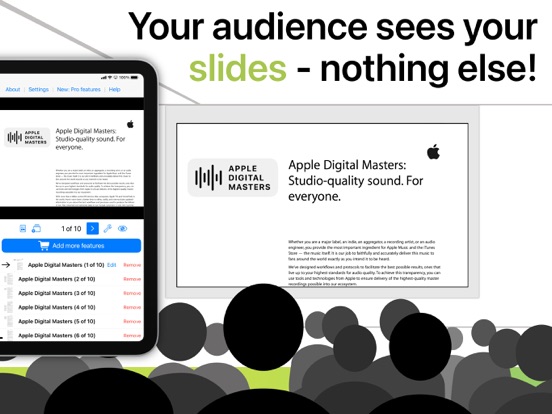
And if you need to skip, add or remove slides, the innovative split screen view will make sure your audience doesn't see the behind the scenes.
* Current version supports PDFs and images.
** This app is made by one person in their free time, so some advanced features like Laser Pointer are available after a one-time In App Purchase.
Using all features of Present Anything requires connecting your device to an external display.
Please refer to the Help section of the app for more information.
In App Purchases are subject to Apple Standard EULA: https://www.apple.com/legal/internet-services/itunes/dev/stdeula/
You can find additional information about the content included with the subscription in the Help section of the app, before you make any purchase.
Quoi de neuf dans la dernière version ?
This version includes bug fixes and behind-the-scenes improvements.
Among these is a fix for an issue that could result in slides being displayed out of order on the external display or projector.