ProtoSketch Lite
iOS Universel / Productivité
Get the finest Desktop-Class design software ever released for FREE!!!
Fully functional alternative to PhotoShop, Illustrator or Sketch on your iPad!
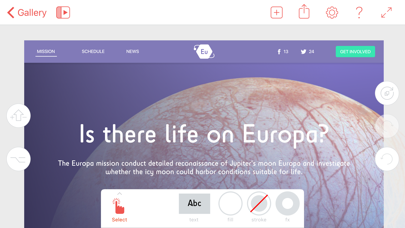
Make slick designs in minutes! You are a designer, a marketer or just want to sketch something, you want to make a logo or a new landing page for your business - ProtoSketch is your digital canvas!
You don't have to learn anything, just choose the brush and start sketching!
Supercharged with icons, fonts, ui elements, basic and complex drag and drop shapes. It is easy to design anything from logo and icon to website and mobile app. Lossless vector graphics that you can scale infinitely and continue on your desktop.
"ProtoSketch puts the "Pro" in iPad Pro!"
"Beautiful design in a thoughtful package."
"One of the best design tools you have to try in 2016"
WHAT MAKES THIS APP BETTER THAN OTHER DESIGN TOOLS ?
- Made with lots of LOVE by designers for designers!
- The iPad is not a PC. ProtoSketch wasn't adapted from a desktop app. It was created from the ground up exclusively for iPad. Our workflow is different - we have dedicated ALT, SHIFT and REPEAT buttons and all the commands relative to your selection appear as buttons on the bounding box. We call them shortcuts because they work as keyboard shortcuts on your PC.
-The app works beautifully with Apple Pencil you can draw, sketch and concept your ideas. But hey nothing will stop you from finishing your idea and polishing it to perfection. Proto has all the tools you need.
- AGILE, we are doing constant updates, enriching your experience and adding new features.
- HUGE ROADMAP, there is a lot of stuff ahead better vector tools, a mac app, prototyping, real-time collaboration and more...
- EXCELLENT Support, send us feedback on fb, tw and via email. We'd love to chat :)
WHAT CAN YOU CREATE?
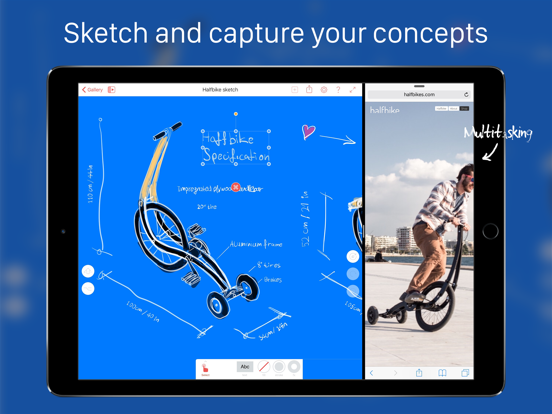
- Sketches
- Concepts
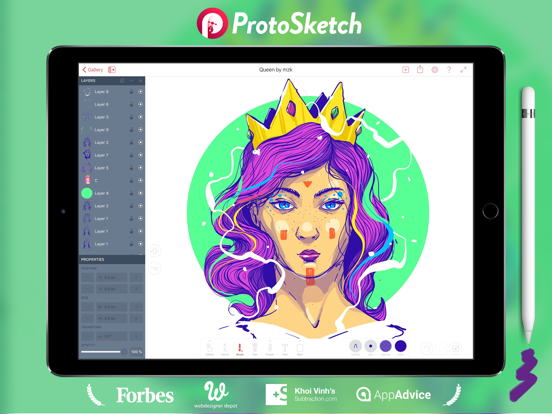
- Vector Illustrations
- Design Logos
- Design App icons
- Design vector icons/pictograms
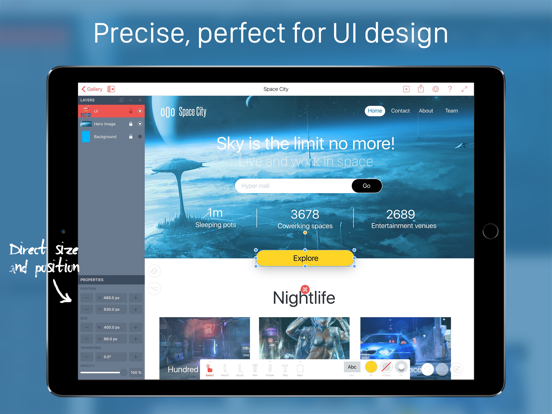
- Everything UI/UX
- Design Websites
- Design Apps
- Landing pages
- Sitemap flow charts
- Wireframes
- Use maps
- Send to desktop in vector format
LITE VERSION LIMITATIONS
- Maximum documents 5
- Some Libraries are locked
- Export is restricted to tweets and facebook shares and ProtoSketch files
FEATURES
- Vector Brush with Variable width (Apple Pencil support)
- Pencil Tool for smooth sketching and adding fills
- Pen Tool for drawing perfect vector paths
- Vector Eraser
- Scissors - for cutting vector paths
- Shape creation tools - rect, ellipse, line, polygon, star, spiral
- LAYERS
- EXACT size and position input
- Hardware Keyboard Shortcuts
- LIBRARY full of UI elements, icons, shapes and more vector elements
- Alt, Shift and Repeat buttons for fast workflows
- Swathes, color wheel, rgb and hsb sliders and HEX input
- Rotate and scale transform handles
- CMD buttons for object oriented design
- Context menu with even more actions (hold on object to show)
- Grouping/ungrouping
- Masking of images and other elements
- Images in shapes (Quick 1 tap masking)
- Select tool and Path select tools.
- Precise bezier path editing - add, remove points toggle points between corner and smooth
- Align, distribute actions as well as smart guides for perfect alignment
- Snap to grid, point and shape sides and centers
- Export ProtoSketch, SVG, PDF, JPG, PNG
- Import ProtoSketch, SVG, JPG, PNG
- Font import - ttf (from dropbox)
- Dropbox Support
- AirPrint Support
visit PROTOSKETCH.IO more info, video tutorials and FAQ
Quoi de neuf dans la dernière version ?
This update from Apple will improve the functionality of this app. No new features are included.
- Fixed iOS 11 bugs
- Dropbox updated
- Fixed import