PunchList – SharePoint Update
iOS Universel / Productivité
PunchList provides pre-created checklist for helping SharePoint admins track activities for applying updates to the SharePoint farm. Not only it provides step-by-step information on what needs to be done but also the order in which they are executed. Additionally, it can be used to find the duration and the cost of the project. Although it is developed for SharePoint but similar process can be followed for applying updates to any web application.
As any SharePoint admin would attest, applying patches and cumulative updates to SharePoint farm is a daunting task. Mistakes can be costly in terms of time and data loss. That is why it is very important to have a complete understanding of the entire process. To find all the relevant information one would have to spent considerable amount of time researching and digging through TechNet articles and blogs. This is where PunchList comes to the rescue. The information in this app is backed by years of experience on the platform, lessons learned, and proven methodology.
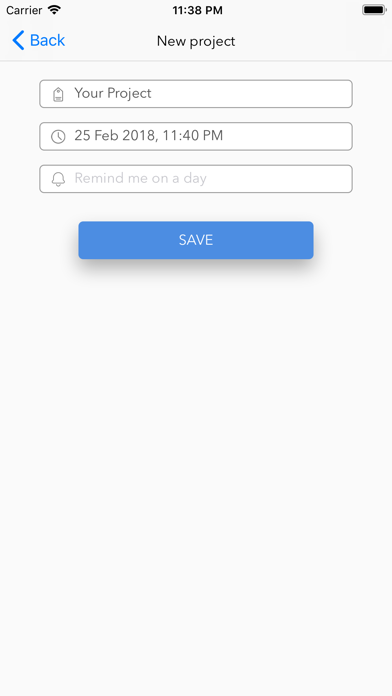
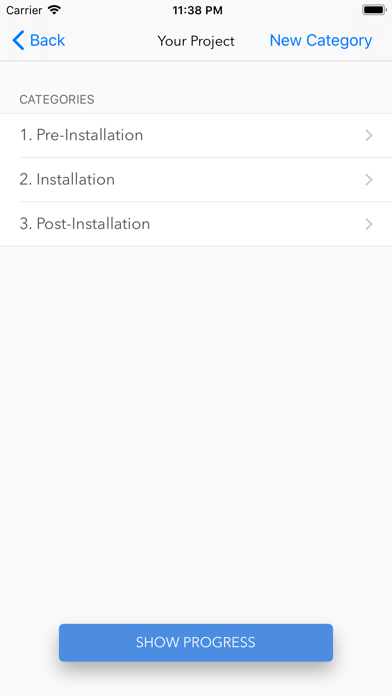
The app starts with a simple registration form, requiring only email address and password. Once user logs-in, they are presented with ‘New Project’ link on top right side or they can access their previous projects. On ‘New Project’ screen, user can enter project name, due date, and set reminder. The next screen will present 3 categories; pre-installation, installation, and post-installation. New categories and tasks can be added by selecting ‘Add New Category’ or ‘Add New Task’ button on top right side. In case existing categories and tasks are not needed, they can be deleted by left swipe.
Upon clicking each category, user can view all the tasks under that category. For each task, user can select start time when the activity starts and select end time when activity finishes. This will provide meaningful data in planning production deployment/outage. For some tasks, estimated duration is included under ‘Notes’. They can also provide cost information.
Once the project is started, user can select ‘Show Progress’ button which will take them to ‘Summary’ screen listing the tasks that are completed along with duration and cost. They can either press ‘Back’ button which will take them to ‘Categories’ screen or select ‘Finish’ which will mark the project as ‘Completed’. On Summary screen, user can click on ‘Export’ link on top right side which allows for multiple ways to share the information including emailing CSV attachment. PunchList app can also function in offline mode.
Quoi de neuf dans la dernière version ?
This app has been updated by Apple to display the Apple Watch app icon.
-Added Ads