Right Angle PRO - Factory Calc
iOS Universel / Productivité
The right-angle calculator built for the job site.
RightAngle PRO handles the units you actually use — fractional inches (1/16, 1/32, 1/64), feet & inches, decimal inches, and millimeters — with instant diagram preview and high-precision results.
Key Features
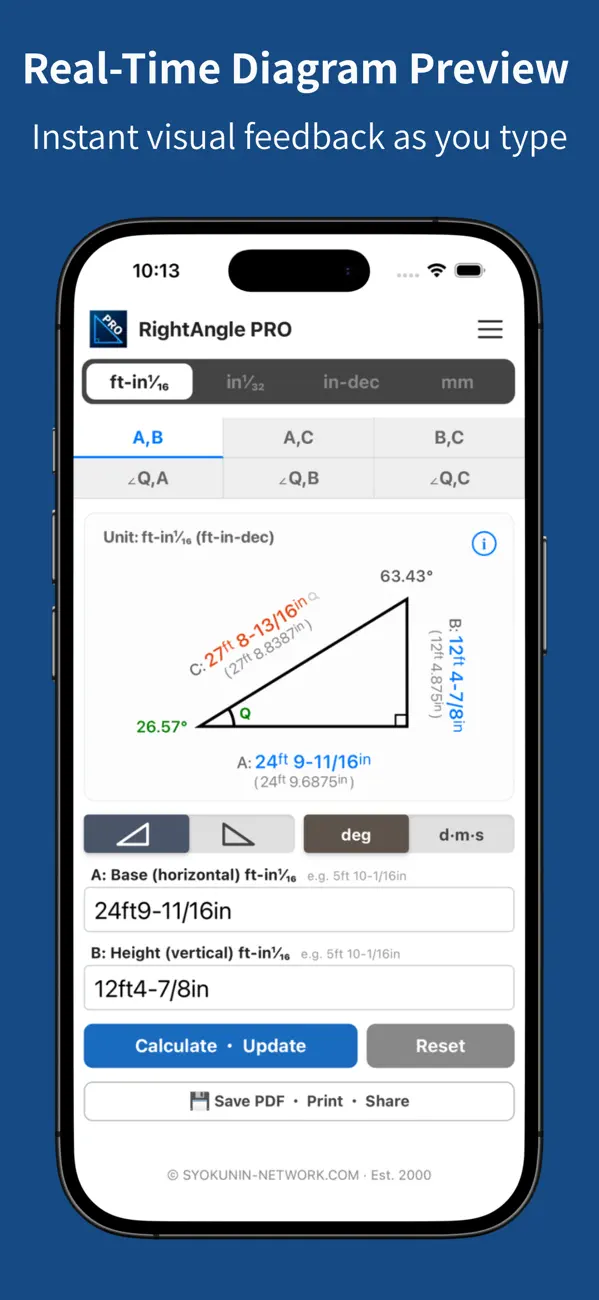
Fractional Inches & Feet Support
Choose your precision: 1/16", 1/32", or 1/64" — matched to your tape measure. Enter any fraction and the result automatically rounds to your selected precision. Sub-display instantly shows the converted value in your chosen second unit.
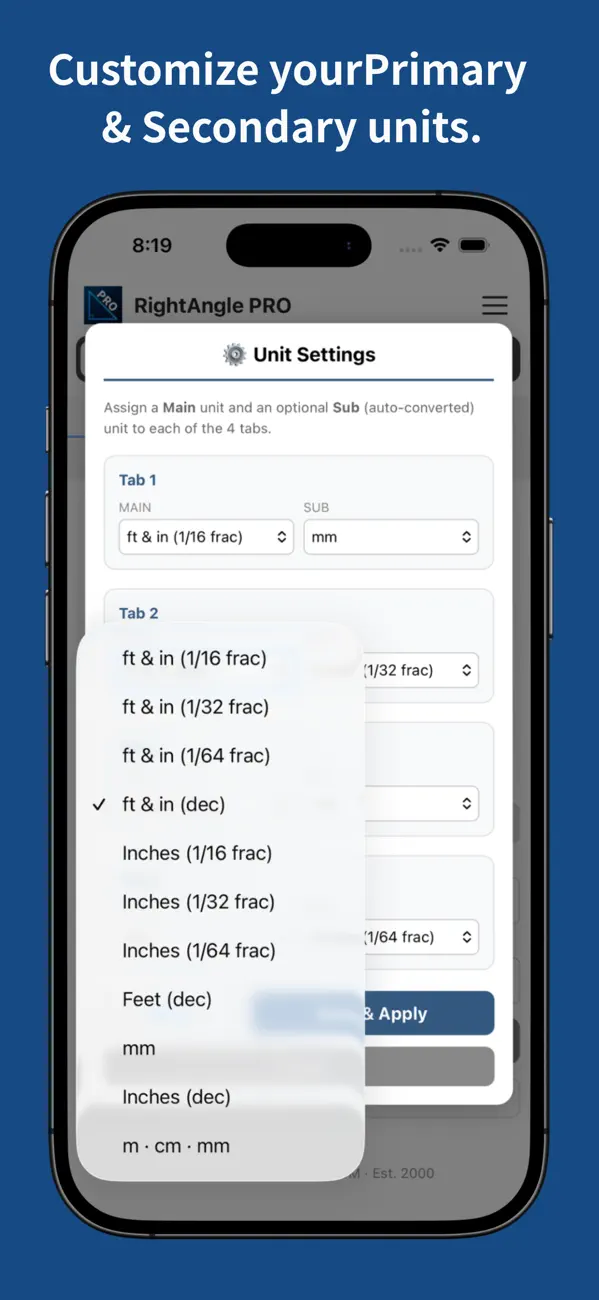
Customizable Unit Combinations
Mix and match unit displays freely in any combination.
Real-Time Preview
Every digit you type or delete is instantly reflected in the diagram. Input errors are immediately visible, making operation intuitive and efficient.
Massive Calculation Range: Up to 500 km
From small building components to wide-area surveying simulations — calculate angles to mountain peaks or tall structures while referencing a map.
High Precision Display
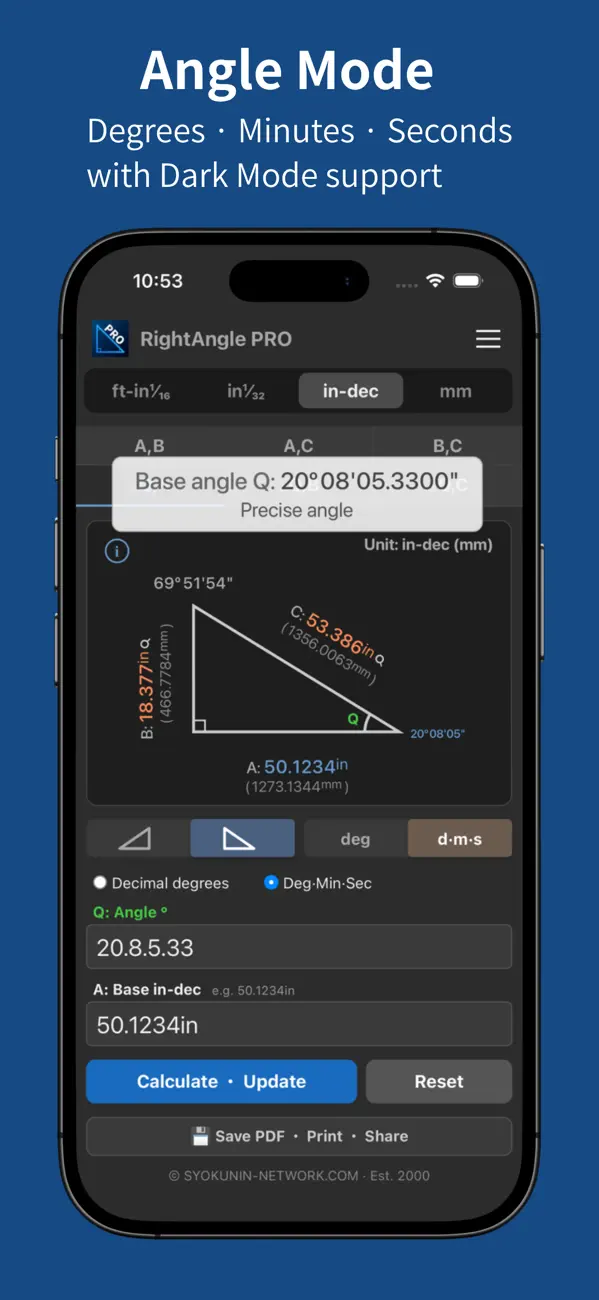
Side lengths displayed to 4 decimal places. Angles to 6 decimal places (4 in DMS). Tap any value for detailed precision readout.
Left/Right Diagram Toggle
Flip the diagram between right-rising and left-rising with one tap.
PDF Export
Save and print calculation results with diagrams as PDF. Easy to share on-site or by email.
Light & Dark Mode
Switch between Light and Dark mode to suit your environment and preference.
Works Without Internet
All calculations run offline. Calculation data is processed only on your device.
Specifications
■ Supported Units
・ft & in (1/16 fractional)
・ft & in (1/32 fractional)
・ft & in (1/64 fractional)
・ft & in (decimal)
・Inches (1/16 fractional)
・Inches (1/32 fractional)
・Inches (1/64 fractional)
・Inches (decimal)
・Feet
・Millimeters (mm)
・Meters (m/cm/mm)
■ Maximum Input
Meter mode: up to 500 km
Other modes: up to 1,000 m
■ Calculation Precision
・Sides: rounded at 5th decimal, displayed to 4th
・Fractions: any fraction accepted — result rounds to 1/16, 1/32, or 1/64
・Angles:
[Degrees] Diagram: 2 decimal / Precision: 6 decimal
[DMS] Diagram: whole seconds / Precision: 4 decimal (seconds)
・1 inch = 25.4 mm (exact)
・1 foot = 304.8 mm (exact)
Who Is This For?
Carpenters, framers, contractors, and construction professionals working with imperial measurements.
Anyone who needs to calculate angles, slopes, or diagonal lengths on the job site.
DIY enthusiasts and model makers who need precise angle calculations.
Those who frequently convert between fractional inches, feet, and metric.
Please Note
Every effort has been made to ensure calculation accuracy. However, minor rounding errors may occur. Please verify all results before use in construction or professional work.
As we continually improve the app, if there is any discrepancy between this description and the actual behavior, the app's behavior takes precedence.
Terms of Use (EULA): https://www.apple.com/legal/internet-services/itunes/dev/stdeula/
Quoi de neuf dans la dernière version ?
Added three fractional precision modes for inches and feet & inches:
1/16" — matches standard job-site tape measures
1/32" — for finer layout work
1/64" — for high-precision and machining applications
Any fraction can be entered in all three modes — the result automatically rounds to your selected precision.