ROO
iPhone / Productivité
ROO provides ultimate workflow mobility experience, allowing users to interact with their on-premise or cloud workflow platforms such as Kofax TotalAgility, Pega BPM Platform, Appian. The mobile app has been designed to allow users the ability to quickly action pending tasks or capture receipts/invoices on the go. The proprietary integration module allows any customised logic to be easily introduced to ensure the mobile experience fully aligns with their business/workflow requirements.
*** ROO is a subscription-based mobile app that is designed to interact with your existing Intelligent Automation platform, and require integration with your system before users can reap its benefits. ***
*** This app requires user to have an active subscription to login. ***
Highlights:
-----------
Reasons why ROO app is the most amazing tool to interact with your workflow, task management and document capture:
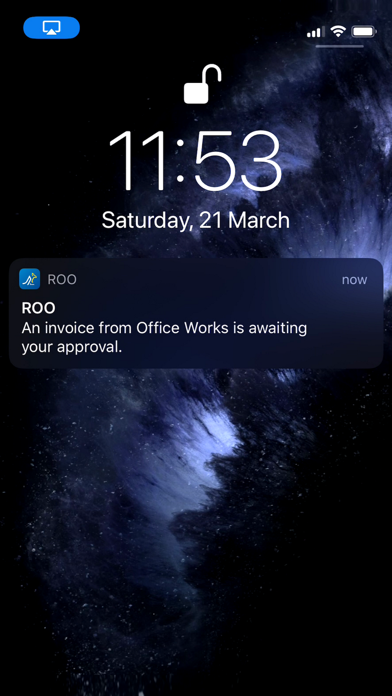
1. No more overdue invoices/missed deadlines, the app will alert you when there are tasks pending approval. You can simply tap the notification to launch the app and swipe to action it. It's that easy - gone are those days where you had to log in to a work queue from your laptop to interact with your workflow tasks. With ROO, it doesn't matter whether you are working from home, having a holiday in Hawaii or at the airport - you are always connected.
2. Scan receipts or invoices on the go using the inbuilt document scanner, allowing easy submission of your travel expenses and receipts. You don't need to look for a scanner to submit your expenses, just submit as and when you have them. The receipt scanner is fast and lightweight, allowing live scanning of documents with the ability to edit detected document edges. The scanned images are enhanced using AdaptiveThresholding to provide the best scan quality and include features such as auto-rotate, auto scan, vision support, switch between colour/black and white.
3. The Tasks summary screen allows user to search for specific tasks or sort tasks to quickly action tasks that are overdue or close to their due date. Task details screen presents all necessary details in an easy to navigate layout, with access to the task-specific receipt/document, all comments made by any previous approvers on the case or view any supporting documents/evidence attached to the case.
Features in the app today:
--------------------------
- Login to your workflow from anywhere, no matter whether you are at home or at the airport.
- Swipe to quickly complete a pending task.
- Scan and submit travel expenses or invoices on the go.
- The receipt capture feature automatically detects the edges of the document you are trying to scan, allowing you to capture documents without any effort.
- Users with iOS 13 or above can scan multiple documents/pages using the batch mode before submitting.
- Push notifications to alert when a task is awaiting approval or when tasks are past their due date.
- Use the search filter to easily find specific tasks or sort tasks based on their due date.
- With the inbuilt image viewer, you can view the task-specific document/invoice/receipt zoomed in/out to ensure everything is in order.
- Review any supporting documents attached to the task/case to assist decision-making.
- Add comments to your task when disputing, or have a look at comments made by other participants before actioning a task.
Quoi de neuf dans la dernière version ?
Minor bug fixes