Sprite Something
iOS Universel / Productivité
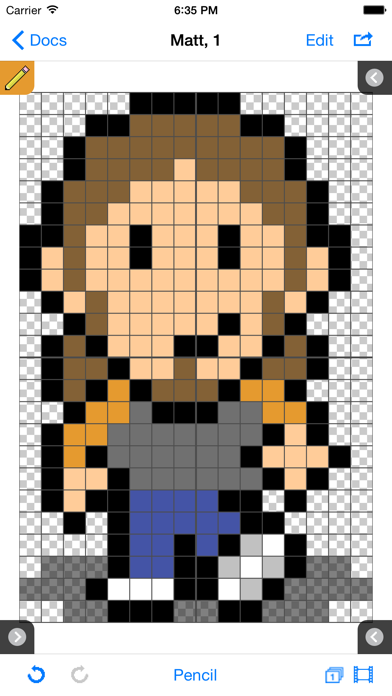
Sprite Something is a drawing, animation and tilemap application for pixel artists and game developers. Draw multiple frames individually, then quickly drag and drop frames into an animation, or use your frames to draw tilemaps for your game levels. Export your creations to PNG, animated GIF's and CSV files (tilemaps).
For documentation, visit http://terriblegames.com/spriteSomething to download the Sprite Something Manual.
Sprite Something is also now available on the Mac App Store.
Features
- create spritesheets / tiles for use in games
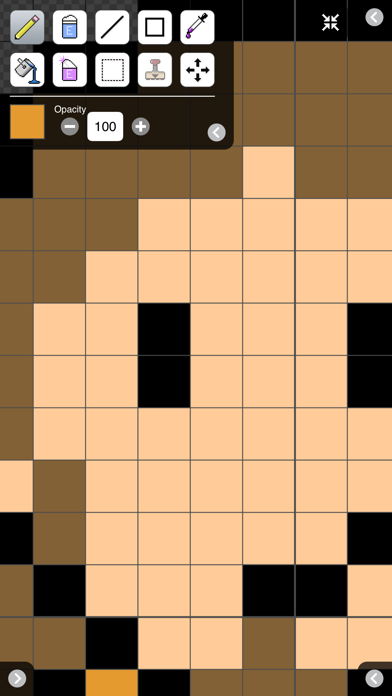
- edit frames individually and conveniently
- multiple layers for drawing (spritesheets only)
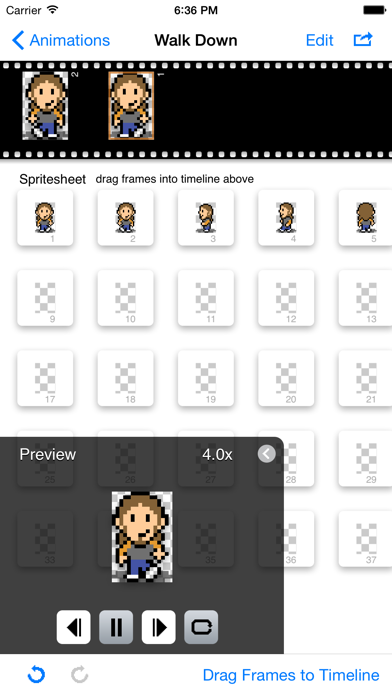
- animation: drag and drop animation frames
- tilemaps: draw using frames to create large maps
- iCloud: sync spritesheets, tilemaps, palettes across all your devices
- Dropbox: Import/Export files quickly and easily to/from your Dropbox account
- Photo Library: Import/Export spritesheets to/from your Photo Library
- GIF export: save and email gif previews of your animation
- Autosave
- HSB/RGB color select
- Recent colors list
- scalable preview to see your pixel work at multiple sizes
- onion skinning for easy tracing or cloning frames
- place photos from your library behind editing area
- add custom GIMP color palettes, or create palettes from your drawings
- assignable three and four finger swipe gestures (changeable in Settings)
- add new or save out your drawings through iTunes
- export via email
- export individual frame images
- optimized for Retina display, iOS 5.0+ compatible, landscape and portrait views
Tips
- touch and hold to select color when using pencil, line or fill
- touch the onion skin button once for relative frame difference, twice for locked onion skin frame
- when exporting individual frames, limit exported frames by creating a list of comma separated numbers or number ranges (i.e. 1,3,5-8,12)
Videos
Learn tools and tips about Sprite Something: http://www.youtube.com/playlist?list=PLE9903D1642039E69
Drawing supports PNG files up to 1024x1024, tilemaps up to 200x200.
Follow @mattfox12 on Twitter for latest news. Sprite Something is also available on the Mac App Store.
Quoi de neuf dans la dernière version ?
This app has been updated by Apple to display the Apple Watch app icon.
New:
• Merge Layers
• Move All Layers option for Move Tool
Bugfixes:
• Export to Photo Library exports flattened layers instead of just the current layer
• Animations: Selecting a frame appears correctly centered in iOS 8
• Additional bugfixes