Timii Task Timer
iPhone / Productivité
Stop losing time. Start owning it.
Create a task, hit start, and let Timii track exactly where your time goes. Built for students, freelancers, and anyone who wants to do more with the hours they have.
TRACK EVERY TASK
Create a task, set a time, hit start. Timii records exactly how long you worked.
SEE YOUR PATTERNS
Daily, weekly, monthly breakdowns show you where time is actually going.
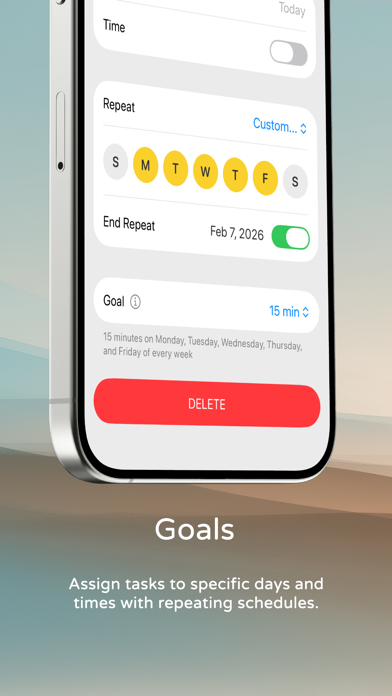
TIME BLOCKING
Plan your day in time blocks. Stop reacting. Start executing.
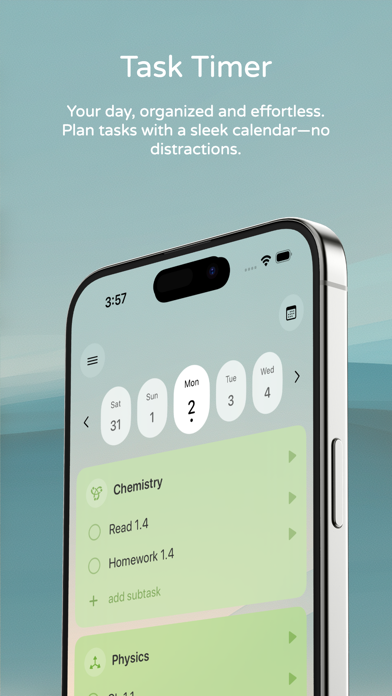
BUILD YOUR LIST
Add tasks to your day, track each one, check them off as you go.
MUSIC TO FOCUS BY
Turn on in-app music to set the mood. No need to switch apps or build a playlist — just press play and get to work.
ON YOUR WRIST
Start, pause, and track timers right from your Apple Watch. Stay focused without reaching for your phone.
TIMII PREMIUM
Upgrade to unlock advanced tools for serious focus:
- Distraction-Free mode — block out everything else
- Calendar sync — see your timers alongside your schedule
- Custom dashboard backgrounds — make it yours
- Monthly & Yearly reports — see the bigger picture
BUILT FOR
Students tracking study sessions
Professionals logging billable hours
Anyone building better daily habits
Creatives timing focused work blocks
Download Timii. Track smarter. Do more.
Terms of Use: https://www.apple.com/legal/internet-services/itunes/dev/stdeula/
Privacy Policy: https://autonomii.com/privacy-policy/
Quoi de neuf dans la dernière version ?
Timii 5.2 is here — and two of our most-loved features are now free for everyone!
• Calendar Sync and Distraction Free — now free for all
• Missed a task yesterday? One tap adds it to today
• Planning ahead? Pull a future task into today just as easily
• Forgot to track? Add a session by hand
• Find any icon fast with the new icon search
• Give each task its own theme
• Clearer reports: repeat sessions grouped, plus an "Other" slice in your pie chart
• Bigger buttons and full support for your preferred text size
• Apple Watch: smoother always-on display updates
Keep going — every minute counts.