Todo or Not Todo Task Manager
iOS Universel / Productivité
Faire ou ne pas faire ? Telle est la question.
TONT est un gestionnaire de tâches minimaliste qui affiche vos tâches en cours sur votre écran de verrouillage et dans le Dynamic Island. Sans désordre. Sans complexité. Juste de la clarté.
ORGANISATION PAR TEMPS
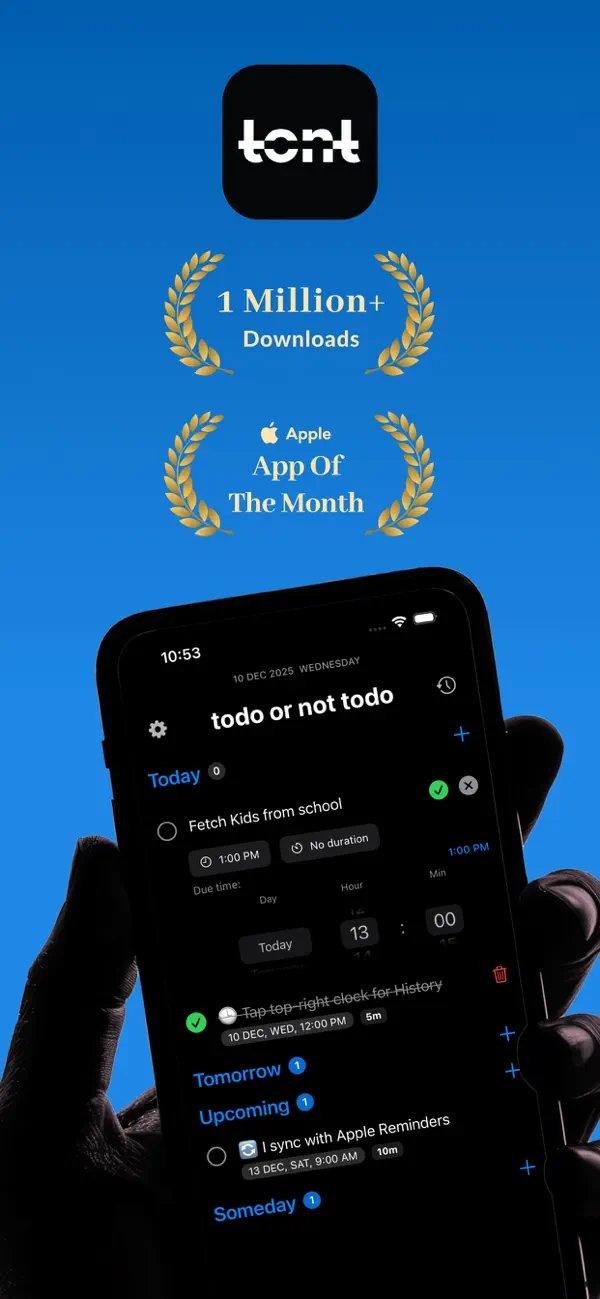
Les tâches sont organisées en quatre sections naturelles : Aujourd'hui, Demain, Prochainement et Un jour. Pas de dossiers, pas d'étiquettes, pas de labels. Juste quand ça doit être fait.
- Aujourd'hui : Tâches à faire maintenant, triées par heure
- Demain : Planifiez avec des valeurs par défaut intelligentes à 9h
- Prochainement : Tout ce qui est prévu cette semaine et au-delà
- Un jour : Pas de date limite, pas de pression
LIVE ACTIVITIES : VOS TÂCHES, TOUJOURS VISIBLES
Commencez à travailler sur une tâche et voyez-la en direct sur votre écran de verrouillage et dans le Dynamic Island. Un minuteur en temps réel suit votre temps de travail.
- Vue compacte : Minuteur dans le Dynamic Island
- Vue étendue : Titre, heure limite, boutons pause et terminer
- Écran de verrouillage : Détails complets avec compte à rebours en direct
- Pause et reprise directement depuis l'écran de verrouillage ou le Dynamic Island
MINUTEUR EN COURS
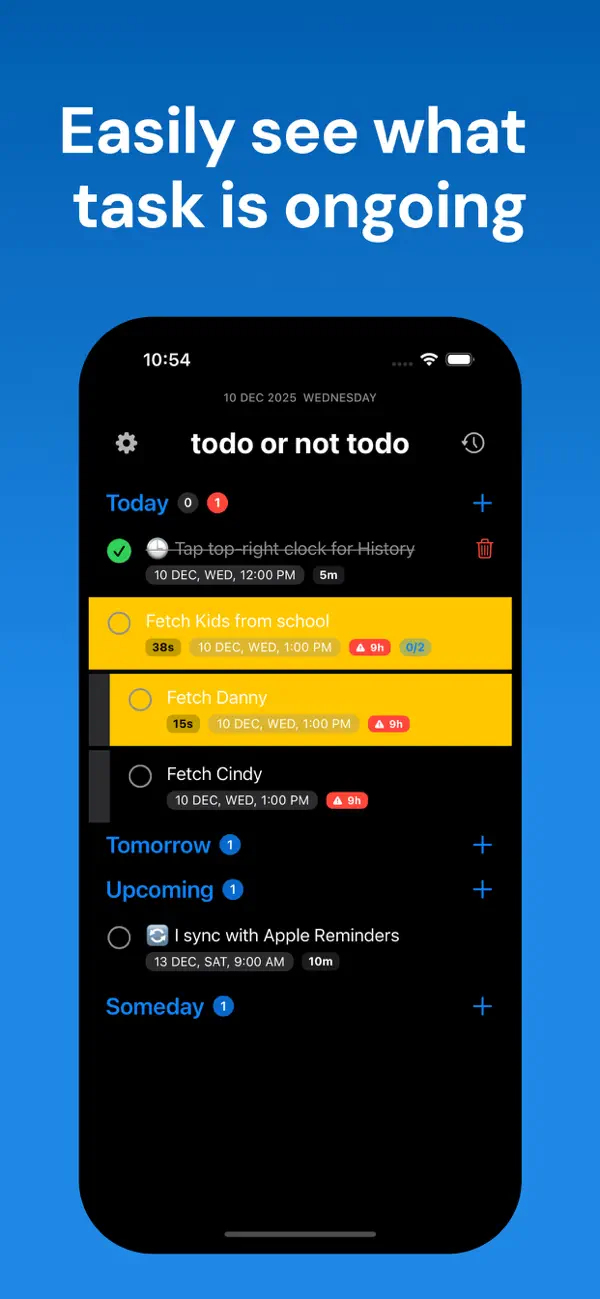
Glissez vers la droite sur n'importe quelle tâche pour commencer à mesurer le temps. Le minuteur tourne en arrière-plan, cumule les pauses et les reprises, et affiche exactement combien de temps vous avez passé.
SOUS-TÂCHES
Décomposez les grandes tâches en étapes plus petites. Appui long sur n'importe quelle tâche pour ajouter des sous-tâches, suivez la progression avec des badges visuels et regardez la tâche parente se mettre à jour à chaque étape complétée.
SYNCHRONISATION AVEC LES RAPPELS APPLE
Activez la synchronisation bidirectionnelle avec les Rappels Apple. Les tâches que vous créez apparaissent dans votre liste « TONT » dédiée dans Rappels, et les rappels que vous y ajoutez reviennent dans l'application.
PLANIFICATION INTELLIGENTE
L'application sait quelle heure il est. Créez une tâche à minuit et elle sera fixée à 8h par défaut. Créez-en une l'après-midi et elle sera fixée en soirée. « Prochainement » suggère toujours le vendredi suivant. Des valeurs par défaut intelligentes vous économisent des gestes à chaque tâche.
NOTIFICATIONS UTILES
Soyez rappelé quand les tâches arrivent à échéance. Si une tâche est en retard, vous le saurez. Agissez directement depuis la notification : marquer comme fait, reporter de 2 heures ou déplacer vers Un jour.
GESTES INTUITIFS
- Appuyez sur le cercle pour terminer
- Glissez à droite pour démarrer/mettre en pause le minuteur
- Glissez à gauche pour supprimer
- Appui long pour les sous-tâches et plus
- Appuyez n'importe où sur une tâche pour modifier
- Tirez le titre pour... découvrir quelque chose d'amusant
HISTORIQUE & INSIGHTS
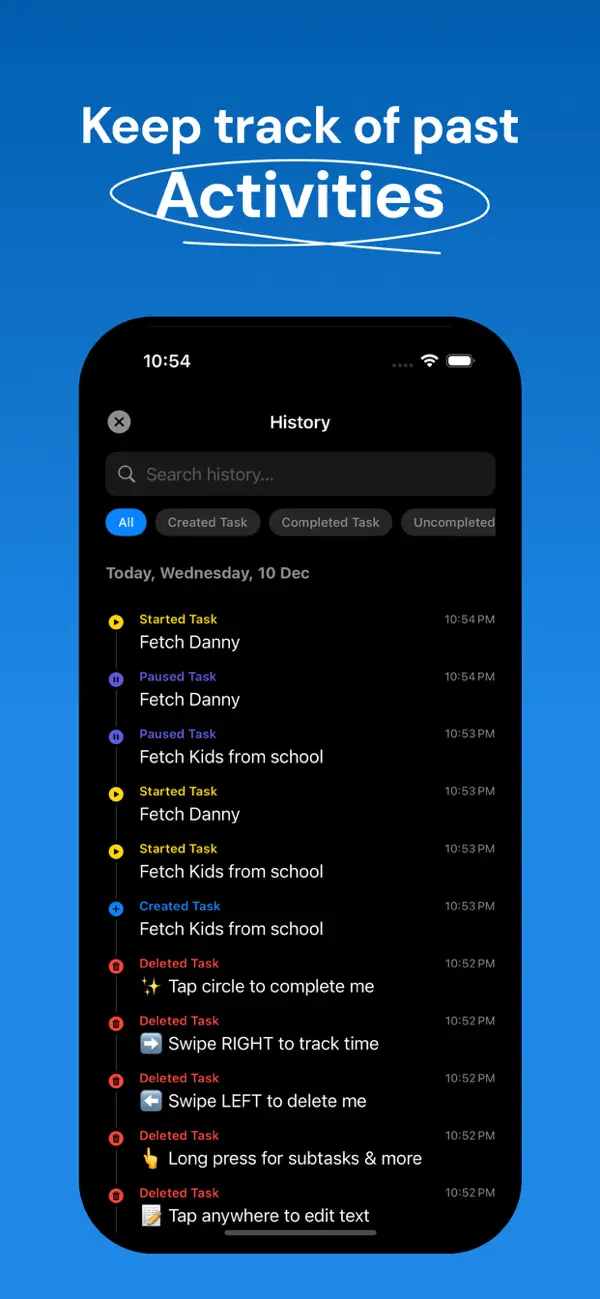
Appuyez sur l'icône horloge pour voir votre historique de tâches : ce que vous avez complété, quand vous avez commencé, combien de temps cela a pris. Une vue calendrier montre vos habitudes de productivité en un coup d'œil.
CONÇUE POUR DISPARAÎTRE
Fond noir. Interface minimale. Pas de publicités, pas de comptes, pas d'écrans d'accueil. Ouvrez l'app, voyez vos tâches, mettez-vous au travail. Tout est stocké localement sur votre appareil.
FONCTIONNALITÉS EN UN COUP D'ŒIL
- Live Activities sur l'écran de verrouillage et le Dynamic Island
- Minuteur en cours avec pause/reprise
- Sections temporelles : Aujourd'hui, Demain, Prochainement, Un jour
- Sous-tâches à un niveau avec suivi de la progression
- Synchronisation bidirectionnelle avec les Rappels Apple
- Valeurs par défaut intelligentes selon l'heure de la journée
- Badges de retard avec compte à rebours en direct
- Actions de notification : Fait, Reporter, Un jour
- Historique de tâches avec vue calendrier
- Effets sonores et retour haptique
- Mode sombre uniquement, agréable pour les yeux
Pas de publicités. Pas d'abonnements. 0,99 €, vôtre pour toujours. Téléchargez TONT maintenant !
Quoi de neuf dans la dernière version ?
• Des matins plus sereins — les tâches terminées sont désormais supprimées automatiquement à minuit pour que votre liste recommence à zéro chaque jour.
• Intégration plus intelligente — les tâches du tutoriel ne réapparaissent plus après les avoir supprimées.
• Textes améliorés pour la planification nocturne.
• Améliorations de stabilité du chargement du tutoriel.