Twyn View
iOS Universel / Productivité
Get Quality right, faster:
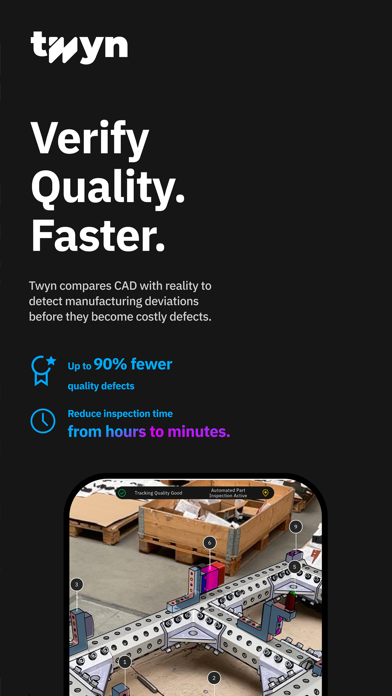
Twyn is changing the way how parts, components and assemblies are controlled for quality and suitability, addressing industry’s needs to find errors fast, to avoid down times, to reduce scrap and rework and to cut follow-up costs in manufacturing and service.
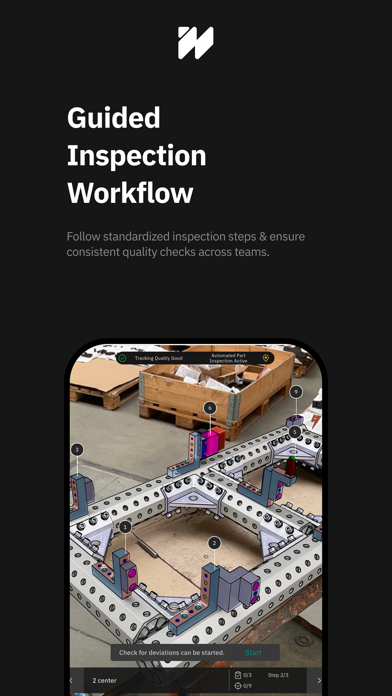
Along with Twyn Studio you are able to create inspection process definitions within minutes from complex CAD files and transfer them to your iPad. Inspect with your device and create automatized reports instantly.
Quoi de neuf dans la dernière version ?
Licensing
- Introduced a new technical licensing system, starting with Twyn View.
- Single-device and floating licenses can now be activated directly via license keys in Twyn View.
- Multiple activation methods are supported depending on network environment and license type.
- During a transition period, Twyn View can continue to be used normally until 03 June 2026.
- Added new license settings to the application settings menu.
- Added a warning modal when a protected feature is used without a valid license.
Assisted Deviation Detection
- Improved reliability of data acquisition and deviation detection.
- Improved working distance, enabling inspections from shorter ranges.
Clipping Tool
- Expanded the clipping tool to support 2D horizontal and vertical clipping.
- Added dynamic 3D clipping relative to the camera perspective.
- Enables visualization of internal structures such as drill holes or cable ducts.
UI & Workflow Improvements
- Project list can now be sorted by project state.
- After importing multiple projects, the first imported project is now automatically selected.
- Increased the character limit for inspection session names to 90 characters.
- Inspection session names can now be set by scanning a code (also when leaving a session).
- Position deviation notes are now shown in the PDF report summary table.
- The “Notes” column in the PDF report summary table is now only displayed if at least one note is present.
- For multi-page PDF tables, the header row is now printed on each page.
- Increased the resolution of the inspection report preview.
- Safety instructions regarding physical hazards are now only displayed when launching the app for the first time.
- Inspection Viewpoints can now be adjusted to the current camera perspective even when the object is not tracked.
Bugfixes & Improvements
- CSV exports no longer include an empty first line.
- Fixed an issue where empty inspection steps were incorrectly interpreted as incomplete.