Can Swipe Calculator 5 View
iOS Universel / Productivité
I want to use some calculator . . .
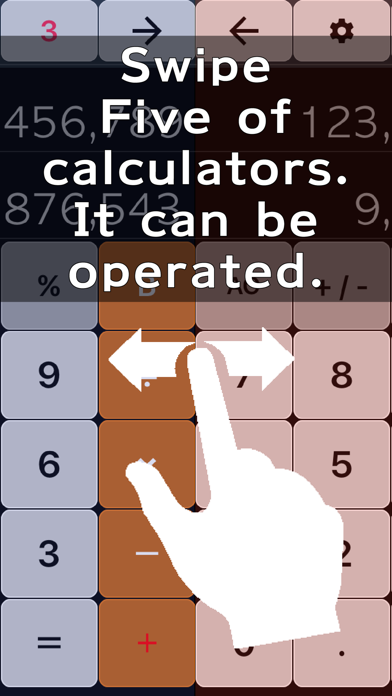
It will switch to another calculator with swipe.
Calculated by the right, you can sum calculations in the left.
You can go back one by one to the process in the back button.
When calculating the "100 + 123"
-----------------------
0
-----------------------
100
-----------------------
When you tap the "+" here
-----------------------
100
-----------------------
0
-----------------------
During input the value of the object is moved above the + and I can also always check the value of the target.
Then if you've entered by mistake as follows the "123" and "129",
-----------------------
100
-----------------------
129
-----------------------
When you tap the back in a normal calculator 129 all but disappears,
Only "9" is disappearing in this calculator
-----------------------
100
-----------------------
12
-----------------------
Since it becomes a display of "12", you only need to enter a 3 in a row.
-----------------------
100
-----------------------
123
-----------------------
When Subsequently, tap the "="
The total value is displayed at the top in the same way when want normal output.
-----------------------
223
-----------------------
0
-----------------------
further!
If the results obtained by adding "321" it has become want to know immediately, rather than "123",
You can return Turning now to tap the B to the state it was in before plus as follows.
-----------------------
100
-----------------------
123
-----------------------
Furthermore, by tapping three times the "B" turn off the "123" Enter "321"
-----------------------
100
-----------------------
321
-----------------------
When you tap the "=" again,
-----------------------
421
-----------------------
0
-----------------------
You can know the result of the sum of "321".
Since the return finely such as the state before adding in the "B" button,
Trial calculation, it can be expected to reduce the input.
In this way you can usually experience no useful input to the calculator.
----------------------------
Features
----------------------------
It is a simple calculator.
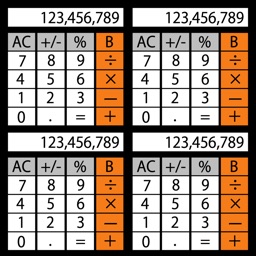
Swipe left and right, I can use the five calculator independent at all.
By a simple calculation in the left of the calculator, you can use, such as the total calculated by the right of the calculator.
----------------------------
How to use
----------------------------
right swipe appears another computer is to the left when you tap.
left swipe appears another computer is when you tap to the right.
Setting screen when you tap appears the S.
I'll make sure the calculator that are currently displayed in the 1-5.
※※※※※※※※※※※※※※※※※※※※※※※※※※※※※※
※※ I's Free, so try. ※※
※※※※※※※※※※※※※※※※※※※※※※※※※※※※※※
Quoi de neuf dans la dernière version ?
Advertisement is not displayed .I want to use some calculator . . . It will switch to another calculator with swipe.Added features with many requests.