VBS Tasks
iOS Universel / Productivité
VBS Tasks now allows for multiple lists. Each List will have associated tasks with the specific record.
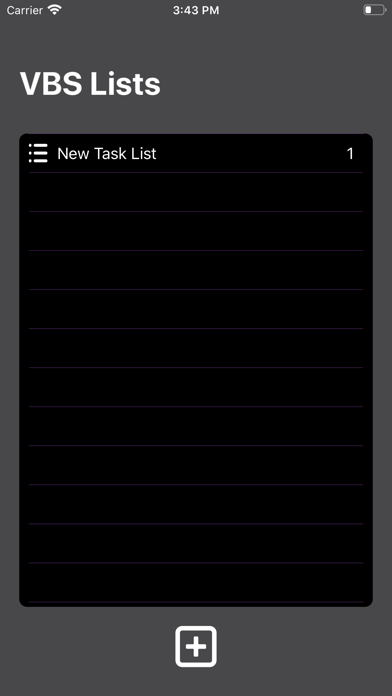
List Screen
On the Task List screen, tap the Plus button at the bottom of the screen. A drop-down field will accommodate multiple lines of text. Tap the Save button to save the record in the database. The record row will stretch to provide for all of the text.
The List screen will present the List in alphabetical order. Swipe left to delete the current List and all associated tasks, or edit the name of the current List. You will be presented with a warning that if you modify the current record, it will create a new record, and all of the tasks associated with the old name will be deleted. You have the option to cancel the edit.
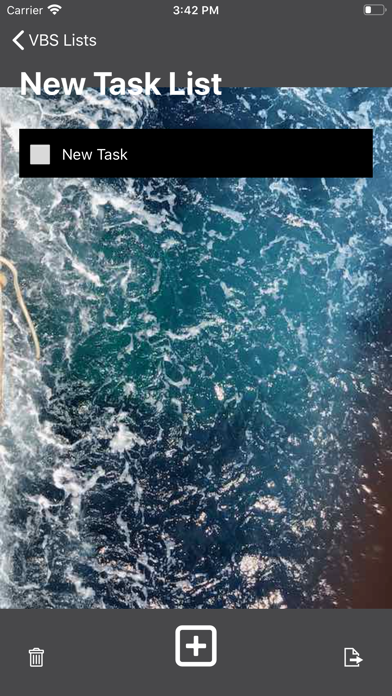
Task Screen
On the Task List screen, tap the Plus button at the bottom of the screen. A drop-down field will accommodate multiple lines of text. Tap the Save button to save the record in the database. The record row will stretch to show all of the text.
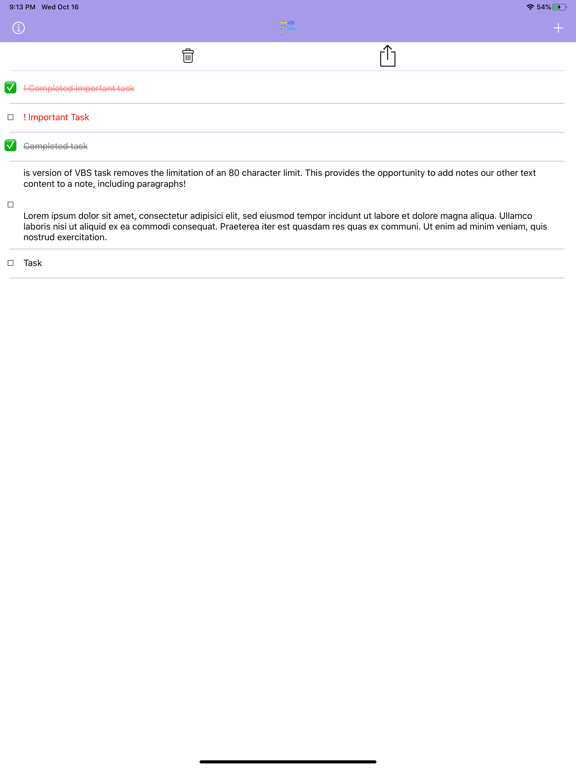
Tapping on the switch will make the task as “important” and will add the new task to t the top of the list.
The tasks in the list are ordered alphabetically, important tagged tasks first followed by all other tasks.
Tap on a task, and the record will be marked with a check and dimmed out. Tap on it again and the task will be restored and the check removed.
Swipe Right to edit the current Task text. Swipe Left to delete the current task. At the bottom, the two buttons of the screen. The Left button will delete all the tasks in this particular List. The right button will export to a Comma Delimited File (CSV) which can be opened with any word processor, text editor, or better, a spreadsheet program like Numbers.
Settings Menu
New to this version is the setting menu. To access, swipe right. On the settings menu:
Export Lists: will export all of your List to a CSV file.
Export All Tasks: Export all the tasks from all of your lists to one CSV file.
Delete All Data: will delete all Lists and Tasks. This delete cannot be undone, and you will have the option to cancel the delete.
Privacy Information: opens a web page with the current privacy statement.
Select Background: is also new to VBS Tasks. Tap on this menu takes you to the background options screen. Swipe up and down on the collection of small pictures to see all the picture options. Tap on an image, and this will set the selected picture to the background of all the task records. Tap the “Set Background Color” presents a scrolling list of all the color options available. Stop one the color choice, and all screen background colors will be set to your selection.
The next version of VBS Tasks will include the ability to share a List with another user and sync your lists and tasks to other devices signed in with your iCloud credentials.
Quoi de neuf dans la dernière version ?
Version 3.0.1
Caught a last-minute bug that required the user to create a list before the background color could be changed. Fixed now
Fixed a crash when attempting to export List or Task records.
Version 3.0 is a completely new app.
New in version 3 are:
- The app now supports multiple Task Lists!
- The ability to change the background color of all the screens.
- The ability to choose a background picture on the tasks screen including, of course, no picture at all.
- A new settings screen with the ability to export all Lists and all Tasks. Settings are accessed by swiping right from the List screen.
- The task screen can also export the tasks associated with a specific list
- The interface is updated to support all current iPhones and iPads.