Web Playgrounds
iOS Universel / Productivité
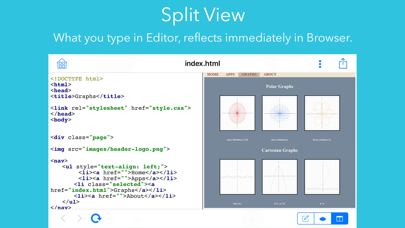
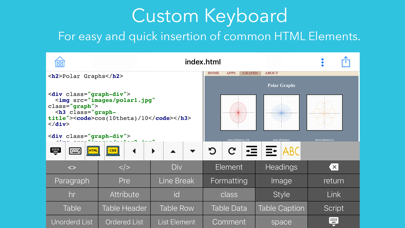
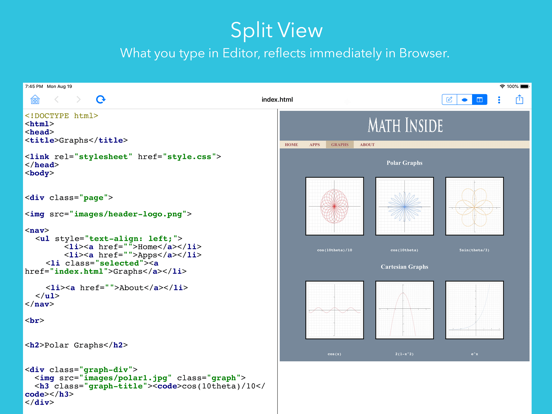
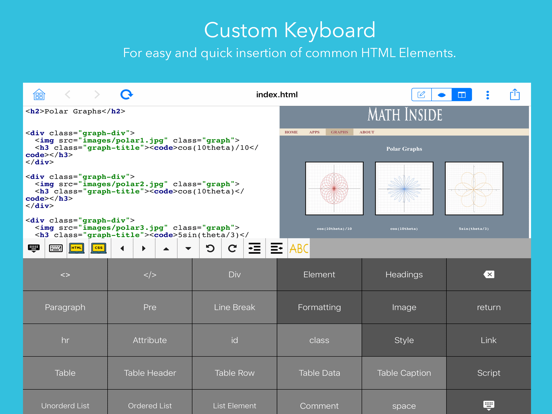
Creating web pages has never been easier with a custom HTML keyboard and various wizards that facilitate creating HTML Elements and CSS Properties and inserting them into your HTML & CSS code. Use split mode to view HTML code and its live preview side by side.
Access your files from iCloud, Dropbox, Google Drive or any other cloud service via Apple’s familiar file interface.
View and edit code for many coding and markup languages.
View many types of files including image files, pdf, mp3, mp4.
Dark mode support.
WEB EDITOR/VIEWER
• View HTML files source text and preview them in browser mode.
• Split mode to view HTML source and its live preview side by side. Any edits made to the HTML source will be shown immediately in the browser view.
• Previewing HTML files is fully supported for local and iCloud files. For other file providers, loading images, external css & script files is not currently supported.
CUSTOM HTML KEYBOARD
• Easy and fast way to setup and insert HTML Elements and CSS Properties.
• Buttons for many common HTML elements.
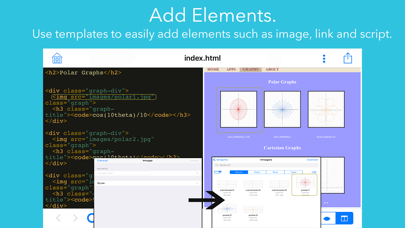
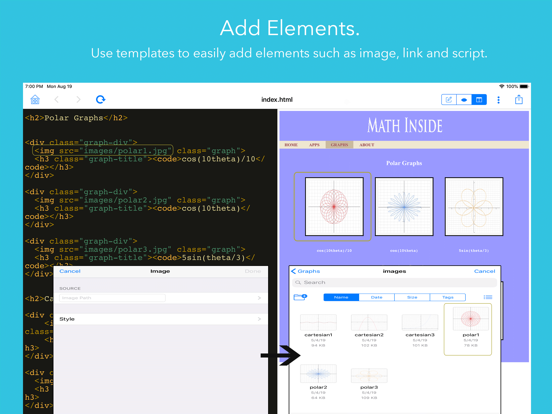
• Wizards for Image, Style, Link & Script Elements, make it easy to setup the properties for these elements and insert them into your code.
• Tap Image button, browse & select the image file, configure inline style, the Image Element will be inserted with image relative path and style.
CSS WIZARDS
• Wizards to create and insert CSS Rule and properties. Including Text, Fonts, Background, Box, Border, Positioning, Table & List properties.
• Edit Color Properties, such as text & background colors using color picker or choosing color name from a list.
• Edit Length properties and select the length unit.
• Edit CSS Rule. Set the element, id or class. Add multiple selectors with selected combinator/grouping.
• Select the required value for many properties from a list with valid values.
• Clear any property by swiping left and tap delete button.
CODE VIEWER/EDITOR
• Syntax Highlighting for many coding and markup languages including: HTML, CSS, Javascript, C#, Java, Swift, Objective C, C, C++, XML, JSON, Lua, GML.
• Increase/Decrease Ident for paragraphs in code.
• Move cursor using arrows.
• Turn Spelling Correction on or off while you edit the file from custom keyboard.
FILE MANAGER
• Apples's familiar file Interface.
• Access your files from iCloud, Dropbox, Google Drive or any other cloud service.
• Create HTML, CSS & Javascript files or any text file with a valid text file extension.
• Import images from Photo Library or Camera as png or jpeg.
• Determine the compression ratio of jpeg image.
FILE VIEWER
• Preview many image, video, audio and document files. Supported files include: png, jpg, jpeg, mp3, mp4, pdf, doc, xls, ppt.
If you have any questions or suggestions, please contact us: support@math-inside.com.
Quoi de neuf dans la dernière version ?
Help enhancement, now if any image in a help topic is tapped, it will be fully previewed in the help topic view.