BibleBento
iOS Universel / Références
BibleBento - Unique Resources, High-Quality Data & Intuitive Design for Bible Study
This is an offline version of original https://BibleBento.com, with additional features and native iOS controls. This comes with search and note-taking capabilities, enhanced verse comparison and Hebrew / Greek data access, improved cross-reference layout, and more bible versions than online https://BibleBento.com. Links are integrated for every single verse and data set in this iOS app to access wider ranger of materials (e.g. dictionaries, encyclopedia, commentaries, etc) available at https://BibleBento.com.
To install individual modules on first lauch, go to “Bible Version Menu” or “Data Set Menu”, locate a version, swipe from right to left, and select “Install”.
1) Unique Resources
For examples,
- scholarly acclaimed linguistic database on Hebrew Bible [ETCBC, Vrije Universiteit]
- Rahlfs' Septuagint (1935) [CATSS, University of Pennsylvania]
- Green New Testament Syntax Tree Data [Asia Bible Society; Biblical Humanities]
- Berean Greek Bible & interlinears [BibleHub]
- Westminster Leningrad Codex [Open Scriptures Project]
- Unlocked Literal & Dynamic Bibles [UnfoldindWord]
- a total of 344852 bible cross-references [Open Bible Project]
- English glosses on LXX [Eliran Wong]
- 27 bible versions for direct comparison
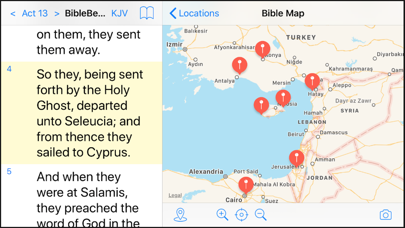
- links to all maps, interlinears, commentaries and other biblical resources available in original biblebento.com [online]
You can now have all these great resources in a single app.
2) High-Quality Data
ALL data sets on original biblical languages come with:
- Hebrew / Aramaic / Greek surface form
- Hebrew / Aramaic / Greek lemma form
- transliteration / pronunciation guide
- English interlinear gloss
- information on language, i.e. Hebrew / Aramaic / Greek
- morphology for every single word
- support searching lemma / lemma + morphology / combinations of lemma
- direct links to open concordances and lexicons available at https://biblebento.com
- sharing feature with a single touch
Old Testament Data Sets:
- Biblia Hebraica Stuttgartensia (Amstelodamensis)
- LXX (Rahlfs, 1935); main
- LXX (Rahlfs, 1935); alternate
New Testament Data Sets:
- Berean Greek Bible
- Byzantine textform 2005
- Nestle's GNT (1904)
- SBL Greek New Testament
- Textus Receptus
- Westcott-Hort"
3) Intuitive Design
For examples,
- a simple touch on a bible verse opens Hebrew / Greek data sets instantly
- FREELY open independent but linked Hebrew / Greek data sets in ANY bible versions. [OTHER bible softwares LIMIT Hebrew / Greek data ONLY to several tagged-versions, which often come with pricey tags for sale.]
- options to change Hebrew / Greek data sets
- a simple touch to compare different bible versions of a single verse
- options to include or exclude version(s) for verse comparison
- handy search bar for searching any bible versions
- search Hebrew / Greek data sets simply with touches
- supports various combinations of Hebrew / Greek words for searches
- results of searching Hebrew / Greek data sets can be displayed either in original Hebrew / Greek verses or in translations
- accessible actions available for every single verse
- configurable verse comparison
- parallel bible reading [iPad only]
- share biblical resources with touches
- creative layout to display all cross-references for every single verse in one go
- note taking capability for every single verse
- note writing supports bible links, e.g. bible://Joh.3.16
- detailed history and search records
- both favourite and highlighting functions are available
- embedded links for additional resources available at http://biblebento.com [online]
- built-in custom-url-scheme supports opening BibleBento with third-party apps, e.g. Safari, using urls, like biblebento://Deu.6.4
- work with "Workflow" plugins [installed separately] to listen to bible reading in different languages.
Twitter: https://twitter.com/biblebento
Contact Eliran Wong: https://biblebento.com/contact/contactform.php
Quoi de neuf dans la dernière version ?
This app has been updated by Apple to display the Apple Watch app icon.
Major changes:
- added "backward" and "forward" button for navigating "Bible Topics".
- added "Bible Passage" popover for verse reference(s) in book introductions.
- fixed crashes happened with "Sync" action selected in some conditions (This is an essential fix. Users of all pervious versions are advised to get this update).
- corrected verse reference shown on the navigation bar after triggering "Sync" action.
- corrected verse synchronisation for all special features after triggering "Sync" action.
- corrected scrolling on "Bible Passage" popover, so that verses selected from dictionary / encyclopaedia / book introduction are scrolled to visible area and highlighted properly when popover comes up.
- Selection on "Interlinear" view now brings up "non-editable" and "selectable" details of a selected Hebrew / Aramaic / Greek word.
Reminder:
- The left-to-right swiping action, "Interlinear", automatically loads the currently active Hebrew / Greek morphological data, chosen in a special feature, "Comparison & Morphology". To make use of "Interlinear" action, users have to install at least one morphological data set for Old Testament, e.g. "BHSA", and one morphological data for New Testament, e.g. "SBLGNT". There is nothing for "Interlinear" popover to show if no data is installed.
To install a morphological data set:
1) Open special feature, "Comparison & Morphology".
2) Select a data version from the menu to start an installation.
*** Please keep your screen and this app on during data installation. Data are automatically loaded when installation is completed.
*** Morphological data sets of Old Testament are different from that of New Testament. With feature "Comparison & Morphology" opened, touch an Old Testament verse in main bible view to update the list of morphological data sets for Old Testament. In the same way, touch a New Testament verse in main bible view to update the list of morphological data sets for New Testament.)