Magic card database (MTG)
iOS Universel / Références
Magic trading card game database is the premier iOS application for everything Magic. With its advanced grid view you can browse cards quicker than any
other application. Now updated for iOS 26 with the new Liquid Glass design, dark mode, and improved performance throughout.
MTG allows for editing and saving multiple searches, saving you from having to re-enter them each time you launch the app.
FREE FEATURES:
- Advanced search & browse options.
- Life counter with player customization, textured backgrounds, undo/redo history, and multiplayer support.
- Searchable by name, description, expansion, rarity, colors, artist & others.
- Sort by name, price, rarity, collector number, and more.
- Browse keyword abilities with quick-jump section index.
- Small app size & image caching for improved performance.
- Offline mode by pre-caching images.
- Large grid for multiple card viewing.
- Details laid out in an easy access view with all printings available.
- Full-screen image viewer with pinch zoom and swipe-to-dismiss.
- Bulk import — paste a card list to quickly build a deck.
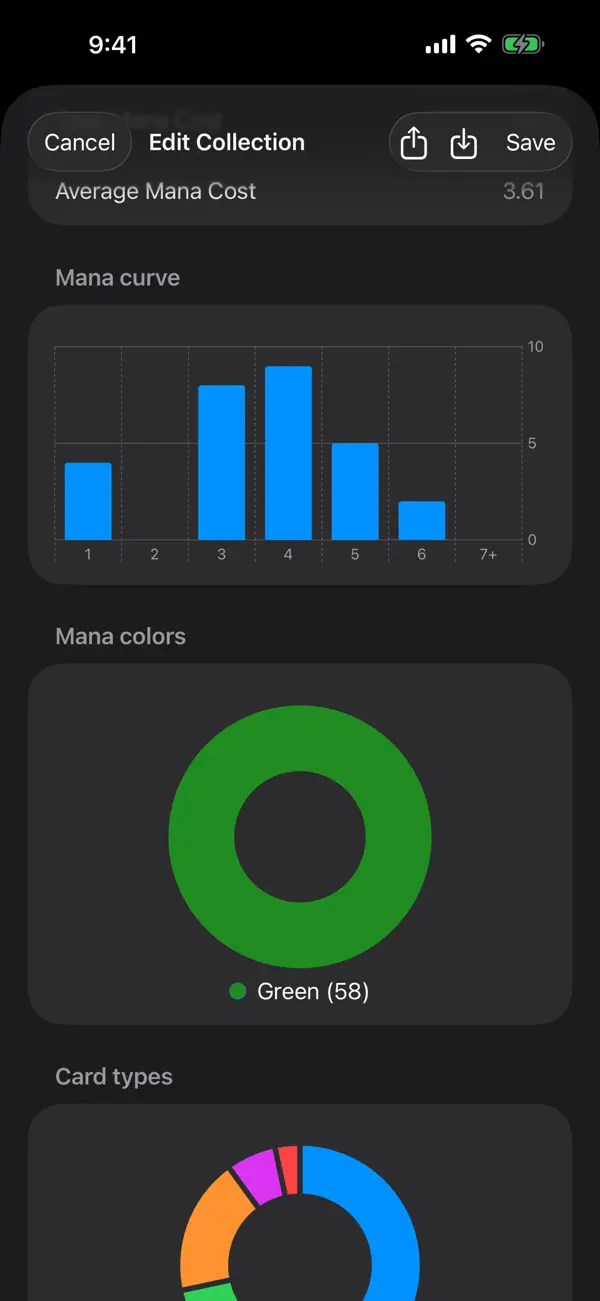
- Deck collections with 2-column card grid, mana curve stats, average CMC, and land counts.
- Accessibility support with VoiceOver labels and hints.
- Light and dark mode support.
PREMIUM FEATURES (Requires IAP):
- Access to the latest five sets.
- Price guide that is updated often with stale cache detection.
- Automatic updating card database with version tracking.
- Unlimited deck collections.
- Monthly and yearly subscription options.
All prices are courtesy of TCGplayer.com
Terms of Use: https://termify.io/terms-and-conditions/1637763460
Privacy Policy: https://termify.io/privacy-policy/1637856824
Quoi de neuf dans la dernière version ?
- Fixed an issue where updates were not always working.
- Card data updates automatically on Wi-Fi at launch - no more digging through Settings.
- Database updates are now around 2× faster, with a real progress indicator at the bottom of the screen.