• KultureGeek
  • Comparateur de prix
       
iPhoneAddict
 iAddictv5Notre Application iPhone/iPad
  • Accueil Apps
  • Actualité Apple
  • Keynote Apple
  • Firmwares & iTunes
  • Contactez-nous
Accueil » Liste des Apps » Apps Universelles » Références » Spoken Verse
L'application n'est plus disponible sur l'App Store français
3.1 iOS €Gratuit Norman Pettus 0 0 Listen to your favorite verses or chapters, find any verse in three bible versions, or check actual wording of any bible verse with the new free app, Spoken Verse. Select a version of the bible, King James Version(KJV), New International...
Spoken Verse

Spoken Verse

iOS Universel / Références

Gratuit
Obtenir sur l'App Store

Listen to your favorite verses or chapters, find any verse in three bible versions, or check actual wording of any bible verse with the new free app, Spoken Verse.

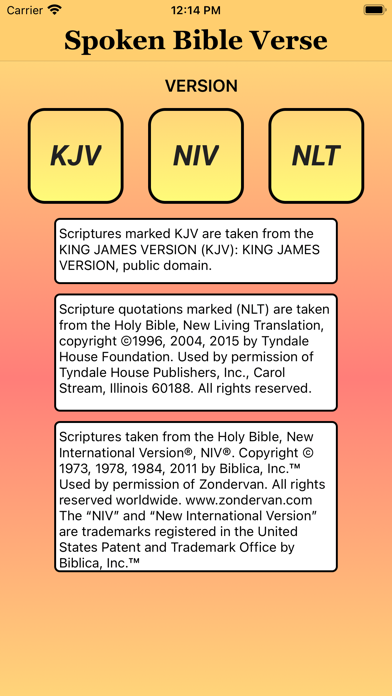
Select a version of the bible, King James Version(KJV), New International Version(NIV), or New Living Testament(NLT), and say any bible address to have the verse/chapter spoken.

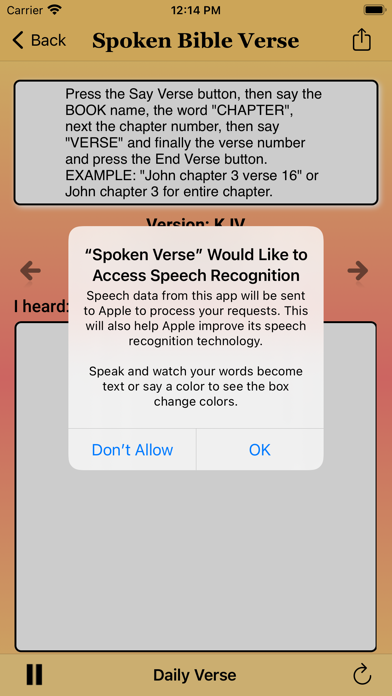
Saying the bible address with the book name, the word "chapter", a chapter number, then the word "verse" and finally the verse number the app will lookup, print on the screen and recite the verse to you.

A right and left arrow will go to the next or previous verse. Swiping left will slow speech down and swiping right will speed it up.

Saying just the book name, the word "Chapter" and a chapter number will type out and read an entire chapter. The right and left arrows will move to the next or previous chapter.

Words are highlighted in red as they are spoken. The Daily Verse button may be pressed repeatedly for multiple verses. A repeat button will say the verse again.

You can now share your favorite verse on Facebook, Twitter, or email. Just select the share button in the upper right hand menu bar.

The Daily Verse button in the middle of the lower menu bar will play a key verse of the day. You can repeat this verse, use the next and previous buttons to hear the verses around it and the share button to post it to your favorite social media site.

En voir plus...

Quoi de neuf dans la dernière version ?

Bug fixes
Pause and Resume functionality
  • Screenshot #1 pour Spoken Verse
  • Screenshot #2 pour Spoken Verse
  • Screenshot #3 pour Spoken Verse
  • Screenshot #4 pour Spoken Verse
  • Screenshot #5 pour Spoken Verse
  • Screenshot #6 pour Spoken Verse

Note

(0 note)

Détails sur l'application

Version
3.1
Taille
29.6 Mo
Version minimum d'iOS
12.0
Dernière mise à jour
18/10/2022
Publié par
Norman Pettus

Newsletter App Store

Recevez chaque jour les meilleures promos

Actualité Apple

Image iOS 27 : Apple détaille les « super-pouvoirs » de l’IA dans l’application Photos
iOS 27 : Apple détaille les « super-pouvoirs » de l’IA dans l’application Photos
Image Fuite d’iOS 26 : Apple et Jon Prosser demandent l’annulation du jugement
Fuite d’iOS 26 : Apple et Jon Prosser demandent l’annulation du jugement
Image Pour éviter de déclencher votre Siri, Apple a filtré l’audio de la keynote de la WWDC 2026
Pour éviter de déclencher votre Siri, Apple a filtré l’audio de la keynote de la WWDC 2026
Image iOS 27 ajoute le mode paysage à plusieurs applications avant l’iPhone Ultra pliable
iOS 27 ajoute le mode paysage à plusieurs applications avant l’iPhone Ultra pliable
Partenaires : Actualité iPhone - Culture Geek
©2009-2026 i2CMedia | A propos |