• KultureGeek
  • Comparateur de prix
       
iPhoneAddict
 iAddictv5Notre Application iPhone/iPad
  • Accueil Apps
  • Actualité Apple
  • Keynote Apple
  • Firmwares & iTunes
  • Contactez-nous
Accueil » Liste des Apps » Apps Universelles » Réseaux sociaux » Keyman
18.0.246 iOS €Gratuit Summer Institute of Linguistics, Inc (SIL) 4.8 5 Keyman makes it easy to type in over 1,700 different languages on your iPhone, iPad or iPod! Install all your language keyboards as a system keyboard and use them in every app on your iPhone or iPad! Type in: - Amharic - Tamil - Greek - Hebrew -...
Keyman

Keyman

iOS Universel / Réseaux sociaux

Gratuit
Obtenir sur l'App Store

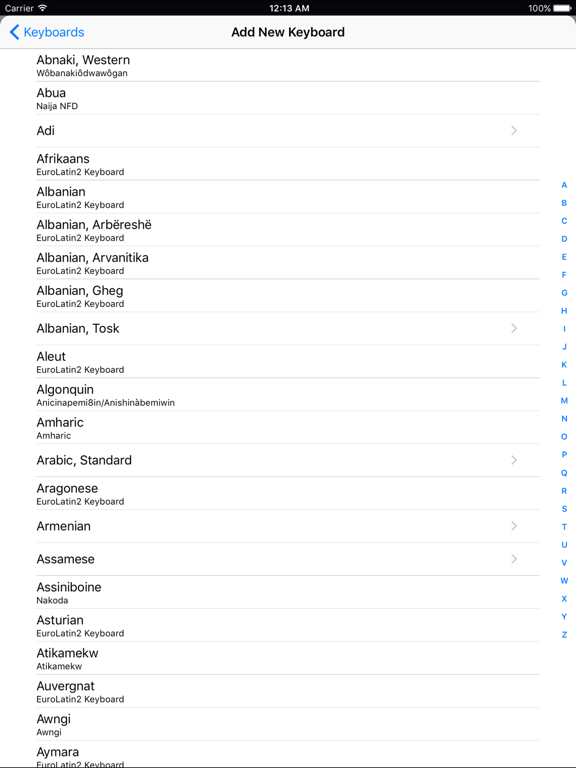
Keyman makes it easy to type in over 1,700 different languages on your iPhone, iPad or iPod! Install all your language keyboards as a system keyboard and use them in every app on your iPhone or iPad!

Type in:
- Amharic
- Tamil
- Greek
- Hebrew
- Sinhala
- Syriac
- Tibetan
- Hindi
- Over one thousand more!

Keyman requires the "Allow Full Access" option to be switched on just once when you install a new keyboard, in order for your language keyboard to be installed into the system. For your privacy and security, you can then switch the option off again.

Features include:
- Build custom keyboards with Keyman Developer and load them on your phone
- Smooth optimised keyboard layouts
- Predictive text for a growing set of languages
- Built in browser displays your language even if iOS doesn't support it

En voir plus...

Quoi de neuf dans la dernière version ?

Published on 2025-12-03.


* Minor fixes and performance improvements

  • Screenshot #1 pour Keyman
  • Screenshot #2 pour Keyman
  • Screenshot #3 pour Keyman
  • Screenshot #4 pour Keyman

Note

(5 notes)

Détails sur l'application

Version
18.0.246
Taille
15.3 Mo
Version minimum d'iOS
15.6
Dernière mise à jour
05/02/2026
Publié par
Summer Institute of Linguistics, Inc (SIL)

Newsletter App Store

Recevez chaque jour les meilleures promos

Actualité Apple

Image Les Studio Display (XDR) ne fonctionnent pas avec les Mac Intel
Les Studio Display (XDR) ne fonctionnent pas avec les Mac Intel
Image Le Studio Display XDR ne propose pas le 120 Hz avec certains Mac
Le Studio Display XDR ne propose pas le 120 Hz avec certains Mac
Image macOS 26.4 bêta 3 est disponible
macOS 26.4 bêta 3 est disponible
Image MacBook Neo : une fuite d’Apple dévoile quelques caractéristiques
MacBook Neo : une fuite d’Apple dévoile quelques caractéristiques
Partenaires : Actualité iPhone - Culture Geek
©2009-2026 i2CMedia | A propos |