• KultureGeek
  • Comparateur de prix
       
iPhoneAddict
 iAddictv5Notre Application iPhone/iPad
  • Accueil Apps
  • Actualité Apple
  • Keynote Apple
  • Firmwares & iTunes
  • Contactez-nous
Accueil » Liste des Apps » Apps Universelles » Sports » MAR Cam
L'application n'est plus disponible sur l'App Store français
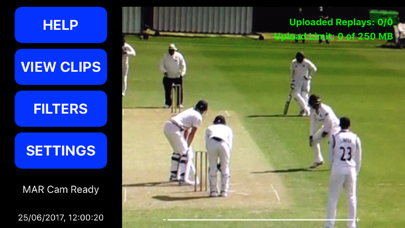
2.3 iOS €Gratuit My Action Replay Ltd 0 0 Just three simple steps to getting video replays of your game. 1. Open the MAR Cam and point it at the cricket action - use a stand for the best result. 2. Create a game in the CricHQ app on a separate phone or tablet. 3. Click on the 'Connect to...
MAR Cam

MAR Cam

iOS Universel / Sports

Gratuit
Obtenir sur l'App Store

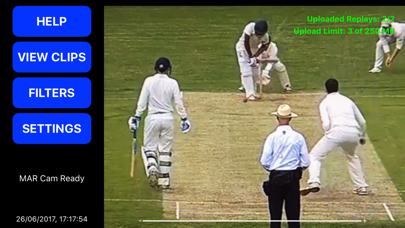
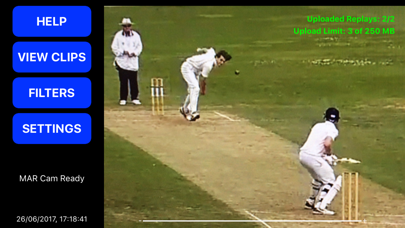
Just three simple steps to getting video replays of your game.

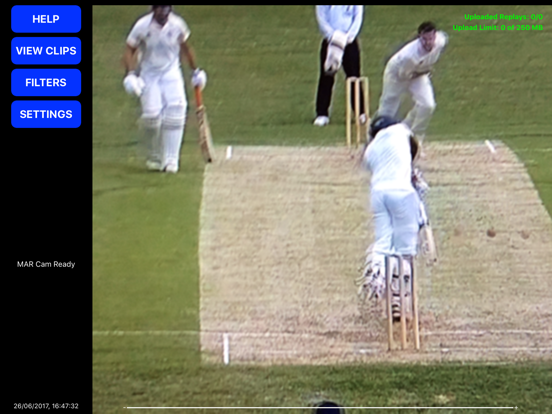
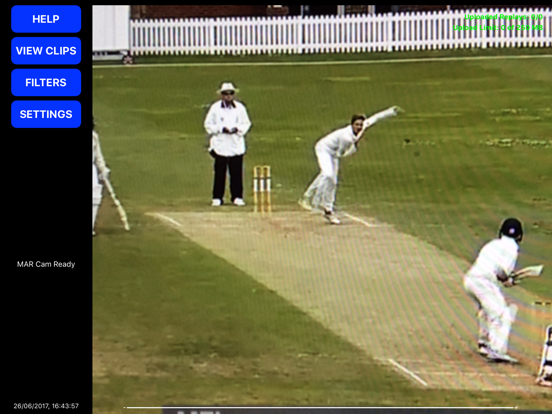
1. Open the MAR Cam and point it at the cricket action - use a stand for the best result.
2. Create a game in the CricHQ app on a separate phone or tablet.
3. Click on the 'Connect to Camera' icon in CricHQ and simply score.

The MAR Cam will then create video replays of all the important plays and tag them up with every piece of information about the ball - for example player who bowled, player who was batting, runs that were scored. These are available for you to view and share online at crichq.com or via the CricHQ app.

Everyone can follow along and you have a history of all your best and memorable moments, you also have an amazing video analysis tool at your fingertips without any of the hassle that you normally require.

You can choose to auto upload replays as they are created, or turn the upload on later when you are back at home or the office. This is controlled with a simple set of controls in the settings menu. You can also choose which type of balls to capture and which not to.

If you are at a ground which has a wifi connection just make sure the MAR Cam phone or tablet and the CricHQ phone or tablet are connected to the wifi network. Even if there is no wifi available you can create a hotspot on one of the devices and join to it with the other one - just make sure that you get the owners permission for connecting to the hotspot as a significant amount of data can be used for uploading replays from a game.

En voir plus...

Quoi de neuf dans la dernière version ?

This app has been updated by Apple to display the Apple Watch app icon.

Fix clip capture timing issue
  • Screenshot #1 pour MAR Cam
  • Screenshot #2 pour MAR Cam
  • Screenshot #3 pour MAR Cam
  • Screenshot #4 pour MAR Cam
  • Screenshot #5 pour MAR Cam
  • Screenshot #6 pour MAR Cam

Note

(0 note)

Détails sur l'application

Version
2.3
Taille
2.8 Mo
Version minimum d'iOS
8.0
Dernière mise à jour
28/05/2018
Publié par
My Action Replay Ltd

Newsletter App Store

Recevez chaque jour les meilleures promos

Actualité Apple

Image Notepad++ sur Mac : le créateur désavoue le portage non officiel
Notepad++ sur Mac : le créateur désavoue le portage non officiel
Image Apple dévoile le bracelet Pride 2026 pour Apple Watch et des fonds d’écran iPhone/iPad
Apple dévoile le bracelet Pride 2026 pour Apple Watch et des fonds d’écran iPhone/iPad
Image MacBook Neo : Apple dit avoir été pris au dépourvu par la grosse demande
MacBook Neo : Apple dit avoir été pris au dépourvu par la grosse demande
Image Evan Blass, l’un des plus gros « leakers » de produits Apple et Android, arrête ses activités
Evan Blass, l’un des plus gros « leakers » de produits Apple et Android, arrête ses activités
Partenaires : Actualité iPhone - Culture Geek
©2009-2026 i2CMedia | A propos |