Piston
iOS Universel / Sports
Capture and accelerate learning moments during training and performances using a Piston Server. Piston is built for teaching using multi-camera vision to enhance the knowledge transfer process. Create a real impact at the point of best contact.
• 4K VISION
Piston captures vision from a wide variety of 4K network cameras and supports options for SDI and HDMI. Capture features include custom encoding options, single file and streaming file creation and synchronised multi-camera session capture.
• Multi-Camera
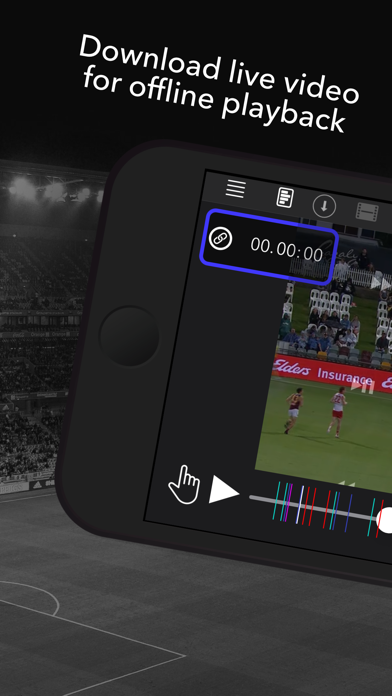
Piston systems are capable of capturing and reviewing up to 16 network cameras simultaneously. In-sync angle switching is a simple swipe. Clips from multiple angles can be cut and downloaded for offline review. Capture sessions can be scheduled ahead of time, so nothing is missed.
• Multipeer MarkUp
Shared markup and annotation data across all users during capture sessions in real time or post-event. Mark up button schemes are distributed from a central source, so mark up data capture is consistent. Supports XML and JSON data export.
• Drawing
Pause, draw and save. Simple to use drawing tools to highlight aspects of the vision. Save as images with the drawings for later viewing or sharing.
• Streaming Upload
Live streaming export and upload to AWS Simple Storage Service (S3). A cost-effective, reliable and easy way to stream. Supports custom export settings and angle selection.
• Live Opta Import
With a live data subscription, Opta's live data can be imported and synchronised in a capture session.
Quoi de neuf dans la dernière version ?
Piston 9.96
• Changed UI for menu items at top of Marker Sidebar (added a dropdown menu to reduce clutter)
• Added a select markers icon at top of Marker sidebar
• Tapping on Markers in sidebar in Select mode shows a tick beside the marker and activates the Cut and composer icon at the top of the sidebar
• Pressing the Cut icon will automatically cut all selected markers not already cut
• Pressing the Composer icon will automatically cut all selected markers not already cut and send them to the default composer for that session
• Manual Cuts and mult-select cuts now respect the in/out time of any Markers rather than defaulting to 10 seconds before and 10 seconds after (this is still the default if a Marker has no in and out time set)
• Added a 'Session Default Composer' menu in session dropdown menu
• Users can tick checkbox in this menu to have a composer named the same as the session always created when sending cuts to composer from the multi-select function
• User can also select an existing default composer to be the composer that cuts are sent to automatically from the multi-select function
• Added options in send to composer menu from cuts list to send only filtered or starred cuts to a selected or new composer
• Added ability to select all markers in the sidebar in select mode
• Added an indicator at the top of the session when bulk cutting to show how many have been cut and how many remain
• Added an option in the Cuts list to "Send Selected to Session Composer' which respects the default composer settings
• When Starred Cuts are filtered in in the Cuts List, user no longer needs to select them and can just press send to composer to send all filtered in Starred Cuts