JubileeTV
iOS Universel / Style de vie
Use the JubileeTV app to support your aging loved one on their TV in a way that's easy for them and convenient for you.
JubileeTV’s remote caregiving technology makes it easier than ever to be there for your aging loved ones, no matter the distance.
Features
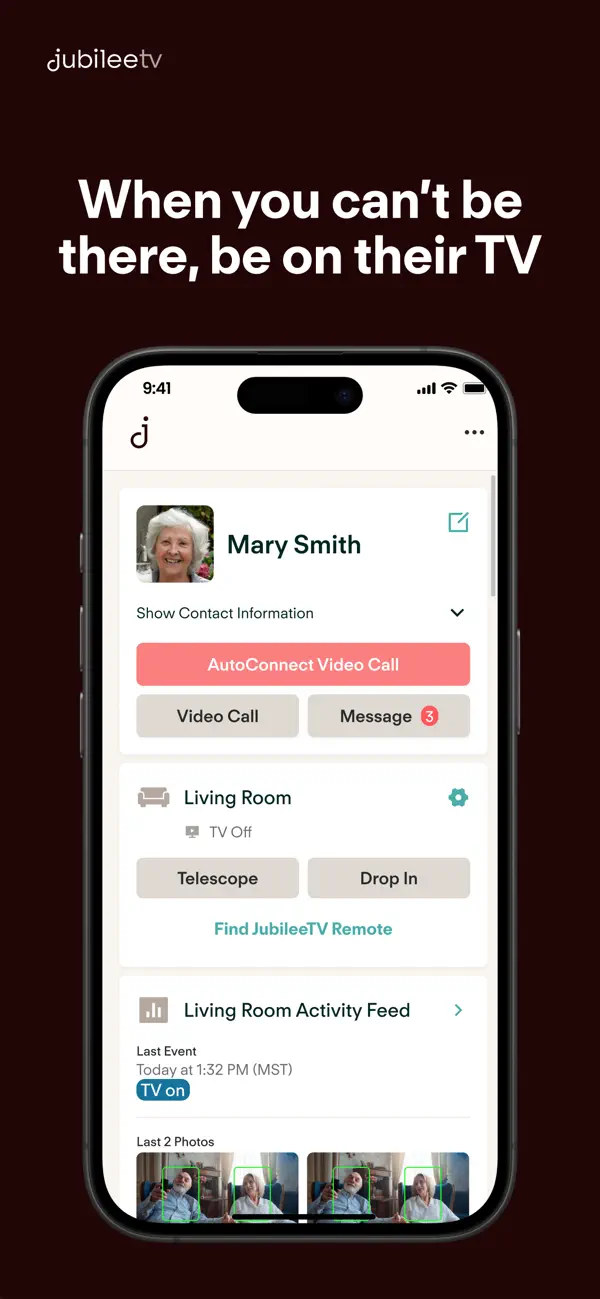
• Control Mom’s television from anywhere & see a real-time view of what’s playing on their screen. Change channels, turn down the volume, start a Netflix show and more.
• Place a video call from The App and it will automatically pop up on your loved one’s TV.
• Automatically turn on the TV and connect a video call when it’s critical without any interaction required from your loved one
• Share photos and short video clips right from your phone to Mom’s TV - a great way to let her know you care.
• Set up reminders for medical appointments, daily household tasks and more to give your loved one a gentle nudge while supporting their independence.
• Schedule a daily check-in message to appear on your loved one’s TV and receive a notification if they don’t check in my a certain time.
• See real-time insights into your aging loved one’s television habits.
• Get notified when the TV is turned on for added peace of mind.
Requires purchase of JubileeTV Hub, sold separately at getjubileetv.com.
Quoi de neuf dans la dernière version ?
DROP IN IMPROVEMENTS
We’ve upgraded the Drop In experience with a few new controls:
• Mic can now be set to mute by default.
• Switch easily between console and remote microphones.
• Tap the screen to hide the user interface for an unobstructed view.
PHOTO & VIDEO SHARING
• Missed Media: If messaging is turned off, the photo and video tile on the TV home screen will now show a badge when new media is received.
• Slideshow Timing: You can now customize how long each photo displays during a slideshow.
OTHER IMPROVEMENTS & CHANGES
• Mobile OTP: Users starting the sign-in process with an email can now opt to receive their one-time passcode via their registered mobile number.
• Account Settings: You can now change the email address associated with your JubileeTV account.
• Reminder Chimes: If you include a chime with a Reminder, you can now select how long the audio will play.
• Network Quality Test: You can now view your test history.
• Payment Alerts: An in-app notification will alert you when your credit card on file is about to expire.
• Telescope: The room name is now conveniently listed at the top of the screen.
For full release notes and setup guides, visit: docs.getjubileetv.com/2026