BeWizor
iOS Universel / Style de vie
BeWizor: your personal organizer!
BeWizor transforms the chaos of managing your belongings into a seamless, collaborative experience powered by AI. With BeWizor, you can easily track all your belongings, create groups to share assets, and manage every aspect of maintenance and warranties tied to them.
Register assets in 1-2-3
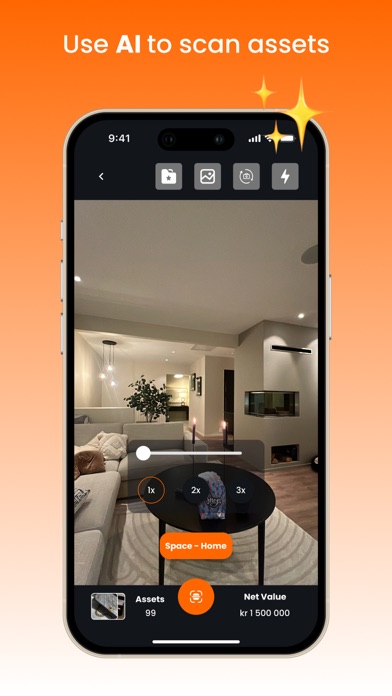
Thanks to advanced AI technology whenever you take a photo of a new asset you instantly get information added, like category, price, and more. Organize belongings by creating different spaces. Made a mistake? No worries! Edit assets and spaces easily whenever you need.
Let BeWizor remind you of upcoming maintenance
Set reminders for routine upkeep and get alerts when warranties or renewals are due, ensuring you maximize the lifespan of each item without the hassle.
Join the Sharing Economy
Create or join groups to share assets within communities, enhancing collaboration and reducing duplicate purchases. A win for your wallet, and the environment!
Information on your assets stored in one place
Add notes, log paint colors and upload instructions & documents to each asset. All your info is securely stored and easily accessible.
Download BeWizor for free today to access your ultimate AI-powered tool to organize everything you own.
Quoi de neuf dans la dernière version ?
Spanish language support has been added. You can now use the app in Spanish. More languages are coming soon—stay tuned!
Major bug fixes based on feedback from TestFlight, with collaboration across teams in India and Norway.
Enhanced Receipt Scanner: Several improvements to make scanning smoother and more reliable.
Optimized for 16KB page size, ensuring better performance and compatibility.
Simplified Group Invitations: Invite members immediately after creating a group—no need to visit the info screen.
Camera crash & freeze issues fixed. You can now capture clear and smooth images of assets or receipts.
New Currency Screen: Change your preferred currency based on your country. Asset values will automatically update to the selected currency (please allow a moment for background processing).
UI & UX improvements across multiple screens:
Login / Signup
Home - key features and KPIs are now easier to access.
My Stuff
Settings (Menu)
Search
Group Home
Notifications
Calendar
Personal Tasks
Assets Overview (Info Screen)
New Onboarding screens added instead of tutorials.
Asset Import via Tings App: Import assets directly through Menu → Import Assets → Tings.
Campaign Participation: You can now participate in campaigns organized by BeWizor. Visit our website and keep the app installed for updates.
Winner Notifications: Campaign winners will be notified via push notification or when opening the app.
Warranties Screen: View all your asset warranties in one place. Check detailed information for each asset, see which warranties are expiring soon, and identify assets without warranties so you can add them easily.
We’d love to hear your feedback—thank you for supporting us!