Boomerang Parental Control App
iOS Universel / Style de vie
STOP THE SCREEN TIME BATTLES. Boomerang Parental Control gives you the ultimate system-level tools to manage schedules, block apps, and track your family.
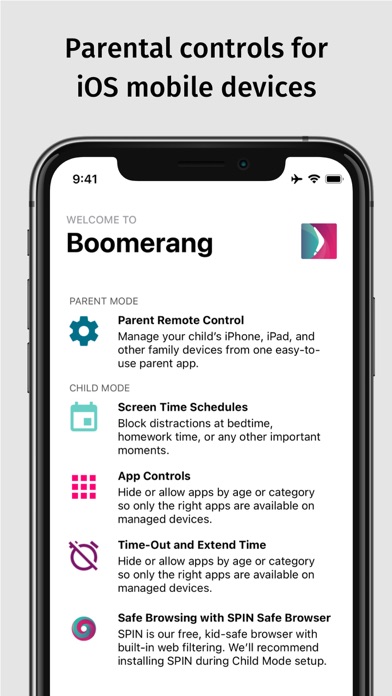
PARENT MODE: Control everything remotely from your own iPhone.
CHILD MODE: Seamless boundaries built directly into your child's device, supports iPhone or iPads.
iOS controls are back! Easily set custom screen time schedules, hide distracting apps, track live locations, and monitor web browsing using our built-in SPIN Safe Browser. Try it completely free for 14 days!
========================================
WHAT YOU CAN DO (iOS CHILD MODE)
========================================
* HIDE DISTRACTING APPS: Automatically hide social media and games at bedtime or homework time.
* INSTANT PAUSE: Time out all user-installed apps on demand and hide them when it's time for dinner or to unplug.
* FAMILY GPS LOCATOR: Keep tabs on your child’s real-time location and ensure they arrive safely.
* SAFE WEB FILTERING: Automatically block millions of inappropriate websites, pornography, and unsafe search engines using SPIN Safe Browser.
* AGE-RATED APP LOCKING: Instantly allow or block apps based on official App Store age ratings.
========================================
THE CROSS-PLATFORM ADVANTAGE
========================================
Do you use an iPhone but your child has a different type of device? Boomerang bridges the gap. For non-iOS child devices, you get even deeper features:
* Set strict per-app time limits (e.g., limit social media to 15 minutes a day).
* Get instant safety alerts if inappropriate words appear in their text messages.
* Review app discoveries and approve or block new app installs remotely.
* Track YouTube watch history and search queries directly from your parent dashboard
========================================
GOOD TO KNOW
========================================
* Works seamlessly on both Cellular and Wi-Fi data.
* Battery-friendly location tracking (GPS is only pulled on-demand).
* Anti-Tamper Protection: To keep boundaries secure from savvy kids, iOS child devices utilize a standard Apple Device Profile installation.
========================================
THE BOOMERANG MISSION
========================================
We believe parental controls should open conversations, not just lock things down. Use Boomerang as a digital wellness tool to talk with your kids about what they are watching, who they are texting, and how to build healthier online habits together.
Quoi de neuf dans la dernière version ?
Parent Mode: Improved App Usage from non-iOS child devices
Other under the hood optimizations