BRKN: Men's Daily Devotional
iOS Universel / Style de vie
Stand firm. Live with purpose.
BRKN is a daily discipline and devotional app built for
Christian men who want more than a quick read. It turns
faith into a daily rhythm of devotionals, prayer, journaling,
and brotherhood — so you grow stronger every day.
Built on 1 Corinthians 16:13-14 and the Armor of God
(Ephesians 6), BRKN helps you stand firm through structure,
accountability, and real-world action. Most devotional apps
stop at reading. BRKN helps you live it out.
WHAT YOU GET
Daily Devotionals
Comprehensive, structured devotionals that strengthen your
faith, build discipline, develop leadership, and apply
scripture to real life.
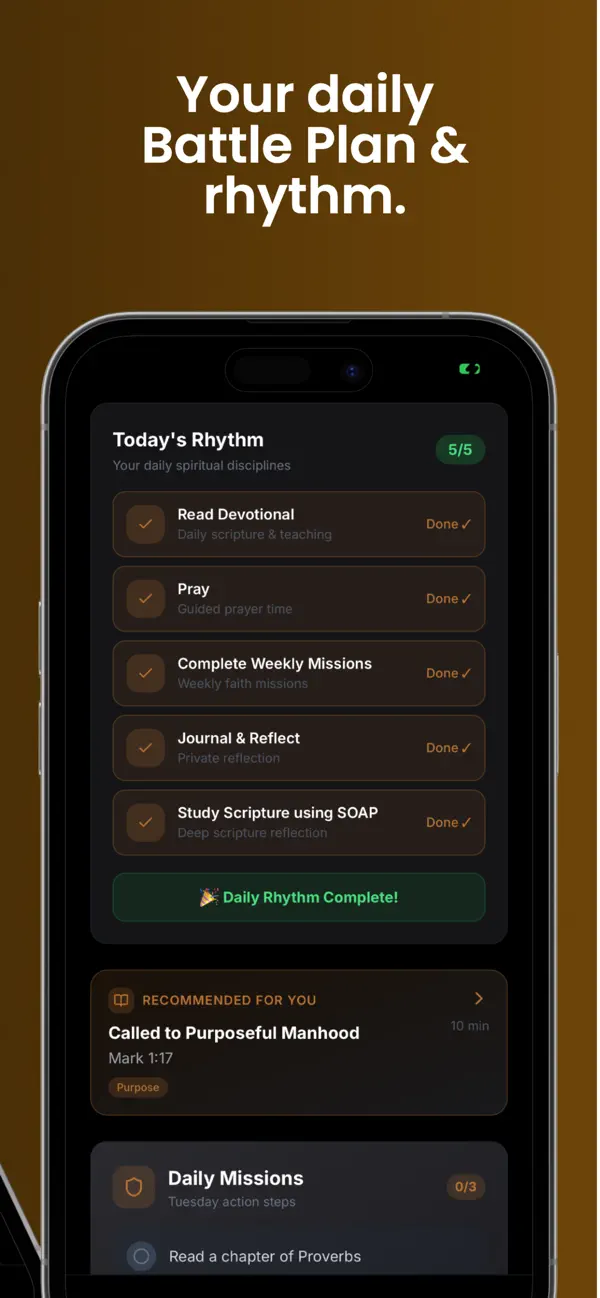
Daily Battle Plan
Start every morning with a clear plan: a spiritual focus,
practical actions, and leadership reminders for the day.
Guided Prayer System
Stay consistent with structured daily prayers, themed
guidance (strength, purpose, leadership), and scripture-
based encouragement.
Private Journaling
Reflect and grow with guided prompts, free journaling, and
progress tracking.
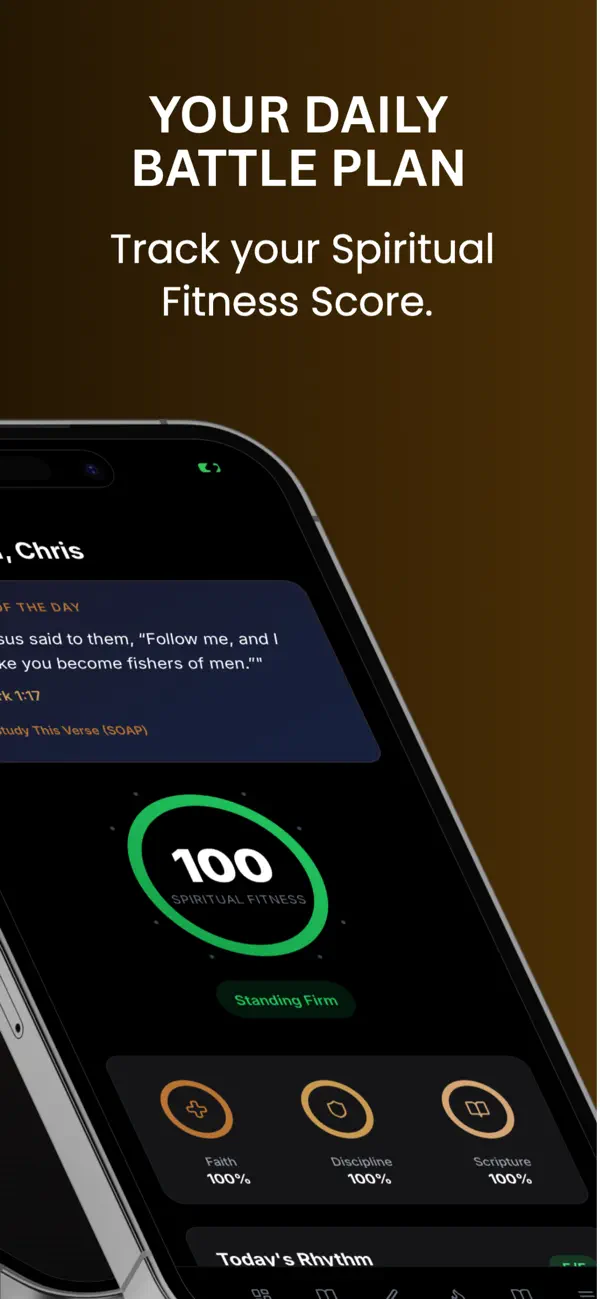
Spiritual Fitness Score
Track your daily discipline across devotionals, prayer,
journaling, and accountability. Build streaks and measure
your growth over time.
Brotherhood & Accountability
Don't walk alone. Join or create small groups, track
progress together, and encourage one another daily.
Missions & Challenges
Put your faith into action with weekly real-world challenges,
group accountability, and the 40-Day Stand Firm Challenge.
Training & Growth
Go deeper with Armor of God training, leadership modules,
and faith-based growth content.
WHO BRKN IS FOR
Men who want to grow in faith with discipline and
consistency — whether you're just starting out or going
deeper.
WHY BRKN
BRKN isn't about motivation. It's about discipline,
consistency, and growth. Stay consistent. Grow stronger.
Live with purpose.
Start your journey today.
Stand firm. Stay disciplined. Grow daily.
Terms of Use (EULA): https://www.apple.com/legal/internet-services/itunes/dev/stdeula/
Quoi de neuf dans la dernière version ?
Store updates.