Enso SC
iPhone / Style de vie
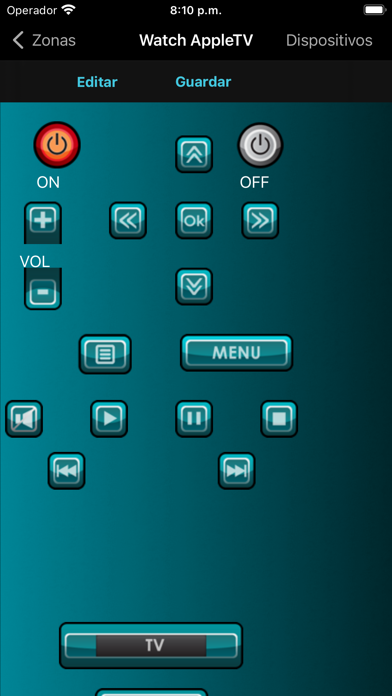
With ENSO SC you can personalize the screens that you create with ihcontrolsetup. You decide where you want to place the buttons, and what commands you want to execute
General:
- You can create up to 5 personalized configurations
- You can delete any of your personalized configurations anytime
- You will always have your original configuration available, since it cannot be deleted
Main Menu:
- Reorganize the elements in the main menu, change the order of locations and activities
- Edit the names of locations and activities
Activities:
- Change the sequence of equipment activation within an activity.
- You can also increase the functionality of a particular activity, like adjusting the decoder of your favorite channel, or adding a station to your radio activity
- Add new devices to the activity, regardless of the location where that activity was configured
- Reorganize the buttons in the screen. ENSO SC has an automatic tool to keep the buttons always aligned
- Change the commands that are assigned by default to the buttons, or delete the buttons that are not useful
- Add buttons to the screen, and assign them commands from the devices in your configuration. If you are not able to find a particular command, you can have the system learn it from the original remote control
- It can learn any IR code from any remote control
- You can choose from 700 buttons organized by categories and subcategories for a fast selection
- If none of the included buttons meets your needs, you can add blank buttons and tag them with the text of your choice (text on buttons). You can also add labels.
Devices
- Reorganize the buttons in the screen. ENSO SC has an automatic tool to keep the buttons always aligned
- Change the commands that are assigned by default to the buttons, or delete the buttons that are not useful
- Add buttons to the screen, and assign them commands from the devices in your configuration. If you are not able to find a particular command, you can have the system learn it from the original remote control
- It can learn any IR code from any remote control
You can choose among 700 buttons organized by categories and subcategories for a fast selection
- If none of the included buttons meets your needs, you can add blank buttons and tag them with the text of your choice (text on buttons). You can also add labels
Warning
To be able to use ENSO SC you requires an external hardware provided by iHcontrol. Isn't possible get all benefits of this app without this component.
Quoi de neuf dans la dernière version ?
- Compatibility with new versions of iOS
- Implement secure connections using HTTPS
- User interface enhancements