Kalkhoff Display
iPhone / Style de vie
The most important functions are described in more detail below - we hope you enjoy using this app and have a good trip with your Kalkhoff Berleen bike.
Dashboard
- View of speed, support bar, location, weather, support level, state of charge
- Optional view of trip data, range, cadence, altitude
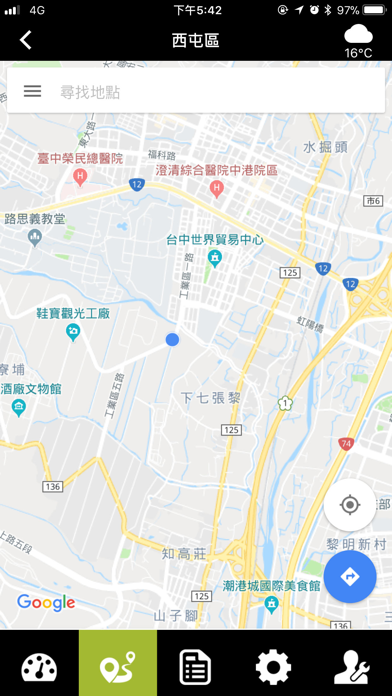
navigation
-Using Google Maps Navigation
After starting the navigation, return to the Kalkhoff Display App and conveniently display the navigation instructions at the top of the window
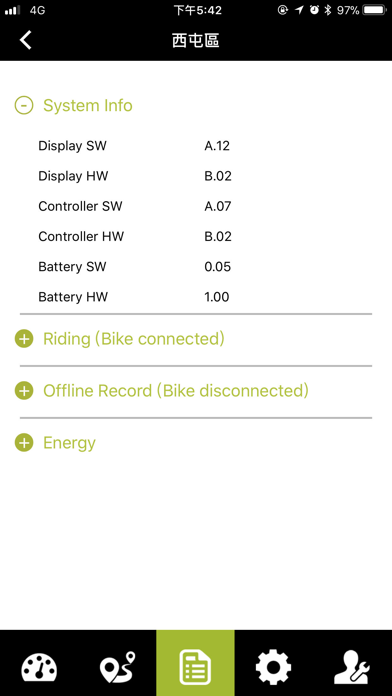
bike profile
-Indication of hardware and software status
-Indication of distance & time in individual assist levels
-Indication of distance & time when driving without Bluetooth connection to the bike
-Indication of percentage charge status & number of full charge cycles
settings
-Set the travel profile
-Trip data reset
-select information (for view in Dashboard)
-Language selection
-Set bike service reminder
service
-System diagnostics
-Dealer list
-Software update
How to connect with Impulse Evo E-Bike Display?
Prerequisite: your smartphone supports BTLE (Bluetooth Low Energy) 4.0, BTLE 4.1
1. Turn on Berleen Bike.
2. Start the app "Kalkhoff Display".
3. In the "Connect My Bike" screen, tap the "Connect" box next to the bike with which the app should connect with
4. The bike display starts flashing. The "Connect" field changes to "Connected" and is highlighted in green.
5. Tap "Show My Display" to use the app
For information:
You can give your bike a name.
You can also use the app in a reduced version without connection to Berleen Kalkhoff display (offline mode).
Attention: Continuous use of GPS can reduce battery life.
Attention: Some features require your GPS location and internet connection.
Quoi de neuf dans la dernière version ?
Fixes an issue where firmware upgrade may not work