• KultureGeek
  • Comparateur de prix
       
iPhoneAddict
 iAddictv5Notre Application iPhone/iPad
  • Accueil Apps
  • Actualité Apple
  • Keynote Apple
  • Firmwares & iTunes
  • Contactez-nous
Accueil » Liste des Apps » Apps Universelles » Style de vie » Memong: Notes & Planner
2.4.6 iOS €1,99€ Choongwhan Shin 5 7 Memong brings notes, to-do lists, and planner pages into one organized app, so you can stop splitting everyday planning across multiple tools. It is built for people who want practical structure without giving up a more personal way to write and...
Memong: Notes & Planner

Memong: Notes & Planner

iOS Universel / Style de vie

1,99€
Acheter sur l'App Store

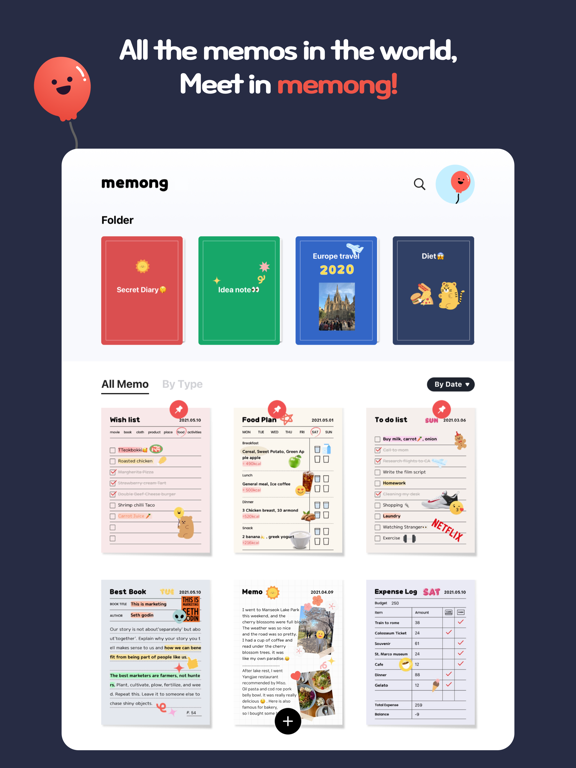
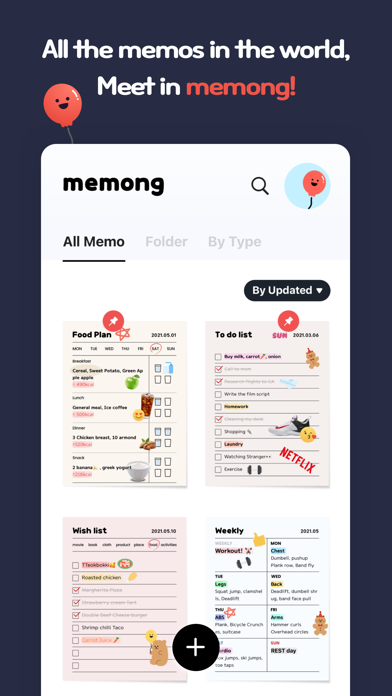
Memong brings notes, to-do lists, and planner pages into one organized app, so you can stop splitting everyday planning across multiple tools. It is built for people who want practical structure without giving up a more personal way to write and plan.

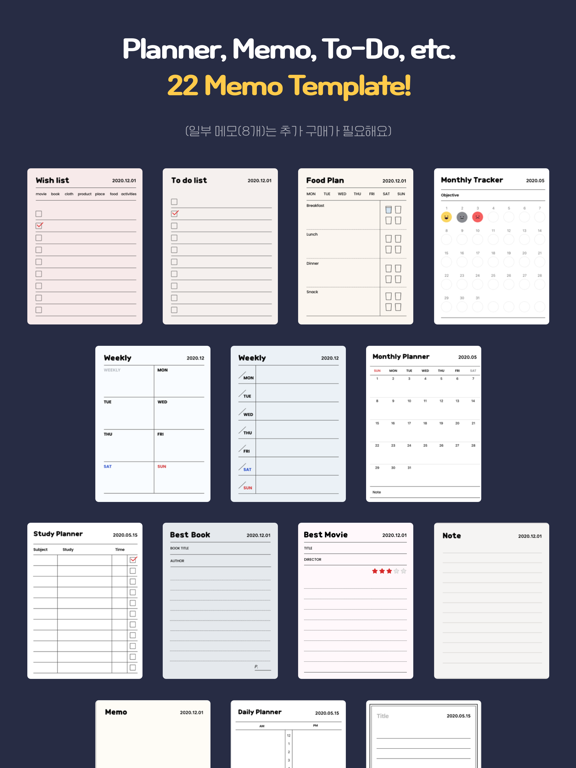
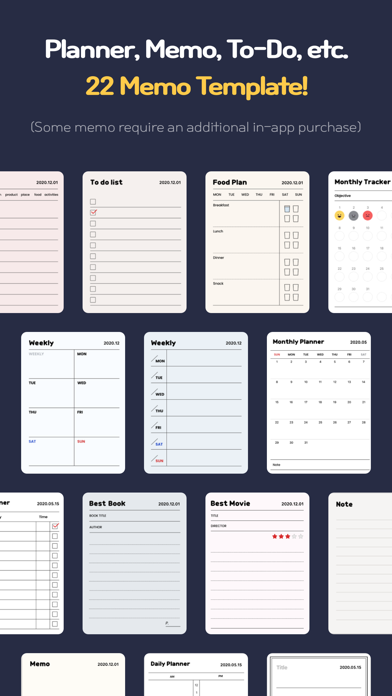
Use Memong for quick notes, checklists, daily plans, weekly plans, monthly plans, wish lists, expense logs, and diet logs. Start with 12 memo paper templates, then choose the layout that fits what you want to keep.

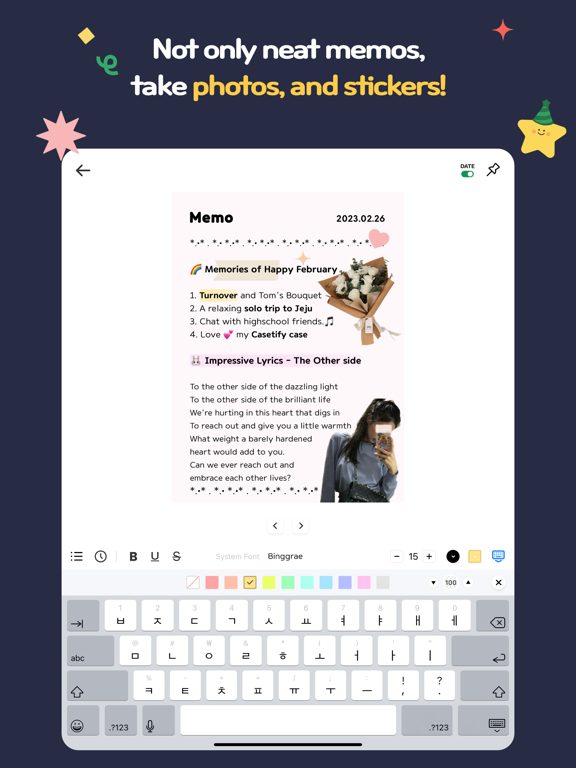
Memong makes personal pages easier to keep organized. Add stickers and photos, then keep everything tidy with folders, search, pinning, home screen widgets, iCloud backup, and iPad support when you want more room to plan.

The latest update makes notes easier to manage, revisit, and share. You can now share notes as PDFs, edit images inside your notes, browse pages in Gallery view, and use more text decoration options for clearer, more personal pages.

En voir plus...

Quoi de neuf dans la dernière version ?

What's New in 2.4.6
• Fixed toolbar not filling the full width on iPad and larger iPhones
• Improved stability of the emoji/symbol input picker — no more crashes when switching pages or closing the editor
• Fixed widget taps being lost when the app was still launching (splash screen)
• Added support for opening a folder directly from a widget tap
• Fixed leftover thumbnails and flashing images when scrolling through long memo lists and folders
• Fixed a rare crash when searching folders with rapidly changing results
• Smoother transitions when showing and hiding the editing toolbar
Thank you for using Memong!
  • Screenshot #1 pour Memong: Notes & Planner
  • Screenshot #2 pour Memong: Notes & Planner
  • Screenshot #3 pour Memong: Notes & Planner
  • Screenshot #4 pour Memong: Notes & Planner
  • Screenshot #5 pour Memong: Notes & Planner
  • Screenshot #6 pour Memong: Notes & Planner

D'autres applications du développeur

Folar - Instant film camera
/ iPhone
Filmica
Filmica
/ iPhone
Retroid 80s - Photo editor
/ iPhone
Retroid 70s - Photo editor
/ iPhone
Retroid 90s - Photo editor
/ iPhone
MOTT - Moving Text on Photos
/ iPhone

Note

(7 notes)

Détails sur l'application

Version
2.4.6
Taille
62.2 Mo
Version minimum d'iOS
17.0
Dernière mise à jour
15/04/2026
Publié par
Choongwhan Shin

Newsletter App Store

Recevez chaque jour les meilleures promos

Actualité Apple

Image Le Brésil tacle l’App Store pour l’accès des mineurs aux apps de paris
Le Brésil tacle l’App Store pour l’accès des mineurs aux apps de paris
Image John Ternus, nouveau patron d’Apple, s’adresse aux employés dans un mémo
John Ternus, nouveau patron d’Apple, s’adresse aux employés dans un mémo
Image Johny Srouji devient le nouveau responsable matériel d’Apple, succédant à John Ternus qui va être le patron
Johny Srouji devient le nouveau responsable matériel d’Apple, succédant à John Ternus qui va être le patron
Image Tim Cook publie une lettre après l’annonce de sa démission chez Apple
Tim Cook publie une lettre après l’annonce de sa démission chez Apple
Partenaires : Actualité iPhone - Culture Geek
©2009-2026 i2CMedia | A propos |