Memory Book AR
iOS Universel / Style de vie
How to Create:
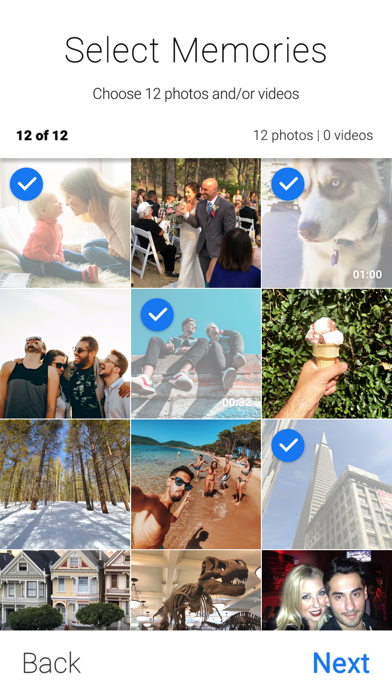
1) Download the app and choose 12 of your favorite photos and/or videos.
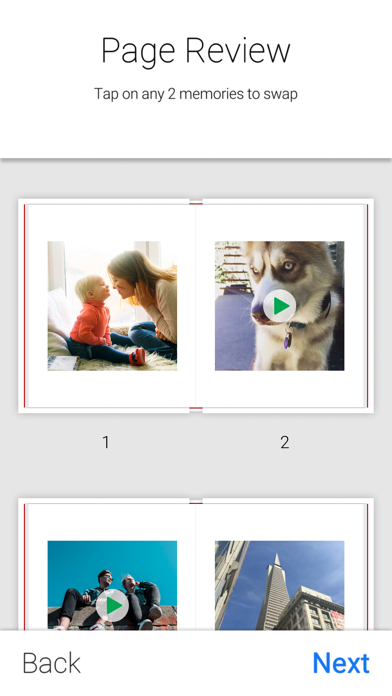
2) Review your pages and choose a cover photo.
3) Scan a flat surface to preview your Memory Book. Once satisfied, click “Save & Share” to view sharing options.
--
How to Share:
Share the Virtual Experience
Share a link to your Memory Book via text or email. The link will take friends to download the FREE app, which will automatically start your Memory Book experience when the app is opened and a flat surface is scanned.
Share a Screen Record
While you’re viewing a Memory Book, simply press the record button to capture a 1 minute video of the experience. You can then share the video via social media, text or email.
--
Enjoy!
Visit our website to learn more: https://www.photobloomar.com/trymemorybook
Quoi de neuf dans la dernière version ?
- Added custom book support
- Video capturing timing extended to 60s
- The book could be received via push notification
- Enhanced security