MINNADE TIMELINE
iOS Universel / Style de vie
MINNADE TIMELINE
MINNADE TIMELINE is a schedule app that helps you see not only your plans, but everything you need to prepare for them.
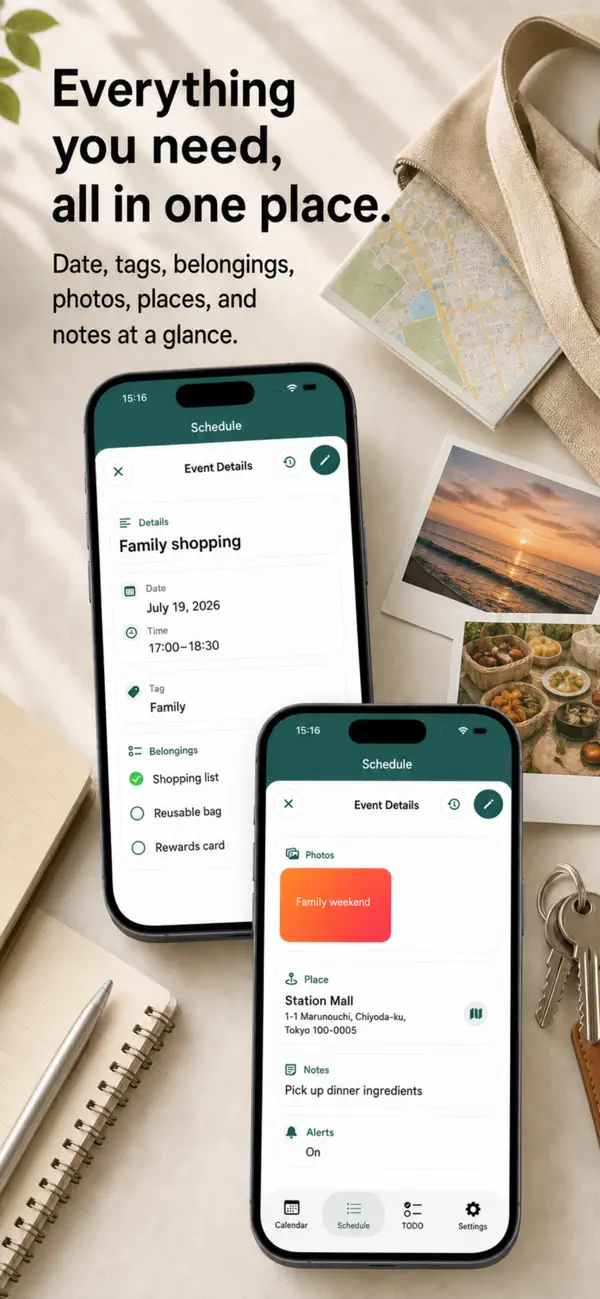
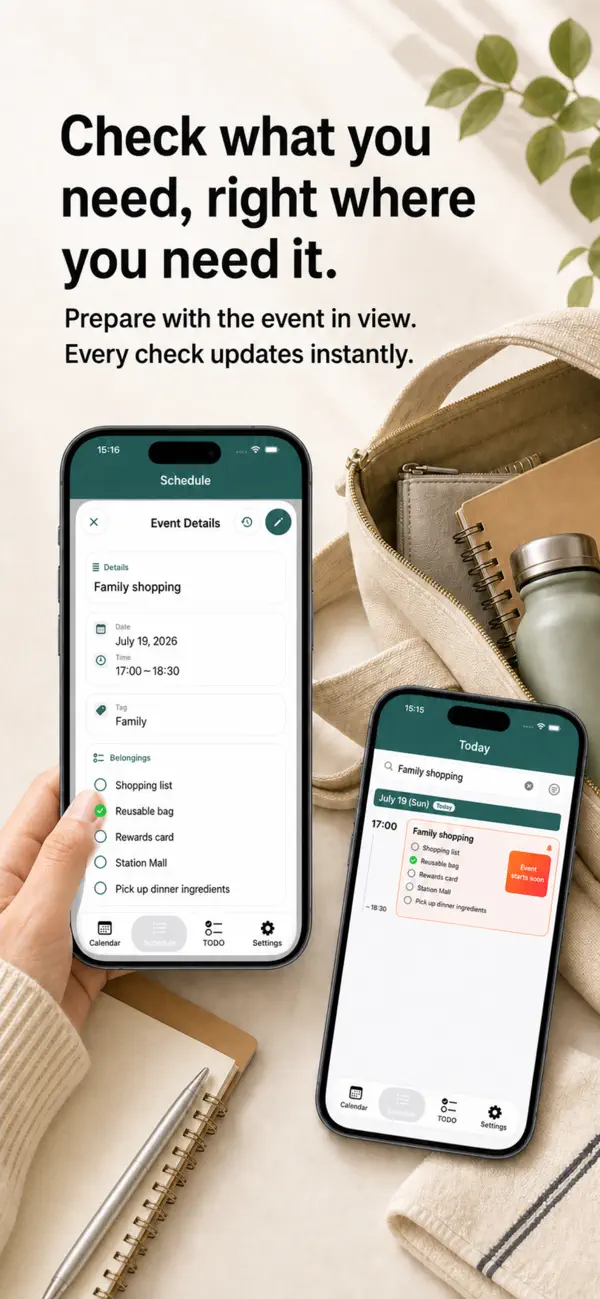
Select a date on the monthly calendar to view the day’s events in a time-ordered timeline. Each event row can show the title, time, tag, belongings, photo, location, notes, and alert status, helping you understand the whole event without repeatedly opening its details.
From the event details screen, you can check off belongings, enlarge attached photos, and open a saved location on the map. What to do, what to bring, where to go, and how to prepare can all be kept together in one event.
TODO items can include a date, time, tag, and repeat setting. A quick entry field handles simple tasks, while additional options appear only when needed.
Overnight and multi-day events are also supported. Continuing events remain visible on the following day, making trips, overnight travel, and multi-day activities easier to follow.
Shared tags let you share events and TODOs with family members, partners, clubs, or teams. Personal and shared tags can be used separately, so private plans stay private while selected plans can be managed together.
Search by title, location, notes, tags, or belongings. You can also filter by sharing status, photos, belongings, alerts, dates, and tags.
Customize background, text, and icon colors with theme settings, and switch the app icon. Backup export and restore help protect your schedules when changing devices or preparing for unexpected problems.
The app supports Japanese, English, Simplified Chinese, Traditional Chinese, and Korean.
Key Features
Monthly calendar and chronological timeline
Ongoing event, remaining-time, and progress displays
Add, edit, delete, duplicate, and repeat events
Overnight and multi-day events
Tags, belongings, photos, locations, addresses, notes, and alerts
Check belongings, enlarge photos, and open maps from event details
TODOs with dates, times, tags, and repeat settings
Search and filtering across events and TODOs
Shared tags for families and groups
Editing and viewing permissions for shared members
Custom theme colors and app icons
Backup export and restore
Widgets and multilingual support
Recommended For
People who remember the event but often forget what to bring
People who want to see locations, photos, and notes at a glance
People who want schedules and TODOs in one app
Students, families, travelers, workers, and people managing appointments
People who want to see what they are doing now and what comes next
Families or groups that only want to share selected plans
People who want a schedule app that matches their preferred colors and style
MINNADE TIMELINE is more than a calendar for recording events.
It brings plans, preparation, belongings, destinations, and tasks together, making the everyday question “What should I do next?” a little easier to answer.
Quoi de neuf dans la dernière version ?
We improved the schedule details screen.
Fixed an issue where notes and item checklists were not displayed or updated correctly
Improved the photo layout for easier viewing
Ensured notes and items remain intact after editing a schedule
Improved data preservation when switching between personal and shared tags
Enhanced overall display stability and usability