SoulCollage
iOS Universel / Style de vie
The SoulCollage App is for anyone who has made at least one SoulCollage® card. The app becomes more valuable to the user when more cards are added to their deck. With this app, you can:
•Store your SoulCollage® cards and carry them with you on your iPhone or iPad wherever you go.
•Present them as a slideshow to people you may be talking to about SoulCollage® and for your own enjoyment.
•Make notes on any card at any time using the keyboard and dictation functions on your device.
•Draw a random card from your deck for a quick one-card Reading, then review prior notes and add new ones as desired.
•Search for a particular card by name, date, card suit, or a combination of these.
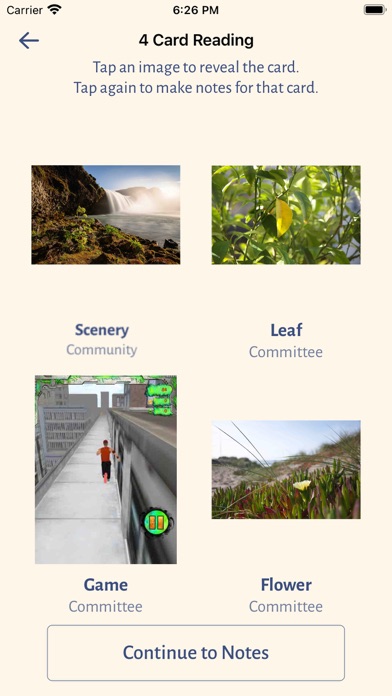
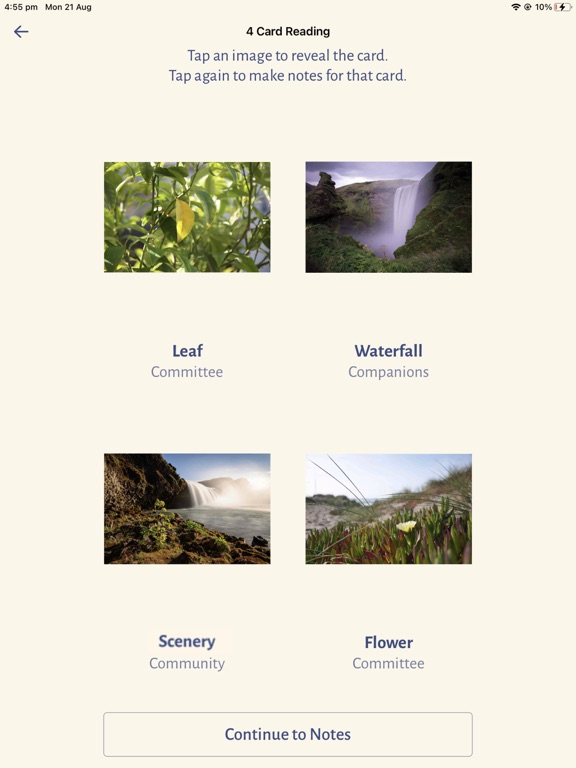
•Perform a traditional 4-Card Reading as described below.
•Easily sync your cards, notes, and readings between multiple devices (e.g. from iPhone to iPad or vice versa).
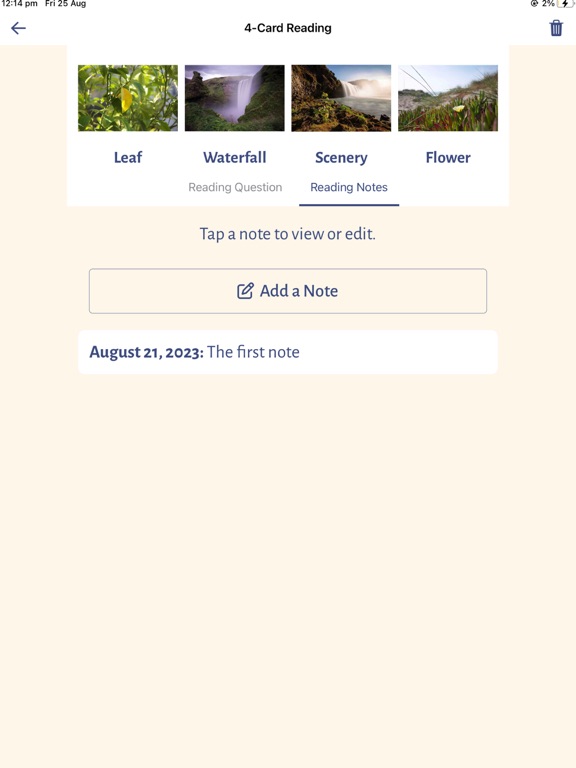
In the 4-Card Reading, enter a meaningful question, then tap and the app will choose four of your cards at random and present them face down. You will tap on the first card to turn it over. Let the card speak to your question, using the SoulCollage® process where we allow the image to speak in its own voice to give you guidance through your own intuition and imagination. You can make notes on each card as you work through the Reading. After looking at all four cards, you continue to make notes on the Reading as a whole. When complete, you can store the reading and its question, date, and notes for later search and access. “SoulCollage” is a registered trademark licensed to Hanford Mead Publishers, Inc. Visit the SoulCollage® website for more information about the SoulCollage® card-making and reading process.
Quoi de neuf dans la dernière version ?
This Version 2.1 release adds two new features and fixes a bug in which the card images degraded each time the card record was saved. Below is a summary of the new features:
1. Ability to record a previous Reading. Have you performed a 4-Card Reading using your physical card deck and then wanted to include it in the App? Now you can. This new feature will allow you to enter your Question and Notes, and then to select the four cards from your physical Reading instead of drawing cards at random.
2. You can now download your card data and 4-card readings into a pdf file. You can then extract or manipulate the data for journaling or other uses outside of the app using Adobe Acrobat or other software apps that support pdf files.
3. We have improved the storage of the card images at a higher resolution. In doing this, we have fixed a serious bug in which the quality of the images would degrade each time the card record was updated and saved. If your card images have gotten fuzzy, you will want to upload fresh ones from the Photo Library where you keep the high resolution images of your cards. The new version will not restore your images to their original resolution, hence the suggestion to upload fresh images as needed. We apologize for the inconvenience that this may have caused.