aerialBox/satBox Remote Control
iOS Universel / Utilitaires
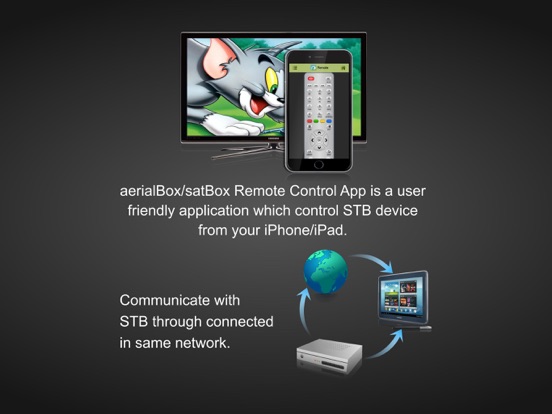
The aerialBox/satBox Remote Control App which controls aerialBox T2200 & satBox S8200 Set-Top Boxes within same WiFi network. App will identify your aerialBox / satBox STB devices automatically. User can identify the device by its IP Address or user-friendly name.
[Features]
- Auto device discovery of your aerialBox/satBox device with zero configuration.
- Allowed to Manually connect aerialBox/satBox device through its IP entry.
- Comprehensive full-featured remote display on your second screen devices.
- Live channel Streaming to your iPhone/iPad device to view the TV channels.
- You can change channels through channels list.
- Current and Next Event details of all channels are viewed.
- One week EPG of the channels in your TV.
[Configure your aerialBox/satBox device]
- Press "Menu" and select "Installation".
- Select "Network Setup"
- Choose Wired or Wireless settings and connect network which is same network connected in your device.
- To watch live streaming on your device, please ensure the below settings.
Menu - Settings - Application - Live Streaming - ON
[Streaming Player]
Tested streaming players are (OPlayerHD Lite and AcePlayer)
[Recommended Streaming Player]
- Oplayer
- OPlayerlite
- AcePlayer
- Buzz Player
- Good Player
[Caution]
- This application is compatible only with aerialBox T2200 and satBox S8200 product models.
- aerialBox/satBox & it's Remote Control App installed second screen device should be connected on the same WiFi home network.
- Auto device detection will work only on those devices supports multicasting.
- Currently tuned channel on the STB receiver will be streamed to second screen devices & user not able to stream other then the watching channel in STB device.
- Recommended to use up-to-date firmware in your aerialBox/satBox
for getting better experience.
Uses Libupnpx.a open library device detection and we have include the filtering the device to display aerialBox/satBox device alone.
Quoi de neuf dans la dernière version ?
This update from Apple will improve the functionality of this app. No new features are included.
- Remove Ads, Now user use the app without the interruption.