QRink.me — QR Generator & Scan
iPhone / Utilitaires
QRink (abbreviated from Quick Response Code Link) app is a multipurpose tool to scan and generate QR codes. Unlike classic QR readers and barcode apps that limit your abilities to scanning only, QRink lets you both scan & create new codes for sharing purposes. Instead of copying and pasting long, wordy links you can now hide them inside neat-looking QR code icons. Codes generated by QRink can be placed over any image from your gallery: they are drawable, customizable in terms of size and even color layout. Layer a QR code over a photo, post it anywhere online, and your followers can check out what’s inside the code simply by taking a screenshot of your post and opening it with easy share button.
How it works:
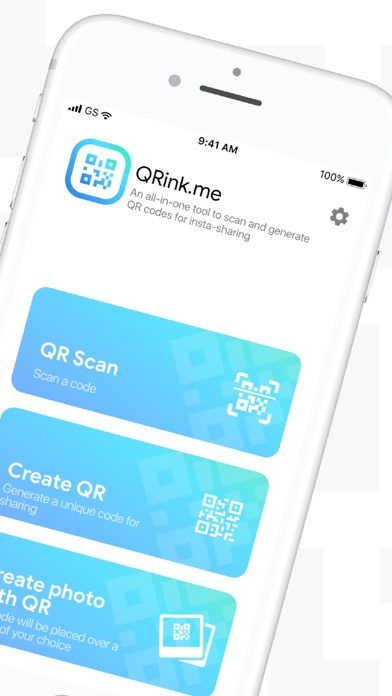
· To scan a code, tap Scan QR button. The app will offer you two options — turn on device camera or choose an image from gallery. When the choice is made, QRink scanner will automatically find the QR code, whether it’s on the image or caught on your camera. If the QR under scanning contains a URL, it will be opened automatically in your default browser.
· To generate a QR code, tap Create QR button. Choose the type of information you want to put inside the code. Insert that information in the corresponding field and press Generate QR. Your unique QR code will be created immediately and available for sharing.
· To create a QR code and layer it over an image, tap Create a photo with QR. You can take a new photo with your camera or choose a pic from the gallery. After you’ve chosen the picture, insert the information you want to put inside the code (e.g., a URL, text or geolocation) into the corresponding field and tap Generate QR. You’ll get a customizable QR icon that can be added over the image of your choice. You can change the size and place of the icon by drawing it with your fingers.
Key features:
٭ Fast QR code recognition via iOS Sharing Menu;
٭ Rapid QR scanning with a smartphone camera;
٭ QR code generator for URL. Various types of data including phone, email, SMS, contact, wifi hotspot, etc will be added in the future versions;
٭ Ability to overlay QR code with an image for sharing purposes;
٭ QR code layered over an image can serve as a watermark with additional data inside of it;
٭ Machine learning technologies for the fast and error-free performance of QR scanner and maker;
٭ Import of images from the device gallery into the app;
٭ Fast image crop to prepare sharing with Instagram app;
٭ Two coloring options for generated QR codes: black code on a white background and inverted correspondingly;
٭ Drawable QR codes with an option of changing the size.