• KultureGeek
  • Comparateur de prix
       
iPhoneAddict
 iAddictv5Notre Application iPhone/iPad
  • Accueil Apps
  • Actualité Apple
  • Keynote Apple
  • Firmwares & iTunes
  • Contactez-nous
Accueil » Liste des Apps » Apps Universelles » Utilitaires » Average Cost Calculator
L'application n'est plus disponible sur l'App Store français
1.1 iOS €0,99€ Luke Stanise 0 0 Average Cost Calculator is a simple, fast, and easy way to calculate the average cost of multiple items. These can be stocks, sold units, purchased units, plain numbers, or anything that an average cost can help with! The Average Cost Calculator will...
Average Cost Calculator

Average Cost Calculator

iOS Universel / Utilitaires

0,99€
Acheter sur l'App Store

Average Cost Calculator is a simple, fast, and easy way to calculate the average cost of multiple items. These can be stocks, sold units, purchased units, plain numbers, or anything that an average cost can help with! The Average Cost Calculator will save you time with a clear platform and an amazing alternative to the trouble of calculating average costs by hand.

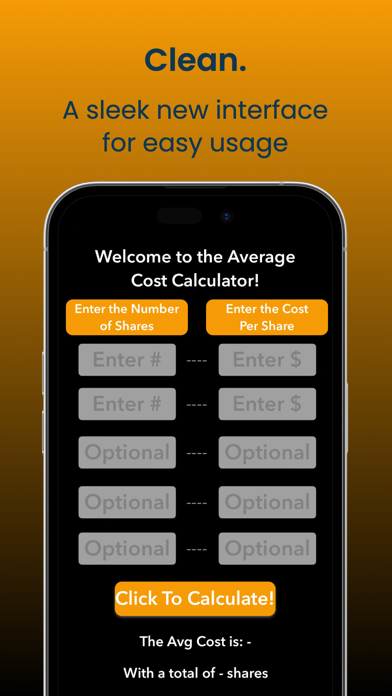
Simply enter in the left column the number of shares or units you bought/sold, and in the right column, enter the price. Each row is its own purchase/sale, and by inputting 2 or more rows and clicking "Click To Calculate!", you calculate the average cost.

The math behind this calculator is multiplying the shares/units by the price of each for every row, then dividing the cost by the total amount of shares/units.

Example:

((Shares1 * Cost1) + (Shares2 * Cost2)) / Shares1 + Shares 2

In this, the average cost is collected. This app saves immense amounts of time calculating average costs by hand!

When running this app, the first 2 rows must always be filled, as a minimum number of inputs to calculate an average is 2! Also, valid digits must be in both columns. When inputting, do not use $ or commas. Simply use numbers along with decimals where necessary.

When getting the result, results are rounded to 2 decimal places. Also, results such as 12.50 or 17.60, where a 0 is the last digit, are rounded to 1 decimal place (Example: 12.5 or 17.5).

Both sides of the row must be filled in at all times when calculating, or else an error message will display at the bottom.

Happy Calculating!

Previews made by screenshots.pro

En voir plus...

Quoi de neuf dans la dernière version ?

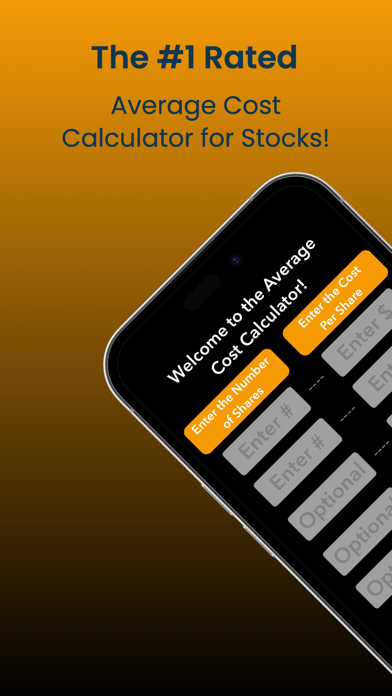
In this update, we upgraded the #1 Average Cost Calculator!
- A new, clean look (color, font, and style)
- A number pad for user input
- Bug fixes to eliminate crashing
  • Screenshot #1 pour Average Cost Calculator
  • Screenshot #2 pour Average Cost Calculator
  • Screenshot #3 pour Average Cost Calculator
  • Screenshot #4 pour Average Cost Calculator
  • Screenshot #5 pour Average Cost Calculator
  • Screenshot #6 pour Average Cost Calculator

Note

(0 note)

Détails sur l'application

Version
1.1
Taille
0.7 Mo
Version minimum d'iOS
16.2
Dernière mise à jour
18/04/2023
Publié par
Luke Stanise

Newsletter App Store

Recevez chaque jour les meilleures promos

Actualité Apple

Image Test TerraMaster D1 SSD Pro : notre avis sur ce boîtier SSD NVMe Thunderbolt 5/USB4 80 Gbit/s
Test TerraMaster D1 SSD Pro : notre avis sur ce boîtier SSD NVMe Thunderbolt 5/USB4 80 Gbit/s
Image iPhone 17 : une nouvelle pub d’Apple vante les selfies de groupe
iPhone 17 : une nouvelle pub d’Apple vante les selfies de groupe
Image Apple célèbre Safari qui a fait un bond pour la compatibilité Web entre navigateurs
Apple célèbre Safari qui a fait un bond pour la compatibilité Web entre navigateurs
Image Apple va autoriser les chabots IA vocaux sur CarPlay, en plus de Siri
Apple va autoriser les chabots IA vocaux sur CarPlay, en plus de Siri
Partenaires : Actualité iPhone - Culture Geek
©2009-2026 i2CMedia | A propos |