iPhoneAddict Apps
  • Actualités
  • Accueil Apps
  • iPhone
  • iPad
  • Universelles
  • Mac
  • Apple TV
KG KultureGeek
App
iPhone / iPad Télécharger iAddict v5 Mac Télécharger iAddict Mac
  • Actualités
  • Accueil Apps
  • iPhone
  • iPad
  • Universelles
  • Mac
  • Apple TV
  • Archives keynotes
  • Firmwares & iTunes
  • Contactez-nous
  • Comparateur de prix
  • KultureGeek
Accueil » Liste des Apps » Apps Universelles » Utilitaires » Aye QR Scanner
L'application n'est plus disponible sur l'App Store français
1.0 iOS €Gratuit Adyog Software Solutions Pvt Ltd. 0 0 Aye QR Scanner helps you to scan a QR or barcode. It is a very powerful tool that helps you to scan and decode all the popular barcode types like UPC, EAN and ISBN. To decode the bar code, simply open the app, point the camera on to the code and your...
Aye QR Scanner

Aye QR Scanner

iOS Universel / Utilitaires

Gratuit
Obtenir sur l'App Store
Facebook X E-mail

Aye QR Scanner helps you to scan a QR or barcode. It is a very powerful tool that helps you to scan and decode all the popular barcode types like UPC, EAN and ISBN. To decode the bar code, simply open the app, point the camera on to the code and your data is ready. Simple!! The unique feature is there is no need to take a photo or press a button. The app will automatically recognize any code be it a QR Code or Bar code, your camera is pointing to.
Its important features are shown as below:
1. Scans all standard 1D and 2D code types (including almost all QR code & barcodes)
2. Read QR code or barcode from Photos
3. Generate and share the QR code from your own
4. Simple & easy to Use
5. Instant Scan
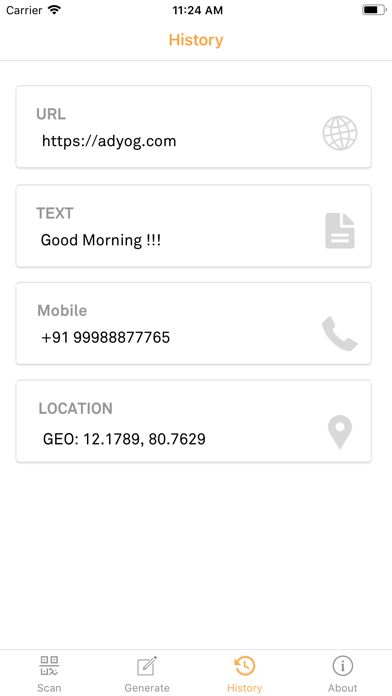
6. Scanned data saved and shown in the history tab. No need to press “Save” Button
7. User has the option to delete the saved data.

It recognizes all the popular barcode types such as UPC, EAN and ISBN and it will provide us with the details like pricing, reviews and more information on the products that are being scanned. Also QRScanner demands a newer phone to work effectively and reliable. Cameras on older devices do not have the proper resolution or focus required for barcode scanning.
In order to use QR Scanner, your device must have a built-in camera. While scanning a QR code and if the code contains a website URL, it will automatically redirect you to the site and you will need a reliable Internet Connection.

En voir plus...

  • Screenshot #1 pour Aye QR Scanner
  • Screenshot #2 pour Aye QR Scanner
  • Screenshot #3 pour Aye QR Scanner
  • Screenshot #4 pour Aye QR Scanner
  • Screenshot #5 pour Aye QR Scanner
  • Screenshot #6 pour Aye QR Scanner

Note

(0 note)

Détails sur l'application

Version
1.0
Taille
9 Mo
Version minimum d'iOS
9.0
Dernière mise à jour
04/02/2019
Publié par
Adyog Software Solutions Pvt Ltd.

Newsletter App Store

Recevez chaque jour les meilleures promos

Actualité Apple

Image Bon plan : l’iPhone 17 Pro 512 Go tombe à 1 399 € chez Boulanger
Bon plan : l’iPhone 17 Pro 512 Go tombe à 1 399 € chez Boulanger
Image Asahi Linux en approche sur les Mac M3 et se prépare sur les M4/M5
Asahi Linux en approche sur les Mac M3 et se prépare sur les M4/M5
Image Apple et Corning ajoutent 200 emplois pour le verre de l’iPhone au Kentucky
Apple et Corning ajoutent 200 emplois pour le verre de l’iPhone au Kentucky
Image Siri AI : les réclamations du règlement à 250 millions pourraient ouvrir le 21 septembre
Siri AI : les réclamations du règlement à 250 millions pourraient ouvrir le 21 septembre
iPhoneAddict Apps

Le catalogue iPhoneAddict pour suivre les nouveautés, mises à jour et baisses de prix de l’App Store.

Apps

Toutes les apps iOS iPhone iPad Universelles Mac Apple TV

iPhoneAddict

Actualité Apple Archives keynotes Contact À propos KultureGeek

Suivez-nous

©2009-2026 i2CMedia. Tous droits réservés.