Bearing Compass
iPhone / Utilitaires
A Standard Compass That Can Display A Bearing/Heading using (True North)
Can be used either as a traditional compass or using the location finder to identify a target location, the app can provide you with a direct bearing and distance.
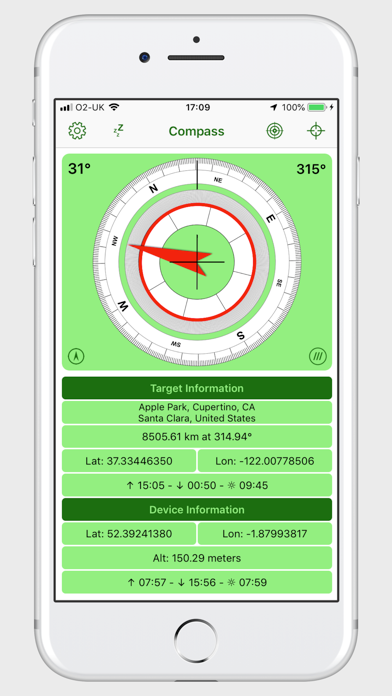
The application displays;
•User selectable compass bezel and transparency.
•Bearing of the iPhone.
•User selectable pointer to a target location.
Target Information:
•Target Address.
•Distance and bearing to target.
•Latitude and longitude of target.
•what3words address for target.
•Sunrise and sunset times plus total hours of daylight.
Note: The times displayed are based on your mobile device time settings; i.e. if your device is set to GMT, all times will be displayed in GMT.
iPhone Information:
•Latitude and longitude of iPhone.
•what3words address for iPhone location.
•Altitude of the iPhone.
•Sunrise and sunset times plus total hours of daylight.
Settings For:
•User selectable outer compass bezel.
•User selectable inner compass bezel, used to display the target. bearing.
•User selectable transparency of outer compass bezel.
•Choose between Lat/Long or DMS or DDM.
•Choose distance/altitude format kilometer/meters or miles/feet.
•Choose various colour themes for the interface.
•Reset option to revert to compass only mode.
•Compass bezel 'True North' or 'Magnetic North'.
•Display or remove screen aligned cross hairs.
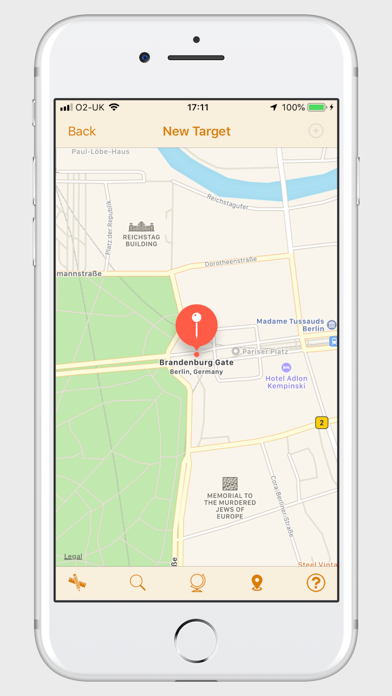
•Tap the address field to reveal buttons for; Favourite List, Add current target as favourite, New target from map
•Tap the what3words button to reveal what3words target and device addresses.
•No Sleep mode prevents the iPhone from sleeping when set. (It is recommended that you connect your Phone to a power source when using this option as it can cause drain on your iPhone battery).
Location Finder:
•Enter target coordinates directly or pasting in any of three different formats; latitude and longitude, Degrees, Minutes and seconds or Degrees and Decimal Minutes.
•Type an address, what3words address or other search criteria to identify the target location on a map.
•Scroll the map and long press the target location.
•Reverse geocoding will tell you the address, if any.
•Location Finder feature requires an internet connection.
Favourites List
•Store up yo 150 favourite places/bearings.
•Sort by Title, Subtitle, Bearing, Distance or user definable order.
•Reverse sort.
•Filter by Title and/or Subtitle.
•Edit Title and/or Subtitle.
•Share list of locations.
•Share individual location.
Quoi de neuf dans la dernière version ?
Addition of some sharing options and some minor bug fixes.