BimmerManager
iOS Universel / Utilitaires
Take control of your BMW service history.
BimmerManager lets you prepare, edit, back up, and upload service records straight from your iPhone.
==============================
Build Clean Service Entries
==============================
Create records with everything your headunit expects: date, mileage, dealer type and ID, overall status, and individual jobs. Review before writing, sort by mileage, and edit existing entries to prepare a sensible service timeline.
==============================
Uploading to Your Vehicle
==============================
Upload prepared records to compatible NBT and NBT_EVO headunits over ENET. For small updates of 3 entries or fewer, choose whether to erase existing history or append to it. Appended entries are written in ascending mileage order to keep the timeline intact.
==============================
Built In Backups
==============================
Save local backups, reload previous files, and edit backup data offline in backup edit mode, with no car connection needed.
==============================
Know Your Headunit
==============================
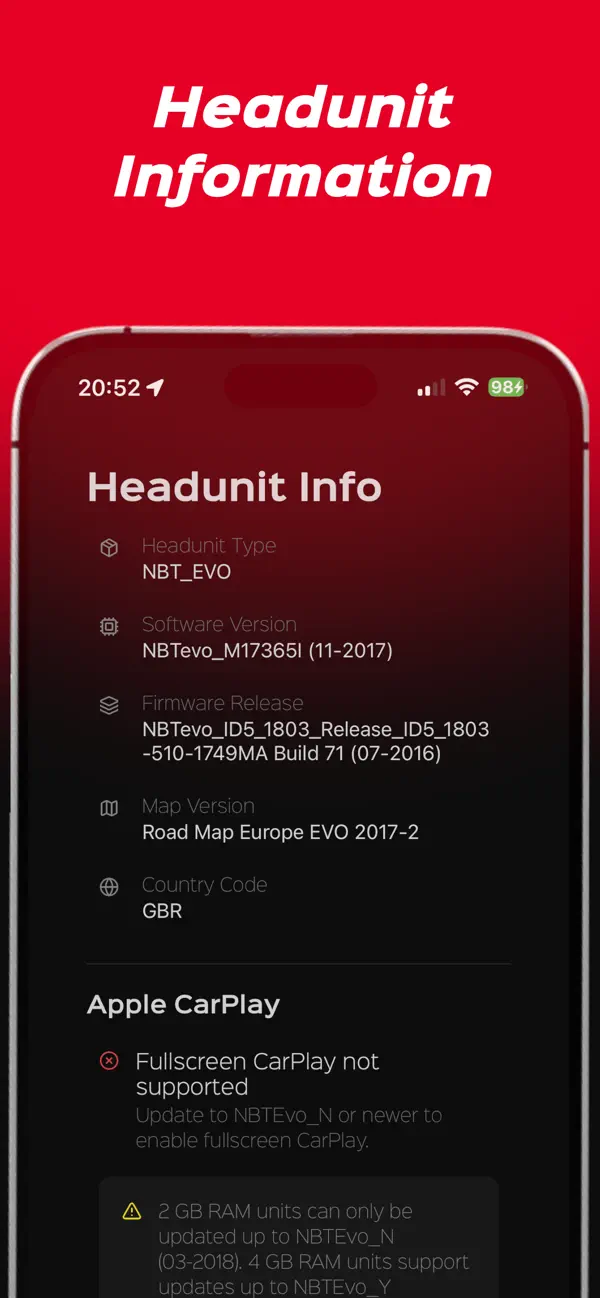
The info screen surfaces headunit type, software version, firmware release, map version, and country code. For NBT_EVO, BimmerManager can flag whether your software version supports Apple CarPlay fullscreen.
==============================
Try Before You Connect
==============================
Demo Mode lets you explore the full service history workflow with no vehicle attached.
==============================
Built-In Support
==============================
Stuck? Submit a support request with diagnostic logs and relevant backup files attached, making it much faster to investigate connection, upload, or backup issues.
==============================
Requirements
==============================
- Vehicles: compatible BMW, MINI, Rolls-Royce, and Toyota Supra models
- Adapters: MHD / ENET Adapter (other Wi-Fi ENET-style adapters may work, but developer support is limited)
- Headunits: NBT and NBT_EVO only (as of May 2026)
- Connection: vehicle must support the required ENET communication path
- Uploading: stable voltage recommended; ignition or accessory mode expected
Quoi de neuf dans la dernière version ?
- Fixed Service History uploads incorrectly showing as failed on NBT headunits.