ClipBox: Presse-papiers
iOS Universel / Utilitaires
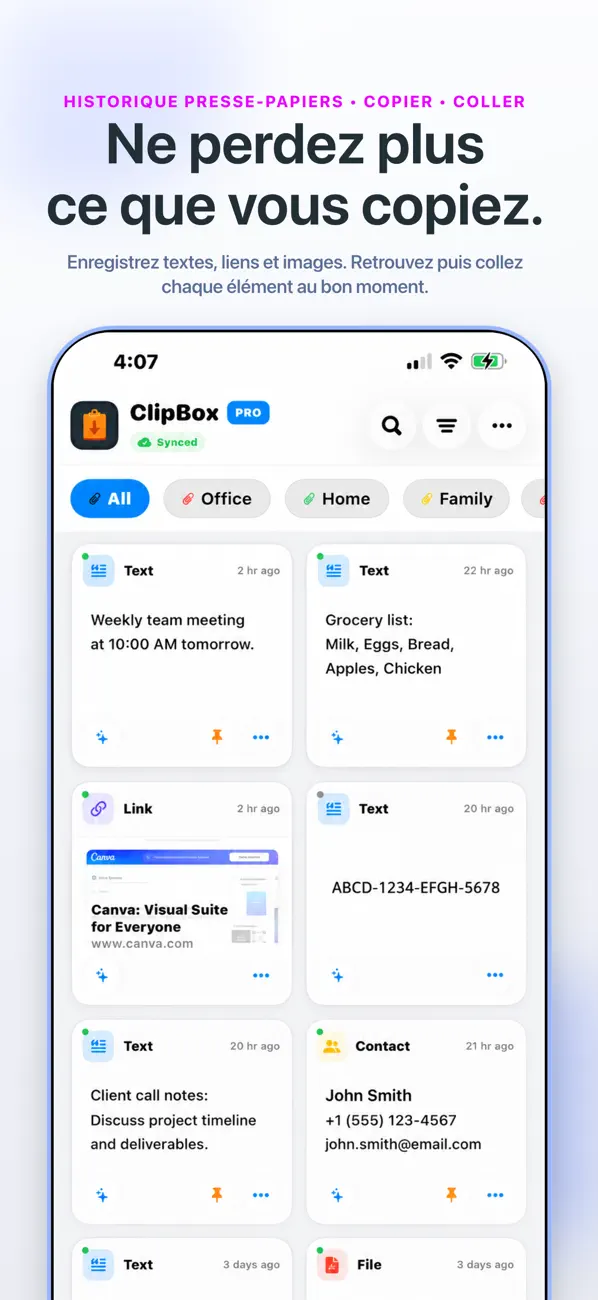
Le presse-papiers de votre iPhone ne retient qu'un seul élément. ClipBox Pro retient tout.
Ne perdez plus jamais de contenu copié. ClipBox Pro est le gestionnaire de presse-papiers et l'organisateur ultime pour iPhone et iPad. Sauvegardez vos textes, liens, images et fichiers à la seconde où vous les copiez, pour les retrouver instantanément.
FONCTIONNALITÉS CLÉS
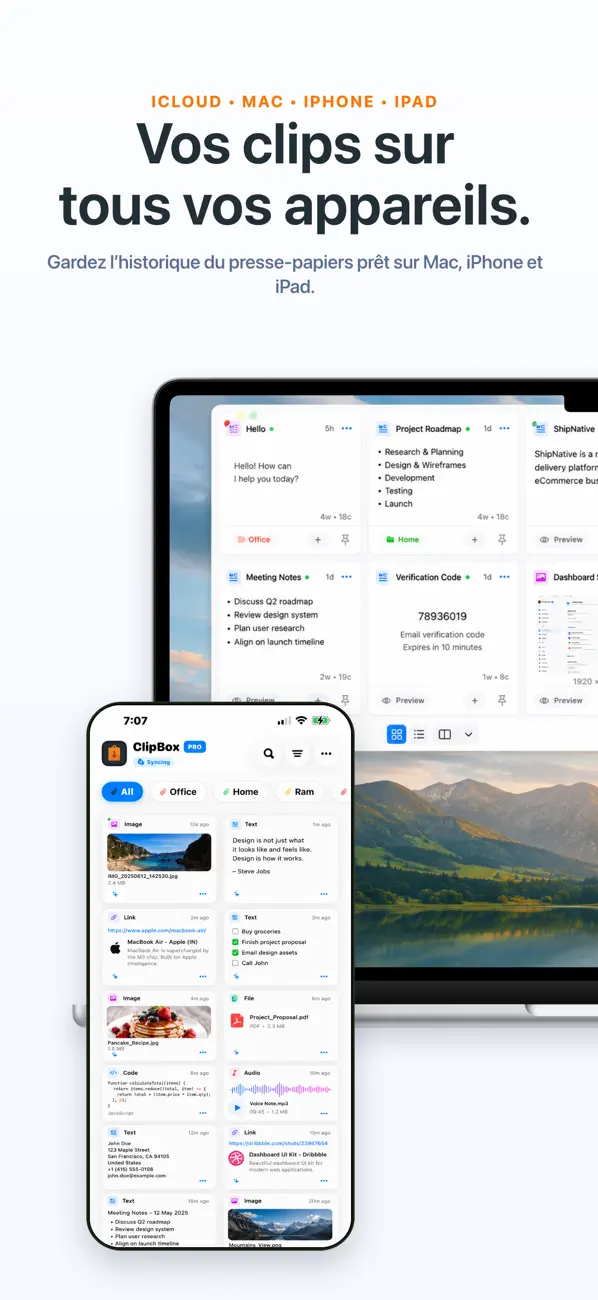
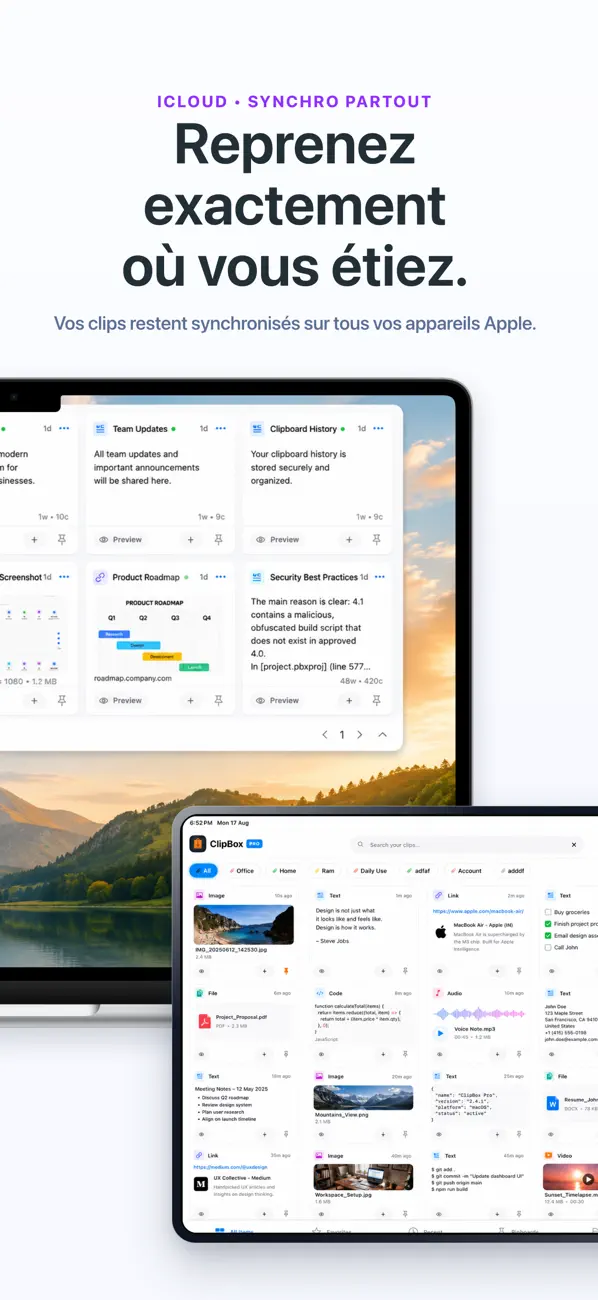
• Synchronisation en temps réel : Synchronisez instantanément tous vos appareils.
• Épingler en haut : Gardez vos extraits favoris toujours accessibles en haut de la liste.
• Noms personnalisés : Renommez vos éléments pour une recherche ultra-rapide.
• Affichage & Confidentialité : Grille à 3 colonnes. Floutez ou masquez les miniatures pour protéger votre écran des regards indiscrets.
• Sauvegarde et Restauration : Exportez et restaurez votre historique à tout moment.
• Dossiers et Tags : Classez votre historique et trouvez vos clips instantanément.
• Recherche intelligente : Filtrez par type ou par mot-clé en quelques secondes.
• Actions en bloc : Supprimez, archivez ou déplacez plusieurs éléments à la fois.
• Aperçu sans faille : Touchez un élément pour un aperçu immédiat de votre texte ou média.
CONFIDENTIALITÉ ET SÉCURITÉ INÉGALÉES
• 100 % Hors ligne et Chiffré : Vos données ne quittent jamais votre appareil, sauf si vous choisissez activement de les synchroniser.
• Coffre-fort verrouillé : Le seul gestionnaire avec verrouillage intégré. Protégez l'application ou des clips spécifiques avec Face ID, Touch ID ou un code.
CLAVIER INTÉGRÉ — COLLEZ PARTOUT
Collez votre historique dans n'importe quelle application (messages, emails, notes, navigateurs) sans changer d'écran grâce à l'extension clavier. Touchez un clip sauvegardé et collez-le instantanément.
CONTENU PRIS EN CHARGE
• Texte brut et notes formatées
• URL et liens web avec aperçu automatique
• Images (JPEG, PNG, GIF, HEIC et captures d'écran)
• Vidéos et fichiers audio
• Documents PDF
• Extraits de code pour les développeurs
SAUVEGARDEZ DEPUIS N'IMPORTE OÙ
• Extension de partage : Sauvegardez directement via le menu de partage iOS.
• Extension d'action : Sélectionnez du texte ou des fichiers partout et envoyez-les dans votre coffre-fort.
QUI UTILISE CLIPBOX PRO ?
• DÉVELOPPEURS : Sauvegardez du code et collez-le directement depuis le clavier.
• RÉDACTEURS : Gardez vos citations et liens à portée de main pendant vos recherches.
• ÉTUDIANTS : Sauvegardez des références sur le presse-papiers de l'iPad.
• SERVICE CLIENT : Collez vos réponses types en un seul geste.
• PROFESSIONNELS : Sécurisez les données clients sensibles avec le cryptage et Face ID.
SUPPORT LINGUISTIQUE MONDIAL
Disponible et entièrement traduit en 20 langues, dont le français, l'anglais, l'espagnol, l'allemand et bien d'autres.
Arrêtez de retaper et gagnez du temps. Téléchargez ClipBox Pro dès aujourd'hui !
PASSEZ À LA VERSION PREMIUM
Abonnement : Débloquez toutes les fonctionnalités avec une facturation flexible.
Achat unique à vie : Payez une fois, profitez-en pour toujours.
Les prix varient selon les régions et sont facturés en monnaie locale. Les abonnements se renouvellent automatiquement sauf annulation 24h avant la fin du cycle. Gérez votre forfait dans les réglages de votre compte iTunes.
Politique de confidentialité : https://appreator.com/privacy-policy/
Conditions d'utilisation : https://appreator.com/terms-of-use/
Assistance : admin@appreator.com
Quoi de neuf dans la dernière version ?
Merci infiniment d'utiliser ClipBox, votre gestionnaire de presse-papiers personnel intelligent et avancé. Nous apprécions grandement vos avis et suggestions, qui nous aident à rendre l'application plus performante à chaque mise à jour.
Nouveautés de cette version :
• Actions intelligentes & Détection automatique : ClipBox détecte désormais automatiquement le type de contenu copié (comme les URL, numéros de téléphone, adresses e-mail, codes QR et codes de validation OTP). Il propose instantanément des actions contextuelles pour vous permettre d'ouvrir des liens, d'appeler ou d'envoyer un e-mail en un seul geste.
• Bouton Globe sur le clavier personnalisé : Nous avons ajouté un bouton Globe dédié au clavier ClipBox. Vous pouvez désormais basculer rapidement et de manière fluide entre ClipBox et les autres claviers du système.
• Support du mode paysage sur iPad : Profitez d'une interface entièrement optimisée pour l'orientation horizontale de votre iPad. L'affichage s'adaptte parfaitement afin d'offrir une expérience multitâche confortable.
• Améliorations de l'interface & Corrections de bugs : Nous avons affiné les graphismes, amélioré la réactivité du clavier et corrigé plusieurs bugs pour vous garantir une expérience utilisateur plus fluide et stable.