Defigo
iPhone / Utilitaires
Defigo is the Defigo user’s primary tool. Working in conjunction with the Defigo Intercom and Smart Readers, Defigo turns the user’s smartphone into their door key and answering device for unmatched everyday convenience.
Quick Overview
The Defigo app is built for convenient property access and secure visitor management.
Defigo users can access their property with just the tap of a button, eliminating the need to carry physical keys.
When a visitor rings a user’s doorbell on the Defigo Intercom, the user receives a video call where they can see and speak to the visitor before granting them access to the property.
Receiving a call
Defigo makes visitor management simple.
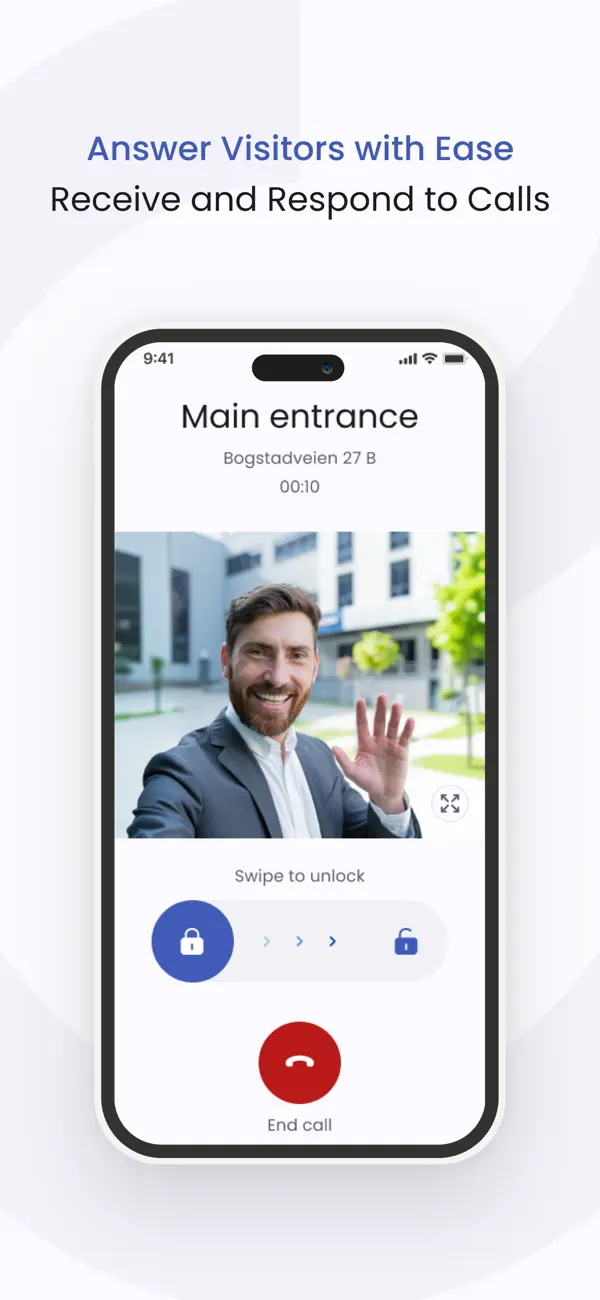
When a visitor rings the user’s doorbell button on the Defigo Intercom, the user receives a call directly to their phone. The call screen states which door the call is coming from, along with two buttons—one to decline the call and one to answer it.
If the user chooses to answer the call, they will see a live video stream of the visitor. The user can then speak to the visitor through the phone and choose whether to end the call or open the door for the visitor.
The user can receive calls from visitors and grant access from anywhere in the world, as long as they have an internet connection.
Favorites
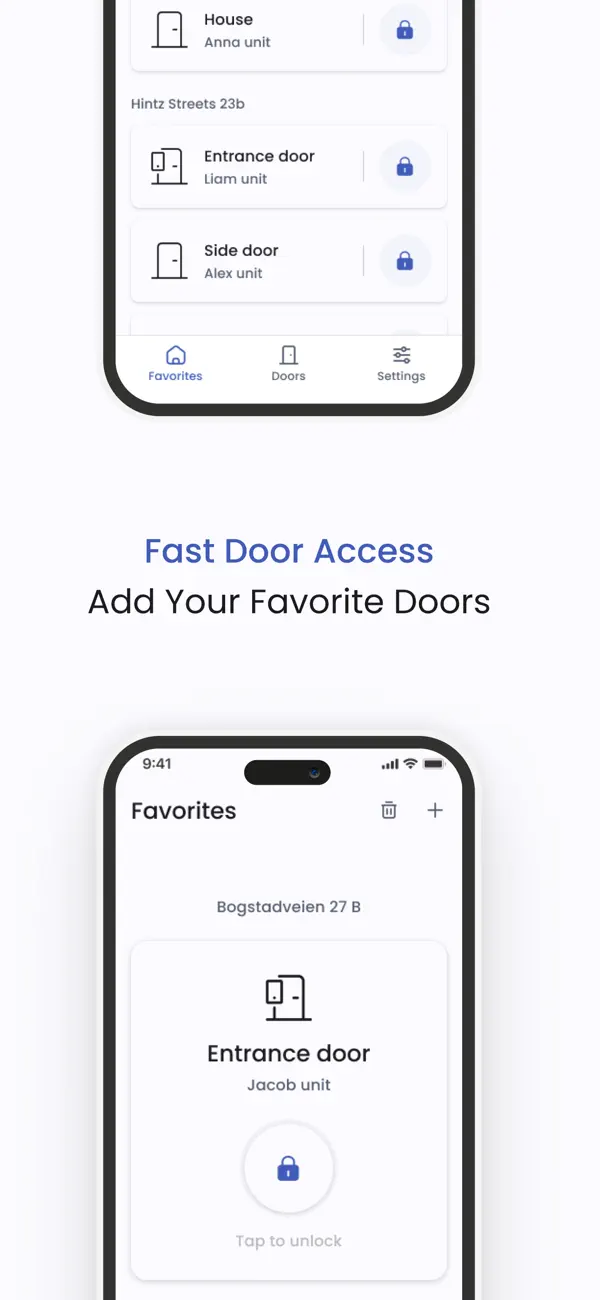
"Favorites" is a feature that allows Defigo users to add their frequently used doors to the front page of the app for quick and easy access.
Users can add doors to their favorites directly from the favorites screen or from the doors page by marking frequently used doors with a star.
Once a door has been marked as a Favorite, it will appear on the home screen of the Defigo app.
Personalization
Defigo allows users to personalize their doorbell button displayed on the Defigo Intercom.
Depending on their level of administrative access, users can either edit the entire unit’s doorbell button or only their personal doorbell button.
Users can personalize their
- Name
- Photo
- Logo
If the user does not want to be disturbed or is on vacation, they can choose to hide their doorbell button.
If the user has a doorbell button for their unit, they can choose between three visitor call preferences:
Grouped
When visitors press the group button, they will see the names of all users registered in the unit.
Sequential
Users registered in the unit will be called in the priority order chosen by the Defigo user. The user can choose how long the system waits before calling the next person.
Parallel
All users registered in the unit will be called at the same time. When one user accepts the call, calls to the other users stop automatically.
Keyfobs and Access Cards
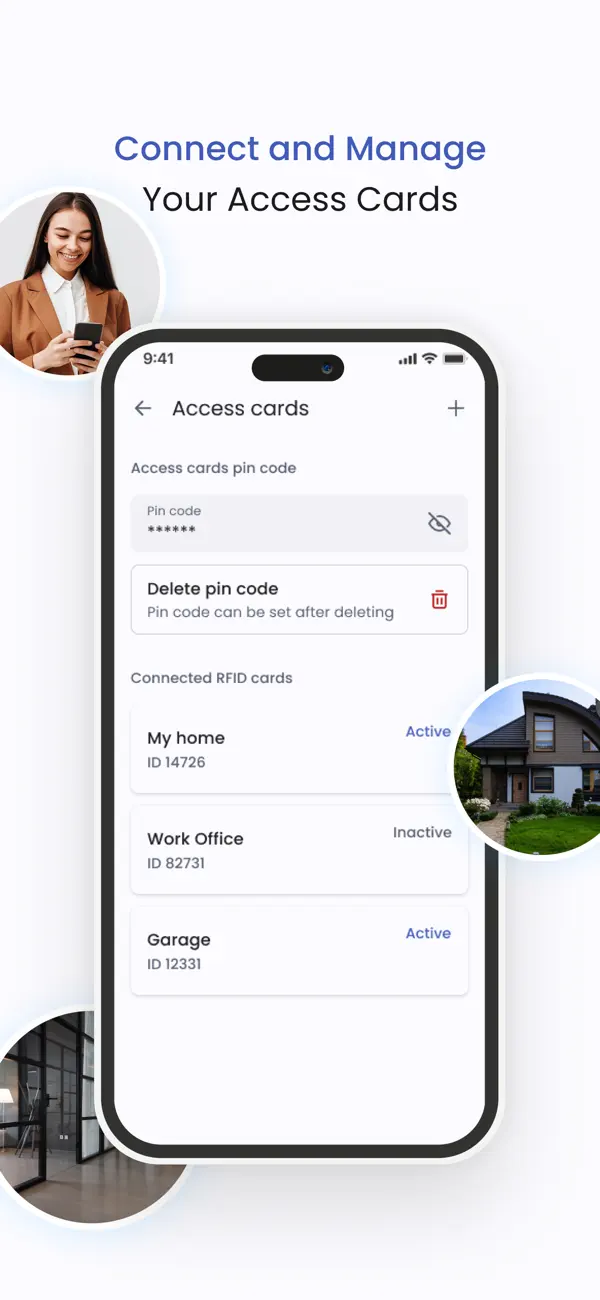
Adding a keyfob or access card can be done using the Defigo mobile app.
The user needs to be next to a Defigo intercom or smart reader they have access to when registering the keyfob or access card.
If the user selects the door they are next to while on the “Access Cards” screen, they will be guided through the process of adding a keyfob or access card.
Defigo can also be used to:
- Deactivate a key fob or access card
- Set up a PIN code for a key fob or access card
- Delete a PIN code
All of these actions can be managed from the Access Cards screen.
Widgets & CarPlay
Defigo for iOS also supports Home Screen widgets and Apple CarPlay for even faster and more convenient access.
With widgets, users can quickly access their favorite doors directly from the home screen.
With CarPlay support, users can conveniently open doors directly from their car while driving or arriving home.
—
Defigo is simple to use and makes everyday life easier and more convenient.
For any questions, reach out to support@getdefigo.com or visit the Defigo website.
Quoi de neuf dans la dernière version ?
Minor improvements and bug fixes for better performance