DNSSEC
iOS Universel / Utilitaires
DNSSEC routes your device's DNS queries through a DNSSEC-validating resolver — in one tap, without a VPN.
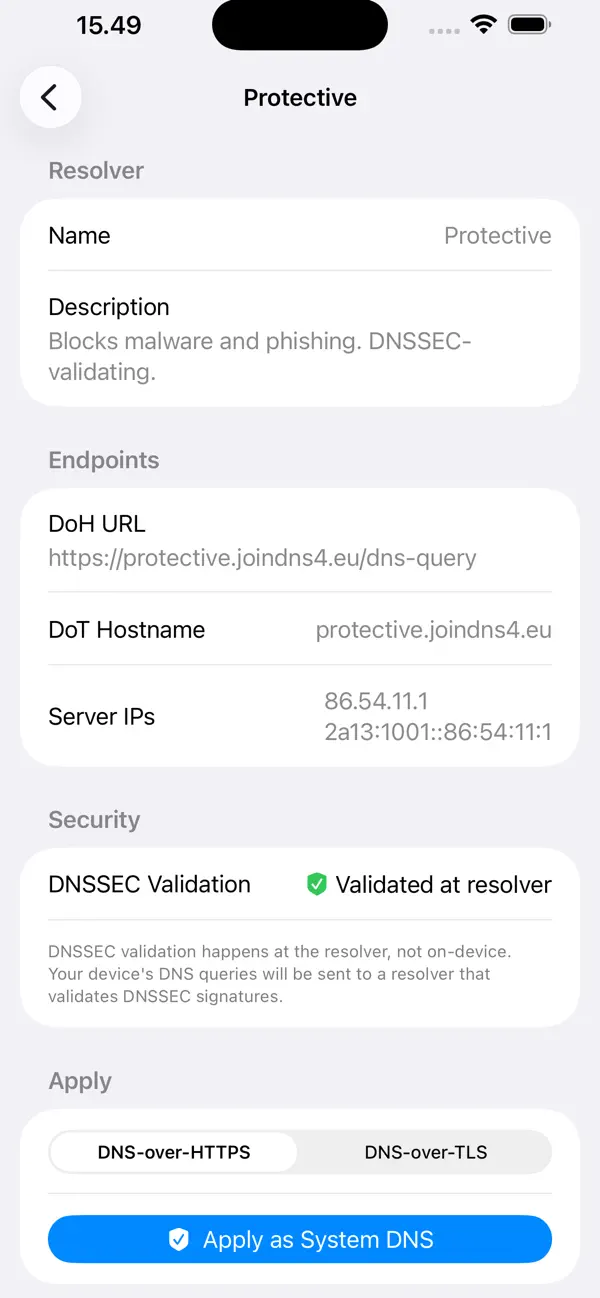
Modern DNS-over-HTTPS (DoH) and DNS-over-TLS (DoT) encrypt your queries in transit. DNSSEC validation at the resolver ensures the answers haven't been tampered with. Together they make DNS
the private, trustworthy channel it was always meant to be.
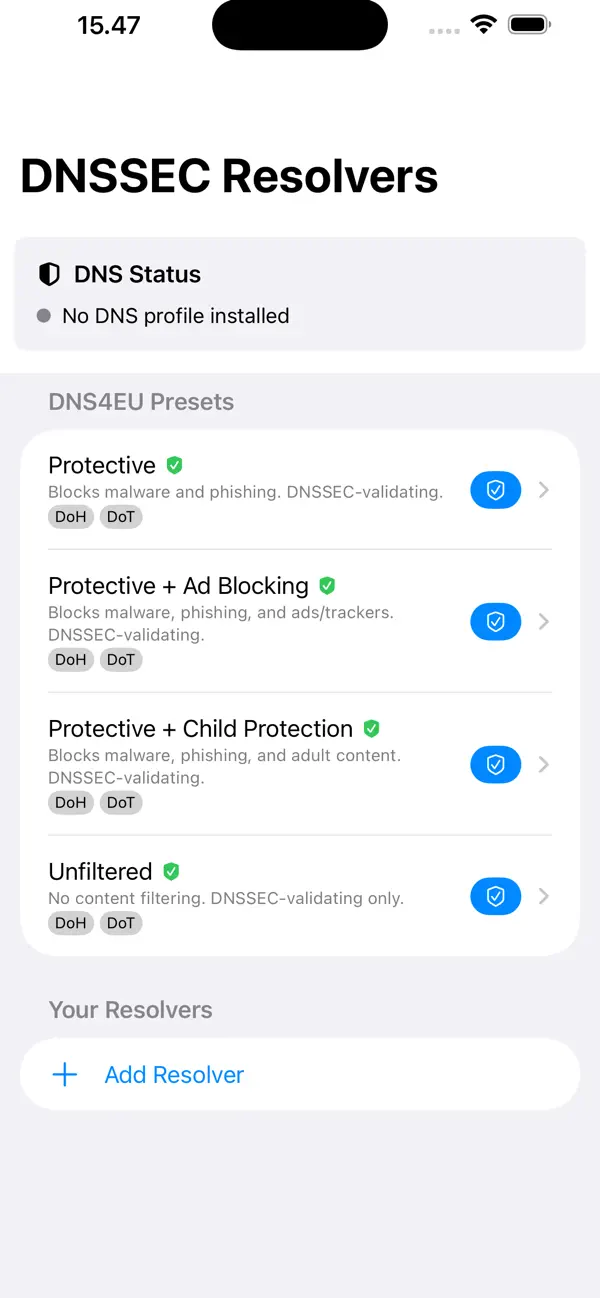
BUILT-IN DNS4EU PRESETS
DNS4EU is the European Commission-backed public resolver network. Four presets ship with the app:
• Protective — blocks malware and phishing domains
• Protective + Ad Blocking — adds tracker and ad filtering on top
• Protective + Child Protection — adds adult content filtering
• Unfiltered — encrypted and DNSSEC-validating, no content filtering
Pick a preset and tap Apply. iOS will prompt you once to allow the DNS profile, then it's active system-wide.
YOUR OWN RESOLVER
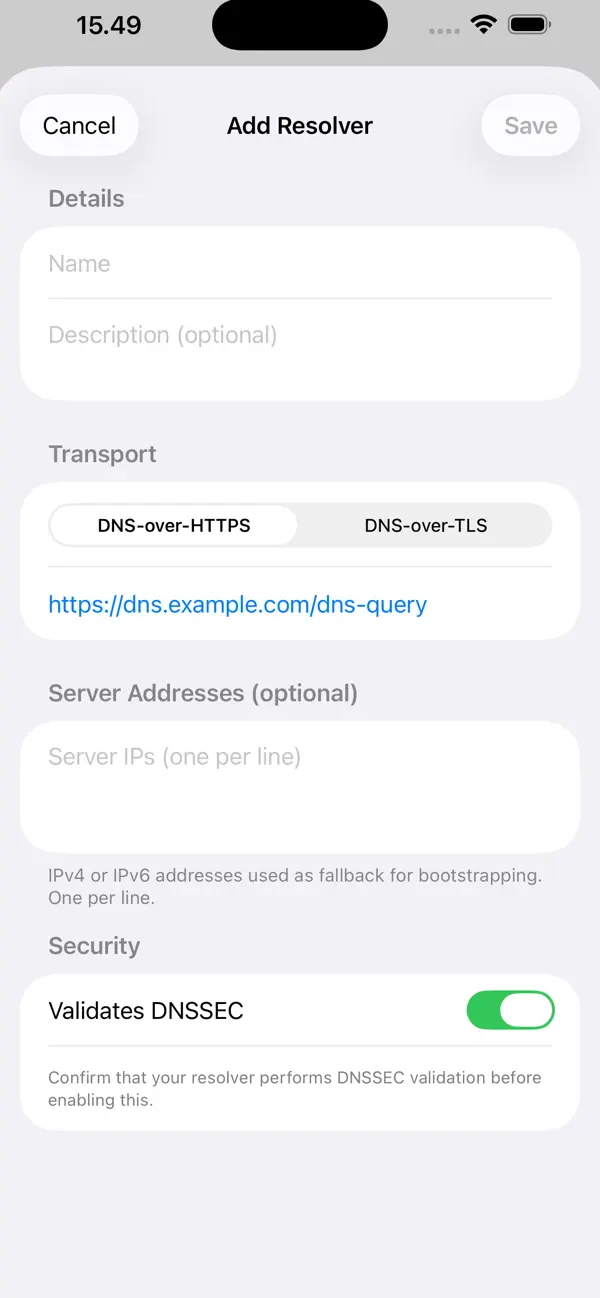
Prefer a different provider? Add any DoH or DoT endpoint:
• Enter a DoH URL (https://…) or a DoT hostname
• Optionally add fallback IP addresses for bootstrapping
• Flag it as DNSSEC-validating to track which resolvers you trust
Custom resolvers are stored on-device and never leave it.
ONE TAP, SYSTEM-WIDE
The profile installs via the operating system's built-in DNS Settings — no VPN tunnel, no proxy, no configuration profile to trust manually. Once applied, every app on your device uses the
configured resolver. Remove it any time from within the app or from Settings › General › VPN & Device Management › DNS.
WORKS EVERYWHERE
Available for iPhone, iPad, Mac, Apple TV, and Apple Vision Pro.