Documents: File Manager App
iPhone / Utilitaires
Welcome to our Documents: File Manager App for IOS, the ultimate solution for organizing and managing your digital life. With our File Manager Application, you'll experience unparalleled convenience and efficiency in handling all your documents, media files, and more.
In today's digital world, the need for a versatile document manager cannot be overstated. Whether you're a professional on the go, a student juggling assignments, or anyone who wants to streamline their digital life, our app is designed to cater to your every need.
Key Features of Files Manager App:
Document Hub: Centralize Your Files Management
Documents stands as the core of your IOS device, providing a singular location for all your files—be it documents, books, or media content. Say goodbye to the cumbersome process of switching between apps; Documents is your all-in-one hub.
Transfer & Manage Files & Folders: Streamlined File Operations
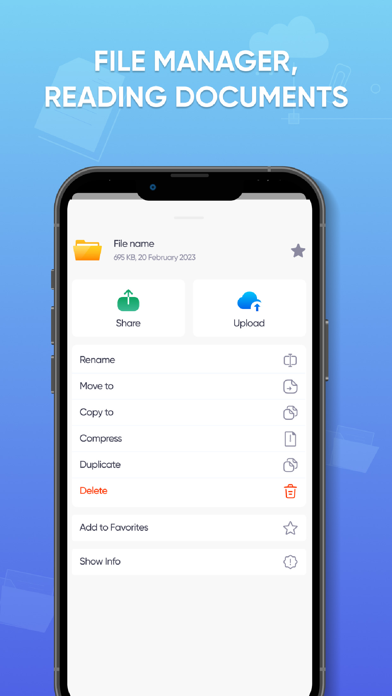
Harness a plethora of functionalities for file management including easy organization, zip/unzip capabilities, color tagging, renaming, and seamless sharing.
Create, Import & Save Files: Unifying Your Content
Bring together all your storage solutions under one roof. Create or import files from your phone, cloud services, or devices in close proximity. With direct web downloads and effortless email attachment savings, managing your digital possessions has never been this easy.
Versatile File Interaction & Compatibility
Experience the flexibility of navigating and editing a broad spectrum of file formats. Whether it's a PDF you want to annotate, a doc you need to update, or an HTML you wish to view, our app supports a wide array of types including doc, xls, pdf, ppt, txt, HTML, and many more, ensuring seamless interactions with all your essential files.
Audio & Video Player: Multimedia Mastery
Dive into your music playlists both online and offline or catch up on your favorite films by importing them from various sources. Additionally, effortlessly access your image and video libraries for an enriched multimedia experience.
Integrate All Cloud Services: One-Stop Cloud Access
Say farewell to the tediousness of toggling between different apps to retrieve your content. Connect effortlessly with renowned cloud services such as Google Drive, Dropbox, Box, OneDrive, among others, and manage all your files from diverse sources via a singular, intuitive interface.
In conclusion, our Documents: File Manager App is your all-in-one solution for efficient document handling. With features like a robust audio and video player, versatile file and folder management, easy file import and saving, PDF editing capabilities, and comprehensive cloud service integration, we're here to simplify your digital life.
The app contains the following subscription options:
• Payment will be charged to iTunes Account at confirmation of purchase
• Subscription automatically renews unless auto-renew is turned off at least 24-hours before the end of the current period
• Account will be charged for renewal within 24-hours prior to the end of the current period, and identify the cost of the renewal
• Subscriptions may be managed by the user and auto-renewal may be turned off by going to the user's Account Settings after purchase
• Any unused portion of a free trial period, if offered, will be forfeited when the user purchases a subscription to that publication, where applicable
Privacy & Policy: https://sites.google.com/vtdglobal.com/privacy-policy/home
Term of Use: https://sites.google.com/vtdglobal.com/term-of-use/home
Quoi de neuf dans la dernière version ?
Update in-app purchase package