iPhoneAddict Apps
  • Accueil Apps
  • iPhone
  • iPad
  • Universelles
  • Mac
  • Apple TV
KG KultureGeek
App
iPhone / iPad Télécharger iAddict v5 Mac Télécharger iAddict Mac
  • Accueil Apps
  • iPhone
  • iPad
  • Universelles
  • Mac
  • Apple TV
  • Actualité Apple
  • Archives keynotes
  • Firmwares & iTunes
  • Contactez-nous
  • Comparateur de prix
  • KultureGeek
Accueil » Liste des Apps » Apps Universelles » Utilitaires » Finger Timer Full
1.0.7 iOS €0,99€ Yu-Mao Feng 2 1 Finger Timer is a speedcubing/speedstacking timer in your pocket! It's a simple and elegant timer app that you must have! [HOW TO USE] 1. Put your fingers on the left and right pads, and hold. 2. When the red and green lights are both on, the timer...
Finger Timer Full

Finger Timer Full

iOS Universel / Utilitaires

0,99€ au lieu de 1,19€
Acheter sur l'App Store

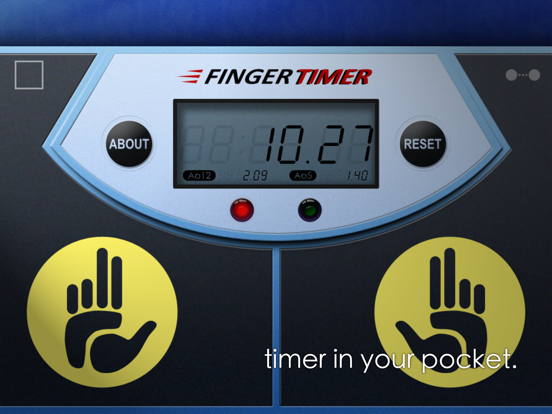
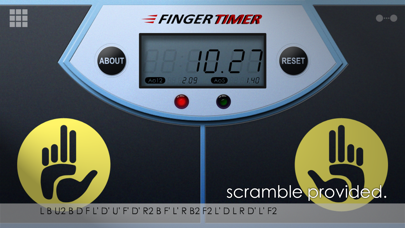
Finger Timer is a speedcubing/speedstacking timer in your pocket!
It's a simple and elegant timer app that you must have!

[HOW TO USE]
1. Put your fingers on the left and right pads, and hold.
2. When the red and green lights are both on, the timer is ready, and then you can release your fingers to start the timer.
3. When you want to stop the timer, put your fingers back on the left and right pads.
4. If you want to restart the timer, press "RESET" and do the steps 1 to 3.

[DISPLAY CONNECTION]
1. Connect your Timer device (with this app) and Display device (any computer or mobile device with a web browser) to the same Wi-Fi network. (Sometimes Internet also works.)
2. In Timer device, tap the top-right icon, and check "Allow display connection" checkbox.
3. In Display device, enter the Timer address into the address bar of your browser, and then press "START".
4. Enjoy it!

[Stats]
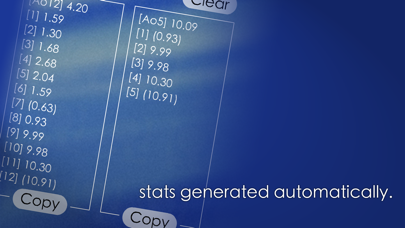
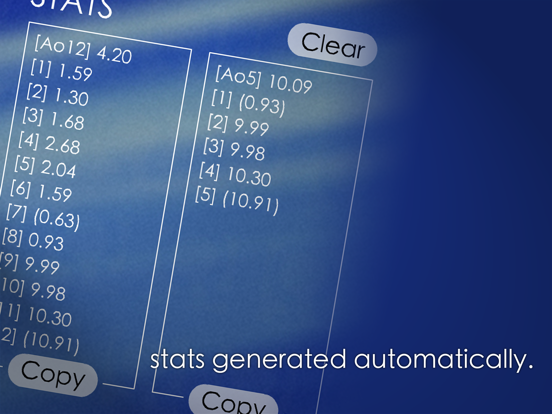
When you using the timer, stats are generated automatically. The average time, Ao5 and Ao12 (full version only), are displaying the summary in the LED panel, and you can also get the details in About page. In About page, you can clear the stats or copy them to show off!

Full version:
> The maximum time is 60 minutes.
> Display connection. (max 60 mins)
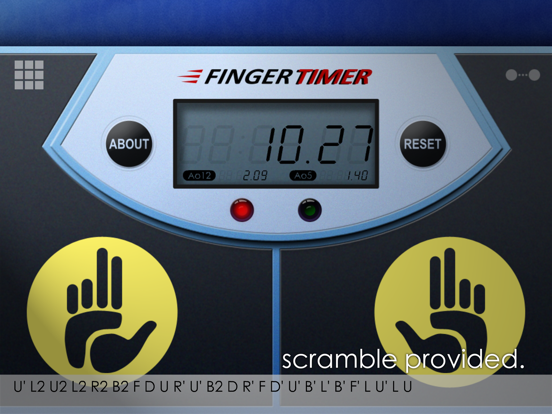
> Scramble for cube 2x2x2, 3x3x3, 4x4x4, and 5x5x5.
> Showing both Ao5 (average of 5) and Ao12 (average of 12).
> No ads, no distractions!

Subscribe our YouTube channel to watch the latest cubing videos:
https://youtube.com/omgcrafts

Like us on Facebook for the latest news:
https://facebook.com/omegastudiopage

En voir plus...

Quoi de neuf dans la dernière version ?

Improved timer precision with an extra decimal place
Updated to high-resolution graphics
Fixed Display Connection reconnection issue
Minor bug fixes

D'autres applications du développeur

Finger Timer
Finger Timer
/ iOS Universel

Note

(1 notes)

Détails sur l'application

Version
1.0.7
Taille
24.1 Mo
Version minimum d'iOS
13.0
Dernière mise à jour
15/05/2026
Publié par
Yu-Mao Feng

Newsletter App Store

Recevez chaque jour les meilleures promos

Actualité Apple

Image Résultats Apple T3 2026 : l’iPhone progresse, record du chiffre d’affaires
Résultats Apple T3 2026 : l’iPhone progresse, record du chiffre d’affaires
Image Séisme au Japon : Apple va faire un don aux secours
Séisme au Japon : Apple va faire un don aux secours
Image Les résultats financiers d’Apple aujourd’hui seront les derniers pour Tim Cook
Les résultats financiers d’Apple aujourd’hui seront les derniers pour Tim Cook
Image Ventes d’iPhone : Apple réalise son deuxième trimestre historique
Ventes d’iPhone : Apple réalise son deuxième trimestre historique
iPhoneAddict Apps

Le catalogue iPhoneAddict pour suivre les nouveautés, mises à jour et baisses de prix de l’App Store.

Apps

Toutes les apps iOS iPhone iPad Universelles Mac Apple TV

iPhoneAddict

Actualité Apple Archives keynotes Contact À propos KultureGeek

Suivez-nous

©2009-2026 i2CMedia. Tous droits réservés.