Fresh Ventilation
iPhone / Utilitaires
Fresh Sky
Product information:
The Fresh Intellivent SKY bathroom fan, a completely ground-breaking, one-of-a-kind fan smarter and more powerful than anything that has come before. With a unique air quality sensor, unrivalled extraction capacity, and advanced moisture control, Intellivent SKY is optimised to produce a fresh and comfortable bathroom climate.
Pairing the device and app:
Push once on the touch panel on/off symbol and then hold the light/air quality symbol for 8 seconds to activate Bluetooth mode, the symbol starts flashing, then continue in the app by press “Connect” on the paring screen, in a few steps your product is ready.
Basic app functions:
Press + symbol to add more devices, top right to of the first page to add extra devices into the same app.
Press (cogwheel symbol) top right on the main page for additional settings such as: Change name of product, Delete the product from the app or Reset function to factory default setting.
App main view:
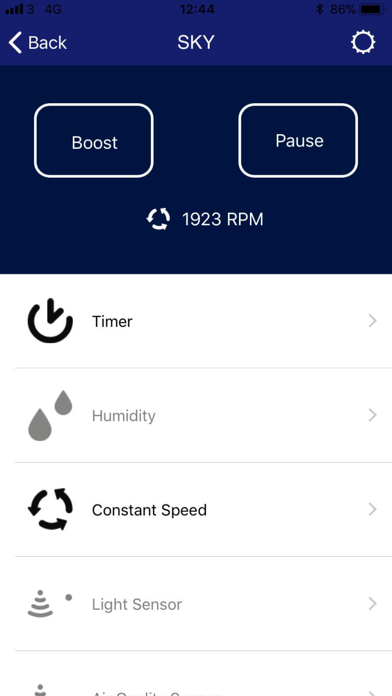
Buttons to activate Boost or Pause.
Current running mode shown live with a small icon and the fan speed in rpm.
It shows activated functions as black and non-activated functions as grey.
There are separate pages for adjusting Timer, Humidity, Constant speed, Light sensor, Air quality sensor, Airing and Pause settings.
Fresh FCX 90
Product information
Fresh Advance FCX 90 is a quiet ventilation unit with high energy efficiency and high heat recovery rate
Paring the device and app
Go into the settings of your phone and search for available Wi-Fi networks.
Locate the network which matches the device ID (found on the front of the module) and select this.
Before going to the next step, make sure that the Wi-Fi symbol is shown at the upper left corner (usually next to your carrier info)
Start the Fresh Ventilation App
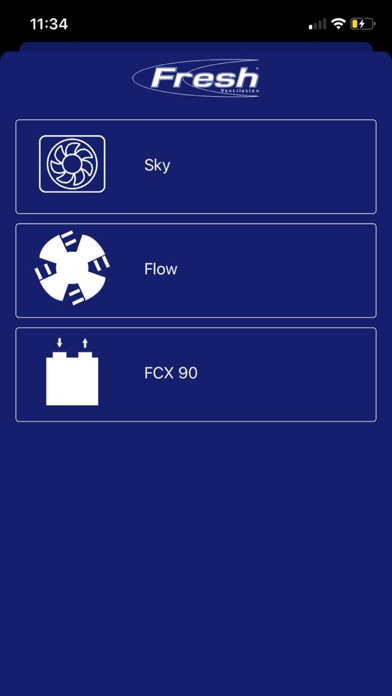
Press + symbol to add a device.
Choose FCX 90 and enter the Security Key. (found on the front of the module)
Choose your device name.
Enter your SSID and Password to your local Wi-Fi network (note that FCX 90 only supports 2.4 GHz networks)
Close the app and go to settings on your phone and reconnect to your local Wi-Fi network.
Basic app
Check the device status, change operation mode, see outdoor, extract and supply temperature, schedule own programs and more.
Press (cogwheel symbol) top right on the main page for additional settings such as: Change date/time, Modify WLAN settings, access the commissioner mode, rename the device or remove/delete the device.
Quoi de neuf dans la dernière version ?
Bluetooth pairing improvements. Added Translations. New Econiq product support with hmi & Mainboard firmware version 1.83